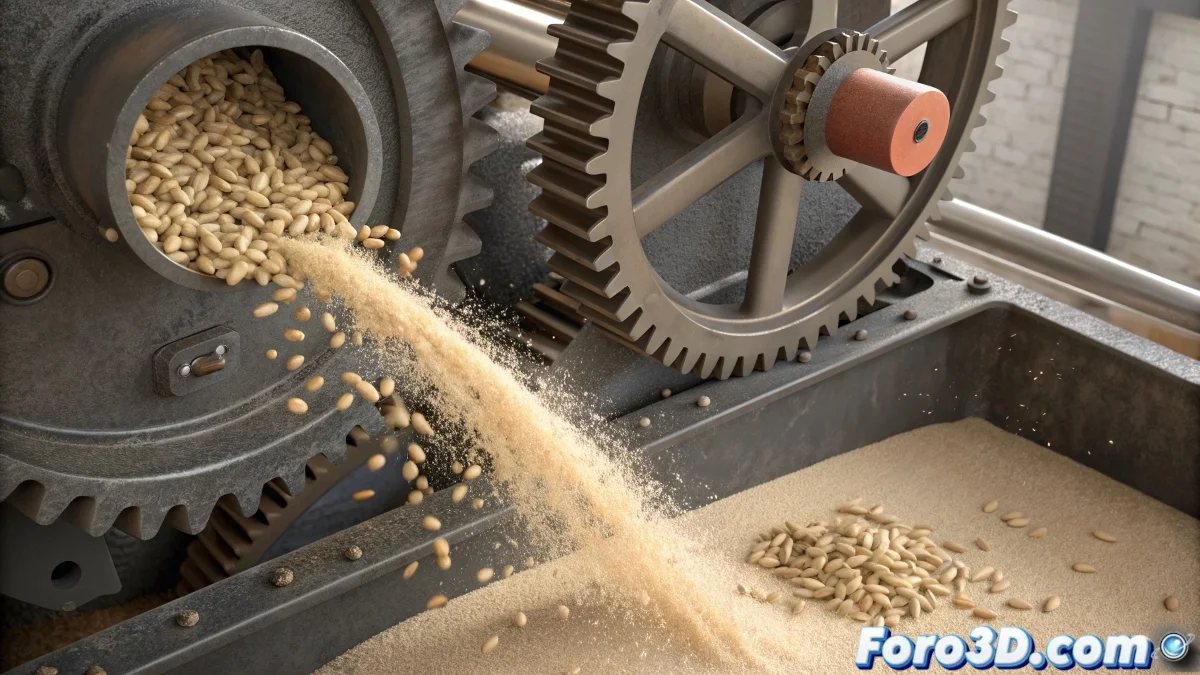
When grains decide to turn into powder
The transformation of wheat into flour is one of those effects that combines particle simulation, rigid body dynamics, and material transitions in a particularly challenging way. The process requires convincing the grains to abandon their solid form and become that fine powder we know as flour, all while being crushed between two stones. The transparent stone adds an extra layer of complexity, but also fascinating visual opportunities.
The most effective approach involves using Particle Flow to manage the transition between the different states of the wheat, combined with Reactor or MassFX for the milling dynamics. The key is to create a chained event system that responds to collisions between the grains and the stones.
Initial particle system setup
Start by creating a Particle Flow system that emits wheat grains as mesh instances. Model a few wheat grains with different shapes and orientations to add variety. Configure the emitter to generate the grains in the upper area between the stones, with a low initial velocity that allows them to fall by gravity toward the milling point.
The grains must be Rigid Bodies with realistic physical properties: low mass, medium friction, and some bounce. This will ensure they behave like solid grains before the transformation. The upper transparent stone must be a static collider, while the lower one can be dynamic to simulate the milling movement.
- Particle Flow with varied mesh instances
- Rigid Bodies with realistic mass and friction
- Controlled emission in milling area
- Static and dynamic colliders for the stones
The best digital milling is the one that makes you almost smell freshly baked bread
Transition from grains to flour particles
The heart of the effect is in the Spawn operator of Particle Flow. Configure it to activate when the grains collide with the stones or reach a certain pressure. The original grains must die when spawning the new flour particles, creating the illusion of transformation.
For the flour particles, use a point cloud or very small particles with dust-like behavior. Adjust their velocity so they are slightly ejected from the milling point, and apply turbulence to create that characteristic chaotic movement of dust in suspension.
- Spawn operator activated by collision
- Transition from meshes to simple particles
- Moderate escape velocity
- Turbulence for organic movement
Materials and visual appearance
For the transparent stone, create a Glass material with moderate refraction and subtle reflections. Adjust the transparency to be clear enough to see the internal process, but with enough visual presence to notice it's a stone.
The wheat grains need a semi-matte material with realistic grain texture, while the flour should be a volumetric material with high light scattering. Use particles rendered as points with some motion blur to smooth the transition and create that powdery appearance.
- Glass material for transparent stone
- Realistic textures for wheat grains
- Volumetric material for flour particles
- Motion blur to smooth transformations
Optimization and final effects
Since you'll be working with thousands of particles, it's crucial to use optimization techniques. Set a reasonable particle limit and use levels of detail based on distance to camera. For the flour, consider rendering in separate passes for more control in post-production.
To add realism, include bran particles slightly larger that separate from the fine flour. A warm lighting system and some subtle volume light will help integrate all elements and create that traditional mill atmosphere.
- Particle limits for performance control
- Render in separate passes for post control
- Bran particles for variation
- Atmospheric lighting for integration
Mastering this technique will not only allow you to create a convincing milling effect, but will open the doors to all kinds of matter transformations in 3ds Max. Because in the world of digital simulation, even the most solid grain can learn to turn into dust with the right setup 😏