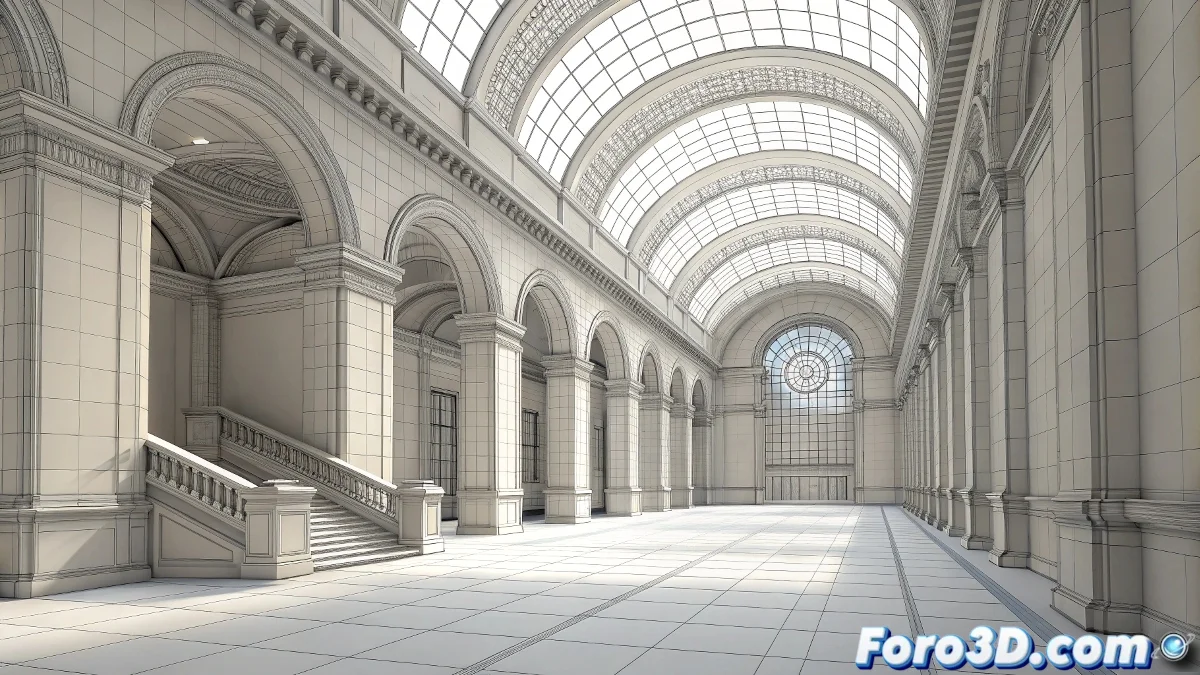
When Architecture Comes to Life in Real Time
The evolution of video game engines toward architectural visualization represents one of the most significant changes in how we present and experience designed spaces. Where we once settled for static renders or pre-rendered videos, now we can offer clients and stakeholders the ability to literally walk through their projects before the first brick is laid. This transition from traditional tools like 3ds Max to interactive environments like Unreal Engine 5 is not just a technical improvement, but a revolution in architectural communication.
The most transformative aspect of this approach is how it democratizes the spatial experience. A client who can freely explore a design, experience how light changes throughout the day, and feel the real proportions of spaces develops an intuitive understanding that no static render can provide. This immersion turns abstract presentations into memorable experiences that facilitate decision-making and reduce misunderstandings.
A project that can be walked through is a project that can be understood
Optimized Workflow
- Geometric optimization in 3ds Max for real-time performance
- Material preparation compatible with the target engine
- FBX export preserving hierarchies and UVs
- Lighting setup and reflection systems
Preparation: The Key to Success
The process begins with a meticulous cleanup of the scene in 3ds Max. The mindset must change radically: where we once prioritized visual detail at any cost, now we must balance fidelity and performance. Applying Reset XForm followed by conversion to Editable Poly eliminates problematic transformations that can cause artifacts in the engine. Reducing polygons in secondary elements—especially vegetation and repetitive furniture—is crucial for maintaining smooth frame rates during interactive exploration.
Material preparation requires special attention. Abandoning advanced render engines like V-Ray in favor of Physical Material or Standard may feel like a step back, but it is essential for a clean transition. Exporting texture maps in universal formats like PNG or TGA, organized into logical channels (Base Color, Roughness, Normal, Opacity), creates the foundation upon which materials will be rebuilt in the target engine.
Painless Export and Import
- Selection of critical FBX options to preserve quality
- Embed Media for automatic texture inclusion
- Smoothing Groups for smooth transitions between faces
- Bulk import with automatic material generation
The FBX export moment is where many projects encounter their first significant obstacles. Enabling options like Tangent and Binormals ensures normal maps are interpreted correctly, while Smoothing Groups preserves those smooth transitions between surfaces that are so hard to achieve. The Embed Media option is particularly valuable for projects moving between teams, as it packages textures within the FBX file itself.
A well-exported FBX is the shortest bridge between design and interaction
Unreal Engine 5: The New Standard
Importing into Unreal Engine 5 has been greatly simplified with specialized Architectural Visualization templates. These predefined configurations not only set optimal parameters for architectural visualization but include advanced lighting systems like Lumen already activated. Automatic generation of basic materials from imported textures provides a solid starting point that can then be refined with the engine's powerful material system.
Lighting setup in Unreal Engine 5 represents a quantum leap compared to previous engines. Lumen, the dynamic global illumination system, eliminates the need for precalculated lightmaps, allowing real-time changes to sun position, light intensity, and even materials without rebakes. Combined with Sky Light for ambient lighting and Directional Light for direct sunlight, it creates a lighting foundation that rivals offline renders in quality while maintaining full interactivity.
Optimization Strategies for Performance
- Instancing of repetitive elements to reduce draw calls
- Automatic LOD system for complex geometry
- Optimized textures based on viewing distance
- Distance-based culling for distant elements
For those seeking a more accessible alternative, Twinmotion offers a simplified workflow without sacrificing visual quality. Developed specifically for architects and designers, this software allows importing scenes from 3ds Max with minimal setup and generating interactive presentations with just a few clicks. Its integration with Quixel Bridge provides immediate access to a massive library of vegetation, materials, and preconfigured environments.
And while your client explores the space that only existed on plans for the first time, you realize that the true magic of real-time visualization is not in the millions of polygons, but in that smile of recognition when the abstract design becomes a tangible experience 🏗️