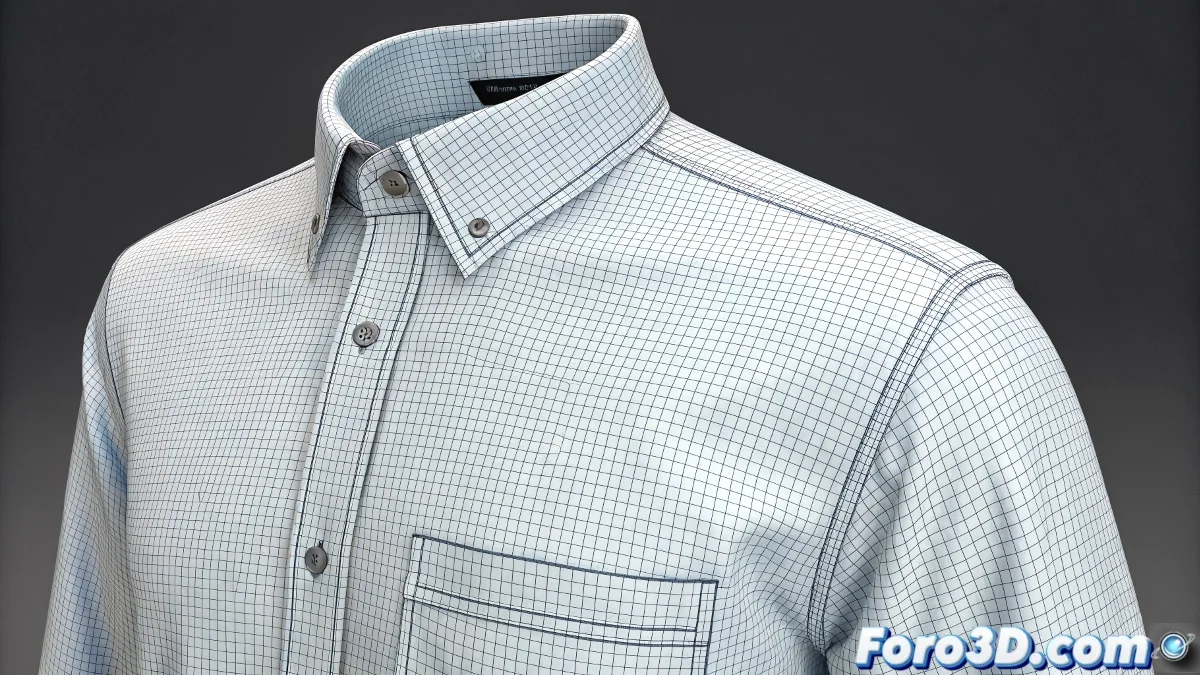
When the Pocket Decides Not to Stay Sewn
The problem of the pocket that refuses to sew in 3ds Max Cloth is one of those classics that has made more than one artist reconsider their career in fabric simulation. The frustration is understandable when you follow every step of the tutorial to the letter, but the pocket insists on maintaining its independence or moving away from the shirt instead of joining it. This behavior usually indicates a conflict between simulation forces and sewing parameters.
You have correctly identified the symptoms: the simulation calculates something but does not produce the expected result, and manually bringing the pocket closer only makes things worse. This is typical of problems with vertex groups or sewing springs parameters.
Correct Setup of Sewing Groups
The most common error is in the selection and setup of the group. When you create the group with the vertices on the pocket edge, it should not remain as Unassigned. After making the selection and creating the group, you must explicitly change it to Sewing Springs in the group type dropdown.
Then, in the main Cloth panel, go to Object Properties and ensure that both the shirt and the pocket are in the list. Select the pocket and activate Sewing Springs in its properties. The Sewing Stiffness value should be between 0.5 and 1.0 for a strong but not overly rigid seam.
- Group set as Sewing Springs (not Unassigned)
- Sewing Stiffness between 0.5 and 1.0
- Both objects in Cloth Object Properties
- Shirt as Cloth, pocket as Cloth with sewing
A perfect seam is like a good marriage: it needs commitment from both sides and the right strength to stay together
Critical Parameters for Local Simulation
When you activate Simulate Local, check that the Start Frame is at 0 and that there is no prior animation on the objects. Sometimes, if there are existing keyframes, Cloth gets confused between the animation and the simulation.
The Gravity parameter should be disabled for the pocket during sewing, but also check that the shirt has gravity 0 temporarily. If the shirt is affected by gravity, it may "flee" from the pocket instead of accepting the seam.
- Start Frame at 0 for Simulate Local
- No animation keyframes on the objects
- Gravity 0 for both objects temporarily
- Substeps increased to 3-5 for better precision
Solution to Distance Conflicts
The problem of the pocket moving away when you manually bring it closer indicates that the Sewing Springs are too tense or there is a conflict with the Collision Offset. Reduce Sewing Stiffness to 0.3-0.5 temporarily and increase gradually.
Check the Collision Distance on both objects. If the collision offset is greater than the distance at which you place the pocket, Cloth will interpret it as penetration and push the objects apart. Reduce Self Collision and Object Collision distance to 0.1-0.2 during sewing.
- Sewing Stiffness reduced temporarily
- Collision Distance: 0.1-0.2 for both objects
- Self Collision disabled during sewing
- Step Size reduced for greater stability
Alternative Sewing Technique
If the traditional method keeps failing, try the shared vertex group technique. Instead of using Sewing Springs, select the vertices on the pocket edge AND the corresponding vertices on the shirt, and create a Group (not Sewing Springs). Then use Simulate Local with this group active.
Another approach is to temporarily convert the pocket to Passive during the first frames of simulation. This allows the shirt to adapt to the pocket before activating the full simulation of the pocket itself.
- Shared group between pocket and shirt
- Pocket as Passive temporarily
- Simulation in phases: first adaptation, then sewing
- Use of Constraints instead of Sewing Springs
Verification of Base Setup
Problems with units in inches can cause strange behaviors. Check that the scale is consistent - a 2-inch pocket should be visibly smaller than a person's shirt. If the scale is incorrect, the default parameters won't work well.
The Garment Maker must have consistent density between the shirt and the pocket. If the shirt has density 1.0 but the pocket has 0.5, the vertices won't match correctly for sewing. Use the same density or integer multiples.
- Consistent scale between objects
- Consistent Garment Maker density
- Clean topology without loose vertices
- Correctly oriented normals
Solving this mystery will allow you to sew any element to your garments with confidence. Because in Cloth, even the most rebellious pocket can learn to stay in place when you know the right sewing parameters 😏
Checklist for Successful Sewing
Verified setup step by step:
1. Groups as Sewing Springs (not Unassigned)
2. Sewing Stiffness: 0.5-1.0
3. Gravity: 0 temporarily
4. Collision Distance: 0.1-0.2
5. Consistent Garment Maker density
6. No prior animation on objects