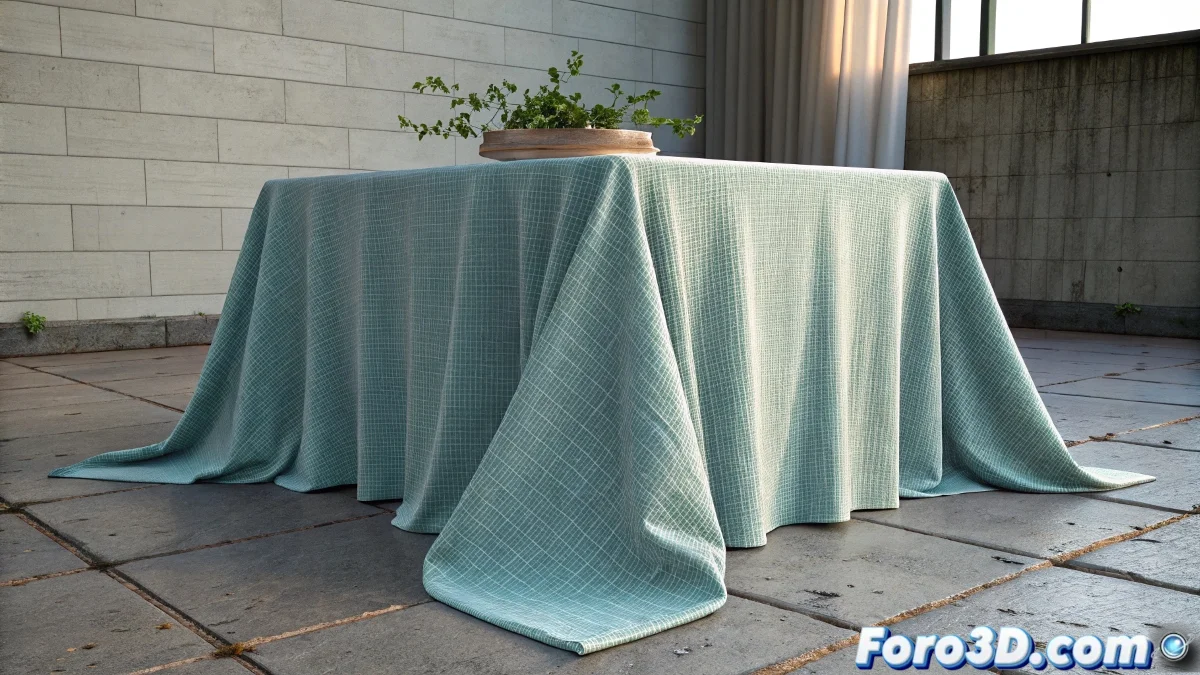
When the Fabric Decides to Defy Gravity
The problem of the fabric not reaching the ground in Blender's Cloth modifier is one of those classics that all artists face when starting with fabric simulations. The frustration is understandable when you see your tablecloth or curtain mysteriously stop in the air, with those open tips that refuse to fall as they should. This behavior usually indicates an imbalance between the physical forces acting on the fabric, where internal resistance overcomes gravity before the fabric completes its natural fall.
You have perfectly described the symptom: the simulation starts well, but stalls before reaching the desired result. This is not a software error, but a signal that you need to adjust several parameters that control how the fabric interacts with its environment and itself.
Adjustment of Gravity and Physics Parameters
The first place to look is in the scene physics properties. Go to Scene Properties > Gravity and check that gravity is enabled with an appropriate force. The default value of -9.8 m/s² is correct for real scale, but if your scene is on a different scale, it may need adjustments.
In the Cloth modifier, go to the Physics tab and adjust Quality and Time Scale. Very low Quality values (3-5) can stop the simulation prematurely. Increase to 10-15 for better precision. Time Scale at 1.0 is real time, but you can increase it slightly to 1.2-1.5 for faster simulations without losing realism.
- Scene Gravity: -9.8 m/s² verified
- Cloth Quality: 10-15 for better precision
- Time Scale: 1.0-1.5 as needed
- Air Damping: 0.1-0.3 for realistic resistance
A perfect fabric is like a waterfall: it falls smoothly but determinedly until it finds its natural level
Optimization of Mesh Resolution and Geometry
The mesh resolution is crucial for a realistic fall. If your fabric has too few polygons, it won't have the necessary flexibility to deform and reach the ground. Apply a Subdivision Surface modifier before the Cloth, or use higher Quality Steps in the cloth properties.
The Pin Stiffness parameter may also be causing the problem. If you have pinned vertices or areas with high stiffness, they may be "holding" the fabric in the air. Check that you don't have unintentional constraints and adjust the general stiffness to lower values (0.2-0.5) for natural fabrics.
- Subdivision Surface for more geometry
- Quality Steps: 5-10 for complex fabrics
- Pin Stiffness: check unwanted constraints
- Bend Resistance: 5-15 for natural flexibility
Collision Setup with the Ground
The problem may be in the collision detection with the ground. Select the object acting as the ground and add a Collision modifier. In its properties, check that Distance is not too high - values between 0.01 and 0.05 usually work well. Very high distances make the fabric "float" over the ground.
In the Cloth modifier, go to Collisions and adjust Distance and Impulse Clamping. Very high Distance can make the fabric stop before actually touching the ground, while very low Impulse Clamping can cause instabilities that stop the simulation.
- Collision Distance: 0.01-0.05 for precision
- Impulse Clamping: 1.0-5.0 for stability
- Friction: 0.3-0.7 according to ground material
- Self Collision enabled for realism
Adjustment of Mass and Internal Forces
The fabric mass directly affects its behavior. In the Cloth properties, adjust Mass to realistic values - for a normal-sized tablecloth, 0.5-1.5 kg is a good range. Very low masses make the fabric too "light" and it won't develop enough momentum to complete the fall.
The Stiffness parameters are also critical. Very high Stretch Stiffness (default 25.0) can prevent the fabric from stretching naturally towards the ground. Reduce to 15.0-20.0 for cotton or 5.0-10.0 for silks and more flexible fabrics.
- Mass: 0.5-1.5 kg for realistic scale
- Stretch Stiffness: 5.0-20.0 according to fabric type
- Compression Stiffness: 5.0-15.0
- Shear Stiffness: 5.0-15.0
Advanced Techniques for Persistent Cases
If the problem persists after all these adjustments, consider using additional forces. Add a local Force Field > Gravity with slightly greater force than the global gravity, applied only during the first frames of the simulation to "help" the fabric complete its fall.
Another technique is to use force keyframes. Animate the gravity force to start stronger and then normalize, or use a very soft Force Field > Turbulence to break any artificial "surface tension" that keeps the fabric suspended.
- Local gravity field for initial assistance
- Force keyframes for temporal control
- Soft turbulence to break tensions
- Light wind field for natural movement
Solving this mystery will allow you to create realistic fabrics that interact naturally with their environment, from tablecloths that fall perfectly over tables to curtains that reach the ground elegantly. Because in Blender, even the most rebellious fabric can learn to fall gracefully when you know the right parameters 😏
Recommended Configuration to Start
Base values for fabric that reaches the ground:
Gravity: -9.8
Quality: 12
Mass: 1.0
Stretch Stiffness: 15.0
Collision Distance: 0.03
Quality Steps: 8