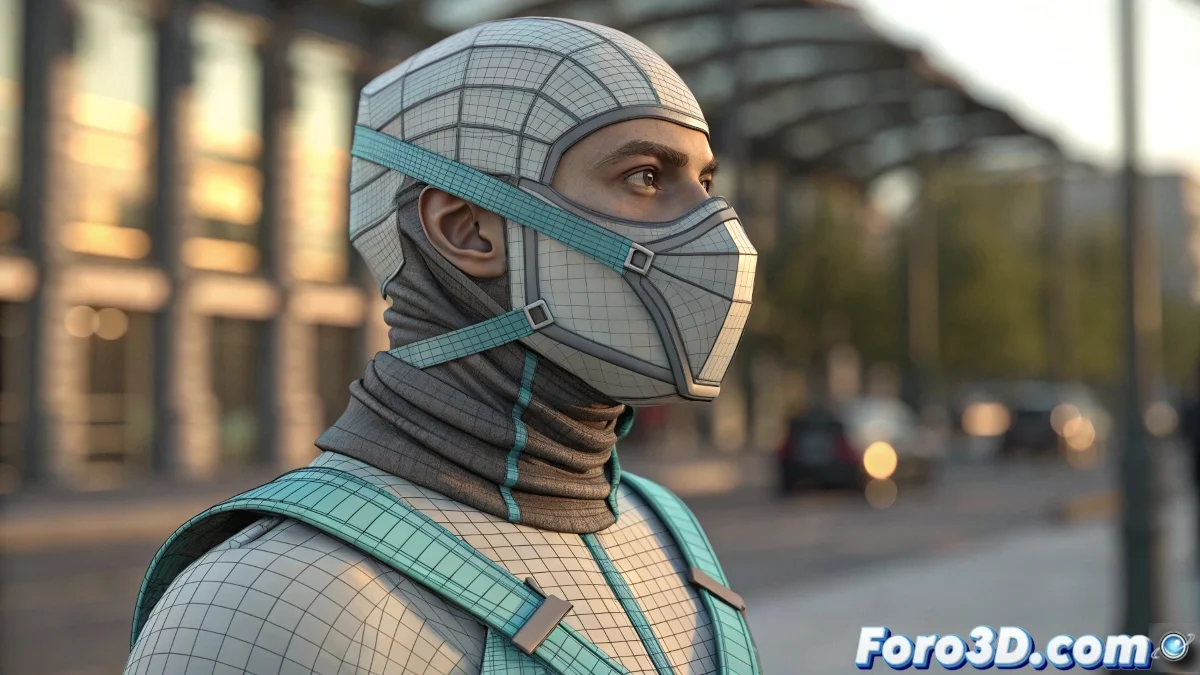
When Your Mask Explodes Like It's Alive
Simulating a mask with hanging straps in 3ds Max using Reactor Cloth may seem easy... until you run it and the cloth passes through the head or flies off as if it had a mind of its own. The problem is almost always in the collision definitions and poorly fixed vertices.
Reactor Cloth: The Simulator with Personality
To avoid catastrophic errors:
- Use simplified versions of the character (proxies with boxes or capsules) as rigid bodies, not detailed meshes.
- Assign fixed vertices carefully on the strap (usually those in contact with the mask or the head).
- Your cloth plane must have sufficient subdivisions, but not excessive. Neither rigid paper nor a 3000-polygon bedsheet.
Reactor doesn't get along with complex geometry and likes to break scenes if collisions are misconfigured or values are out of scale.
Modern Alternative: Bones or MassFX Cloth
If Reactor behaves like the grandfather of rigging:
- Use a bone system with IK Spline to simulate strap movement: simple, clean, and very controllable.
- Try MassFX Cloth if you're using a recent version of 3ds Max. It has better stability, more collision control, and better visual results.
For a mask with straps that only need to move subtly, animating them manually is also valid (and faster!).
Lessons from Simulated Frustration
After hours adjusting vertices and collisions, one ends up saying: “better to animate it by hand with three keyframes and no one notices.” Reactor, thanks for nothing… again.
So if your strap seems to have a life of its own or passes through the head like a ninja ghost, don't get frustrated: you're trying to tame a simulator that's been rebellious for 20 years. And surviving it is already a victory.