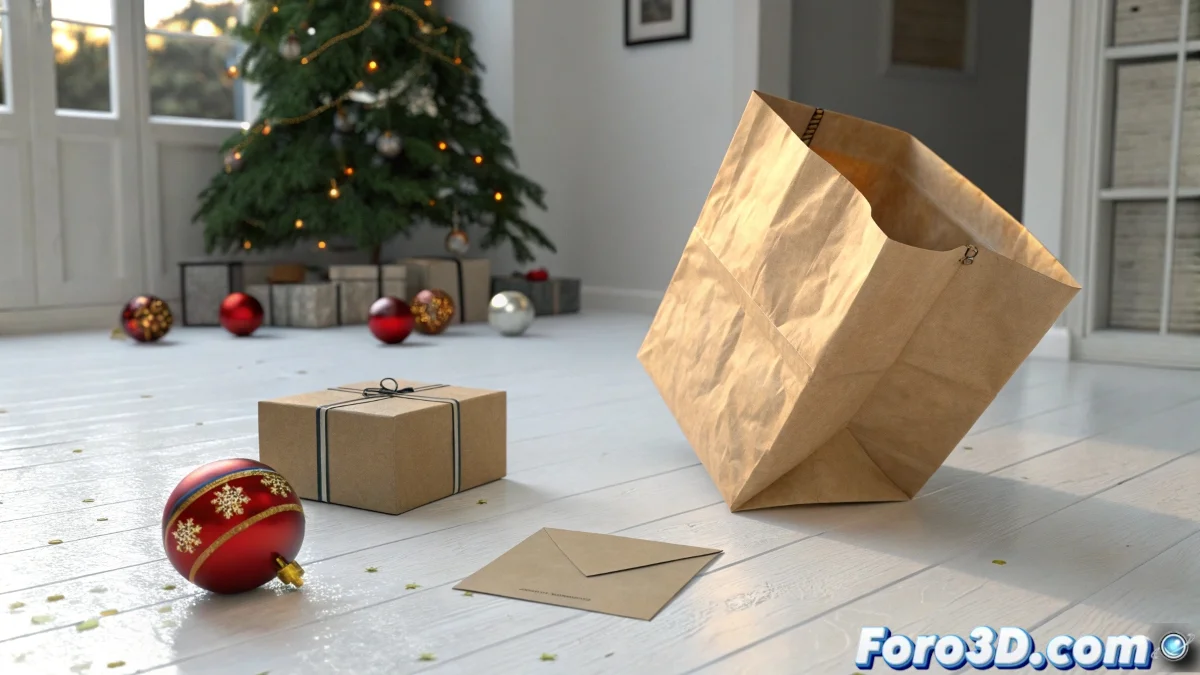
The Art of the Everyday: Bringing Simple Objects to Life
Animating mundane objects like a paper bag or an envelope is one of those challenges that seems simple until you face the digital rigidity of 3D geometry 🛍️. The key to achieving naturalness is not in moving vertices by hand, but in leveraging LightWave's simulation tools to emulate real-world physics. For corporate projects, where visual quality is paramount, mastering these techniques means the difference between an animation that looks like it was made in PowerPoint and one that captures the elegant imperfection of reality.
Taming Chaos: The Fall and Crumpling of the Bag
The star moment is the bag's fall. To prevent it from landing like a concrete block, you must treat it as a soft object. In LightWave, apply a Soft Body modifier or go into the Dynamics/Cloth module. Here, parameters like elasticity, weight, and friction are your best friends. Adjust elasticity to control how much it deforms, weight so it falls with believable force, and friction with the ground so it doesn't slide like on ice. Folds and wrinkles will emerge naturally from the impact, but adequate mesh subdivision is crucial for them to look good.
A bag that falls without crumpling is like a bad actor, completely flat and without character.
The Delicacy of Paper: Simulating the Envelope Opening
The envelope requires a finer touch. Treat it as a Thin Cloth simulation or apply a flexibility modifier. The flap should curve gently, not open at a right angle. The trick is to find the perfect balance of stiffness (so it maintains its shape) and flexibility (so it bends like real paper). A slightly high damping value will help dampen the movement, avoiding that unnatural jitter that simulations sometimes produce. 📨
Illuminating the White Purgatory with HDR
Rendering on a pure white background with HDR lighting is an art in itself. The common problem is that the HDR tints the background or creates visible edges. The solution is not to abandon HDR, but to tame it:
- Reduce the HDR intensity and complement it with a soft diffuse light that bathes the background and floor uniformly, maintaining pure white.
- Use a blend shader for the background plane, combining solid white color with HDR lighting only for the reflections.
- Make sure the background plane is slightly behind the floor to avoid ugly shadows and cuts.
- Configure radiosity with noise reduction to get soft, realistic global illumination.
Workflow and Practical Tips
Patience is the main virtue. Start with low-resolution simulations to fine-tune the physical parameters and then increase the subdivision for the final render. Don't rely on FPrime preview to judge the lighting; it often omits key effects like radiosity. Render test frames at critical moments in the animation to make sure everything integrates correctly. And of course, save versions of your project every time you find a configuration that works.
In the end, when you see your bag fall gracefully and your envelope open as if by magic, the effort will have been worth it. And if the Christmas ball decides to float, you can always say it's the Christmas spirit manifesting 😉.