Pivot Studio has released Pattern Engine, a new tool for 3ds Max that generates procedural panel types. This tool is designed to simplify the creation of complex 3D patterns, such as parametric designs, tiles, partitions, and upholstery, through a combination of flexible customization options and easy-to-use controls.
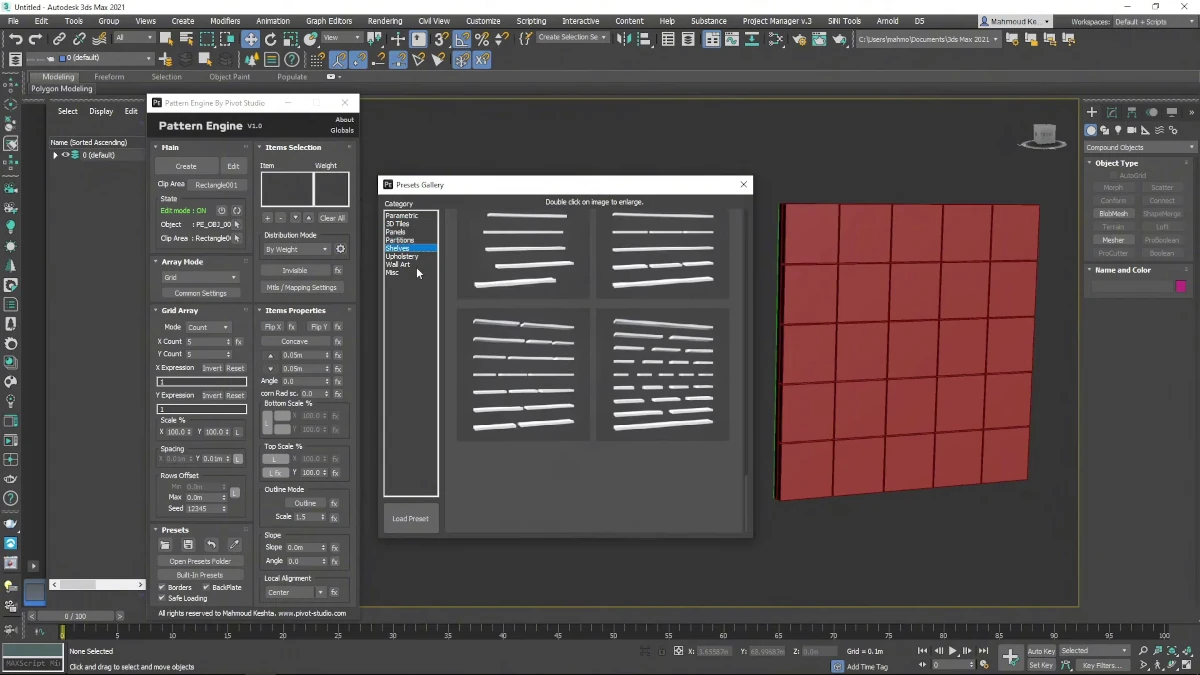
Features and Capabilities of Pattern Engine
Pattern Engine offers several array modes, such as Grid (grid), Radial (radial), and Random (random), allowing users to arrange patterns in different layouts. The tool includes an extensive library with over 40 primitive shapes that can be adapted to any closed and flat 2D shape. Users can refine their designs by adjusting parameters like depth, angle, scale, and visibility of each individual element.
Effects System
One of the most standout features of this tool is its Effects system, which allows users to apply dynamic adjustments through gradients, random values, or expressions. Patterns can also be blended for more nuanced control. Additionally, Pattern Engine offers specialized modes such as:
- Concave mode: for hollow shapes.
- Outline mode: for framed objects.
- Convex bumpy mode: for upholstery-style shapes.
Customization and Presets
With over 200 built-in presets and instant save functionality, Pattern Engine aims to streamline the workflow of designers using 3ds Max. These presets allow for quickly applying a base for any design and adjusting them as needed.
Access and More Information
For more information about Pattern Engine, including how to acquire it, visit its page on Gumroad and discover how this tool can enhance your productivity and creativity in 3ds Max.