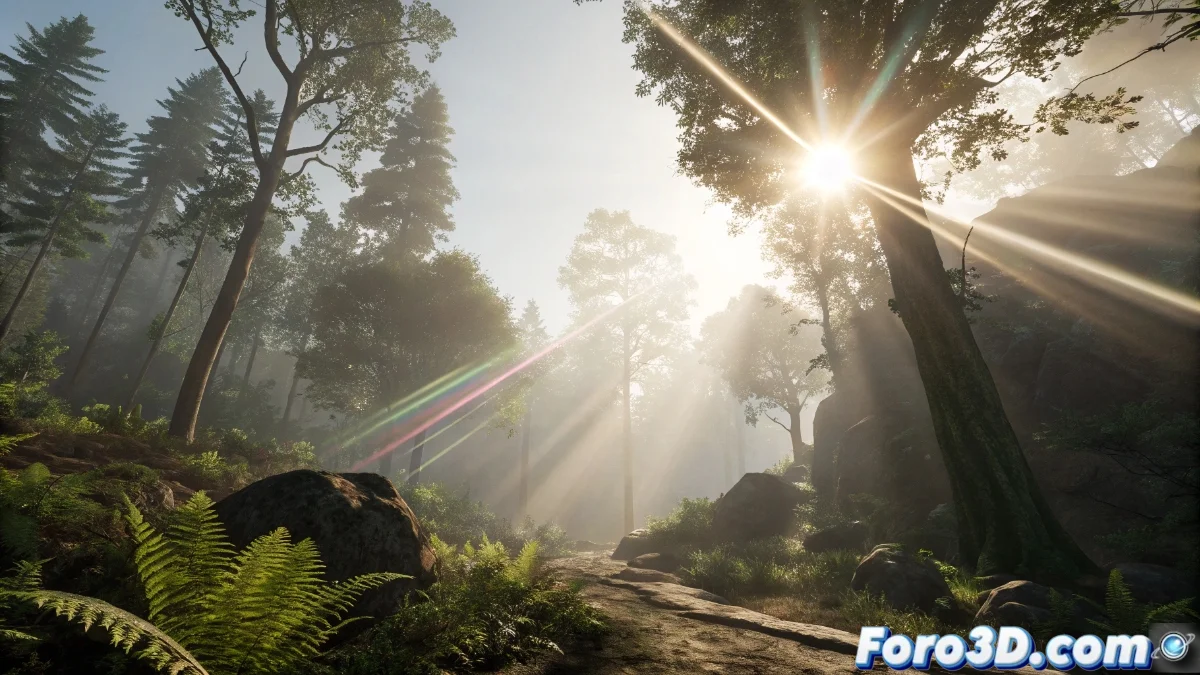
Mastering Lens Flare in Unreal Engine 5: Complete Setup and Optimization Guide
The Lens Flare system in Unreal Engine 5 recreates the light flares that occur when powerful light sources directly impact the camera sensor, generating visual effects that enhance realism and the atmosphere of any virtual scene. This component is primarily managed through the Post Process Volume, allowing dynamic modification of characteristics such as intensity, tones, and patterns based on the environment's lighting conditions. 🌟
Essential Lens Flare Effect Setup
To implement this effect, start by adding a Post Process Volume to your scene and enable the Lens Flare function in its properties. Within this panel, you will find fundamental parameters such as Intensity to regulate the overall brightness, Tint to alter the coloration of the flares, and Bokeh Size which determines the size of the circular shapes around intense lights. It is vital to meticulously balance these values to avoid visual saturation that could distract the user, always maintaining coherence with the established artistic direction.
Key parameters to consider:- Intensity - Controls the overall luminous power of the effect
- Tint - Allows customizing the chromatic range of the flares
- Bokeh Size - Defines the size of the circular elements around light sources
Excessive Lens Flare can simulate a dirty lens, but used in moderation, it enhances immersion without turning the experience into an unintentional laser show.
Advanced Techniques and Performance Optimization
Unreal Engine 5 incorporates sophisticated features like custom masks to delimit flare appearance zones, along with native integration of the Lumen system for more authentic responses to global illumination. To optimize performance, limit the number of light sources generating Lens Flare and use level of detail (LOD) systems to manage effects at long distances. Experimenting with different bokeh textures and attenuation curves allows developing a unique visual style that complements your project's narrative.
Optimization strategies:- Implement custom masks for spatial control of appearance
- Reduce the number of light sources generating the effect
- Apply LOD effects for management at long distances
Final Considerations for Effective Implementation
Lens Flare is a powerful tool for enriching scenes, but it requires judicious application. Always prioritize visual coherence over exaggerated effects, using Unreal Engine 5's capabilities to create immersive experiences where every flare contributes to the emotional impact without compromising technical performance. Controlled experimentation with advanced settings will allow you to discover the perfect balance between art and functionality. 🎮