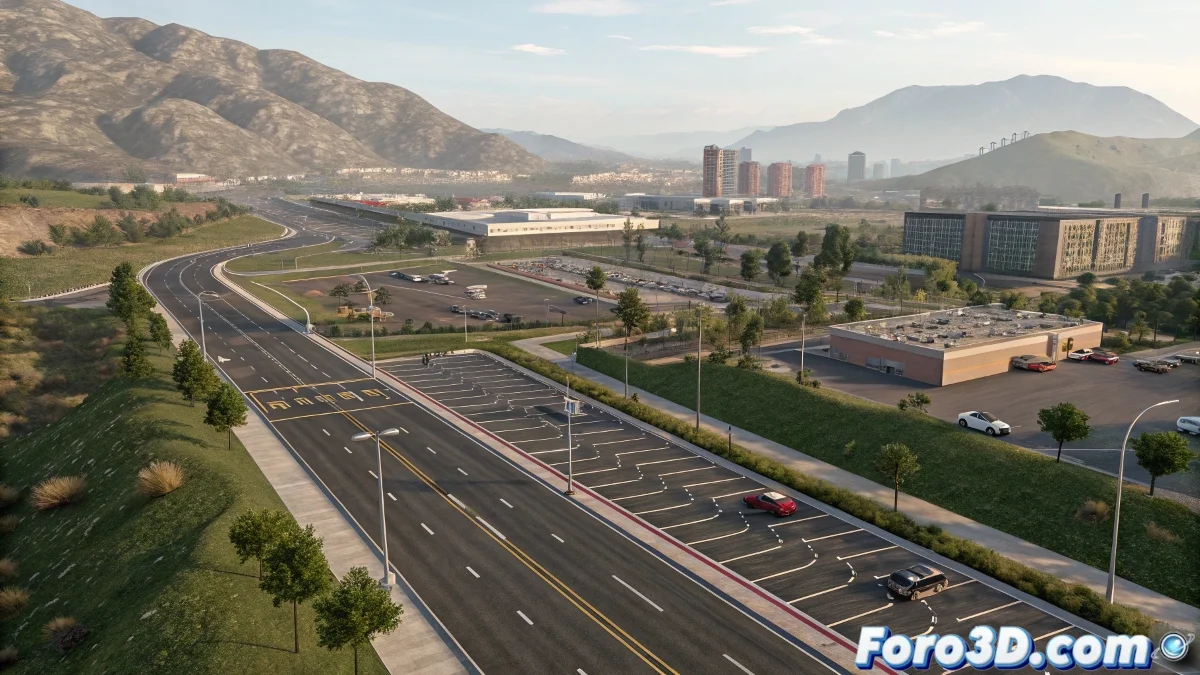
iCity 1.5 Improves Highway Generation in Blender
The new version of the popular plugin iCity 1.5 for Blender not only expands its already robust road generation system, but now allows converting them into large-scale highways and editing custom road markings, elevating its potential for urban environment artists and game developers working on open world or simulation projects.
Beyond Streets: Highways, Terrain, and Urban Realism
With this update, users of Blender 4.4+ can transform simple roads into multi-lane highways, perfect for representing complex infrastructures. Additionally, the new terrain editing functionality within the same iCity allows creating slopes, valleys, and topographic deformations directly in the workflow, without the need for external tools or confusing node graphs.
On top of that, support for custom road markings has been added, opening up a wide range of visual possibilities for representing realistic signage in architectural projects, video games, or cinematic renders.
Background Export and Professional Formats
Another important advance in iCity 1.5 is its new export system that works in the background. Now you can continue editing your scene while assets are exported in parallel, which is very useful when time is pressing and the render won't wait. The option to convert instances to traditional meshes before exporting has also been added, improving compatibility with engines like Unity, Unreal Engine, or Houdini.
Export formats include FBX, glTF/GLB, and USD, making iCity a tool perfectly integrated into professional workflows and complex production pipelines, especially in collaborative environments with other disciplines like VFX, architectural design, or transportation visualization.
Previous Improvements That Add Even More Value
From versions 1.1 to 1.4, urban blocks such as parking lots, green areas, and customizable empty blocks were introduced. The default scale can also be adjusted to work in different real-world units, from meters to feet or generic simulation units.
- Highway generation from roads
- Direct terrain editing in the plugin
- Support for custom road markings
- Background and parallel export
- Instance to mesh conversion
- Support for FBX, glTF/GLB, and USD
With these improvements, iCity 1.5 establishes itself as an essential tool for any artist or developer seeking to create detailed and realistic urban environments in Blender.