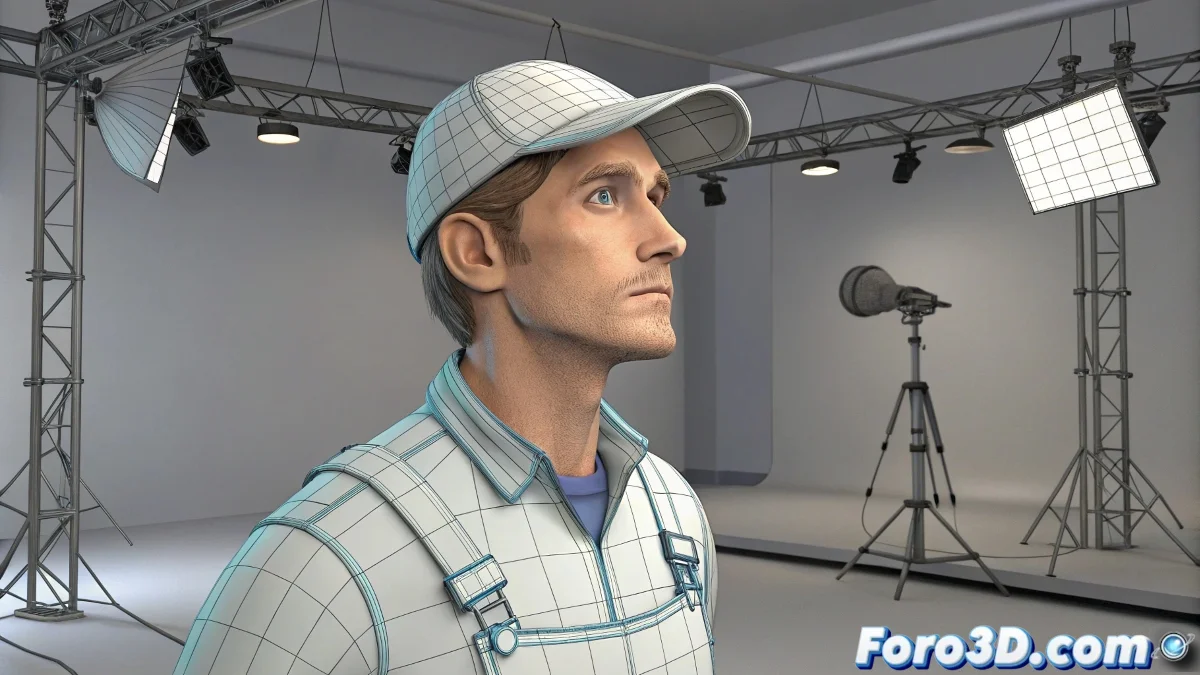
How to Detail Models After Animatic Layout in Animation Production
What you're seeing in that type of production is a very common workflow in professional animation, especially in film or video game studios, where efficiency is key. First, the layout or animatic is done with simplified models (called proxy or low-res), and then, once the animation is approved, they are replaced by the final, detailed models. And no, you don't need to be a production expert to understand it! 🎬
How the Replacement Works Technically Without Breaking the Animation
In programs like 3ds Max, this can be achieved thanks to a workflow based on references or XRef Scenes and XRef Objects. Basically, you animate with a lightweight version of the model, but the rig is already prepared and linked from an external file. When it's time to detail, you simply replace the linked file with the final version (which may have more geometry, UV maps, textures, or sculpting details), as long as it respects the rig's hierarchy, names, and structure. This way, the animation is not lost because it is applied to the skeleton, not the mesh. This same approach is also used in Maya, Blender, or Houdini.
Advantages of This Modular Approach in Production
This technique allows animators to work very early on without waiting for modelers to finish everything. It also avoids loading heavy scenes during testing stages. By keeping the rig, animation, and final geometry separate, each part of the team can work in parallel. You can even change the mesh several times if the design changes, without affecting the animation. You just need to be careful not to alter critical rig points like pivots, weights, or bone names.
Your method of having the finished model from the start isn't bad, especially in personal or architectural projects where there isn't much iteration. But in narrative animation or VFX, flexibility is key. And as a joke among animators: animating with the final model from the start is like painting a wall before they build the house. It might look nice, but it doesn't make much sense... and you'll probably have to repaint it! 🏗️
With these tips, you'll be able to understand how models are detailed after the animatic layout in professional animation production. And remember, if something doesn't turn out as expected, you can always check your references! 🔍