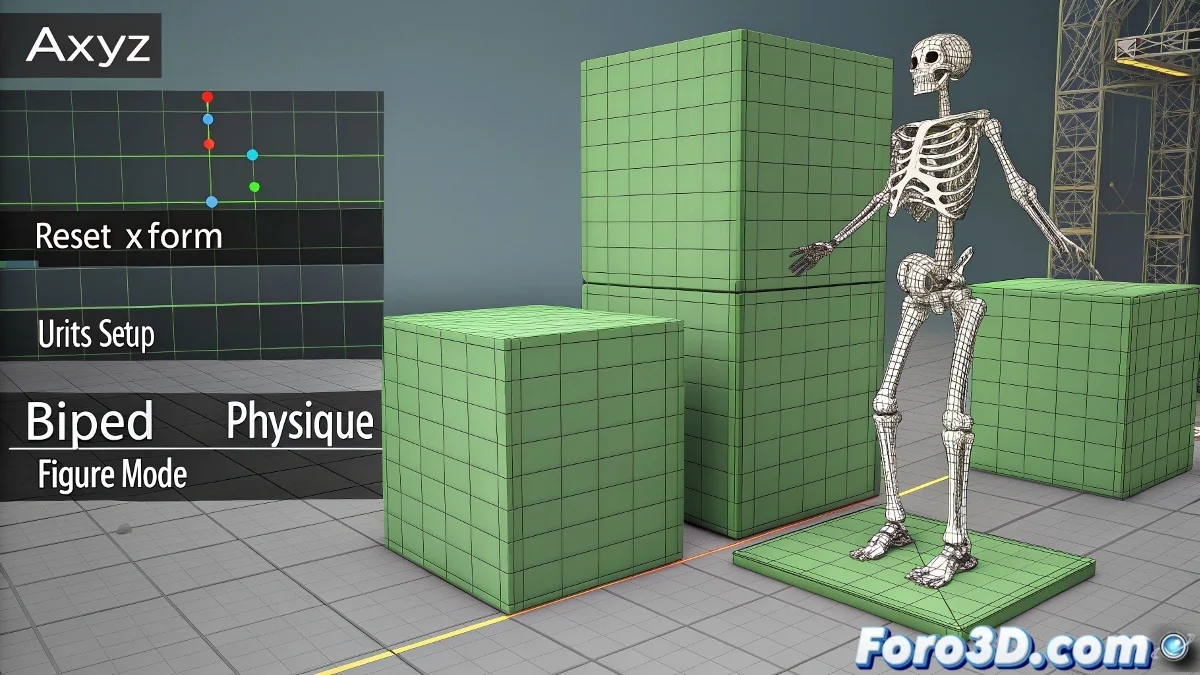
Guide to Importing AXYZ Characters into 3ds Max Without Errors
Importing AXYZ characters into 3ds Max can be a challenge if the proper steps are not followed. Often, the models appear with incorrect scales or giant green cubes, which can lead to unwanted deformations. Don't let your characters look like they came out of a washing machine! 🧺 Here's how to do it correctly.
Insert the Character Without Changing the Scale
AXYZ models are usually in meters. If your scene is in centimeters, do not scale the model directly. Instead, adjust the scene units from Customize > Units Setup so everything matches from the start. Consistency is key! 🔑
Do Not Delete the Green Cubes
Those cubes are helpers that are part of the original rigging system. Do not delete them, as you might break hierarchies. Simply hide them from the Layer Manager or disable them in the Display panel. Don't turn them into enemies! 🟢
Change the Scale with Caution
If you need to change the scale, do it only once and then go to the Utilities > Reset XForm panel and press Reset Selected. This cleans up the transformations so the model does not behave strangely when applying the skeleton.
Apply the Physique Modifier Correctly
Do not press Reinitialize without thinking. Only use it if you know how the skeleton behaves on that mesh. Apply the Physique modifier only after doing the Reset XForm to avoid absurd deformations. Patience is a virtue! ⏳
Adjust the Biped in Figure Mode
Activate Figure Mode in the Biped to adjust the initial pose and ensure it matches the character's pose. This is crucial for a clean fit. A well-fitted skeleton is a happy skeleton! 💀
Review the Physique Envelopes
After applying Physique, review the envelopes to correct possible deformation errors. Never trust the automatic result 100%. The devil is in the details! 😈
By following these steps, you will avoid the classic error of everything deforms when I insert the skeleton. If everything goes well, your character will work as it should. If not, you can always say it's a vanguardist style. Good luck! 🎨