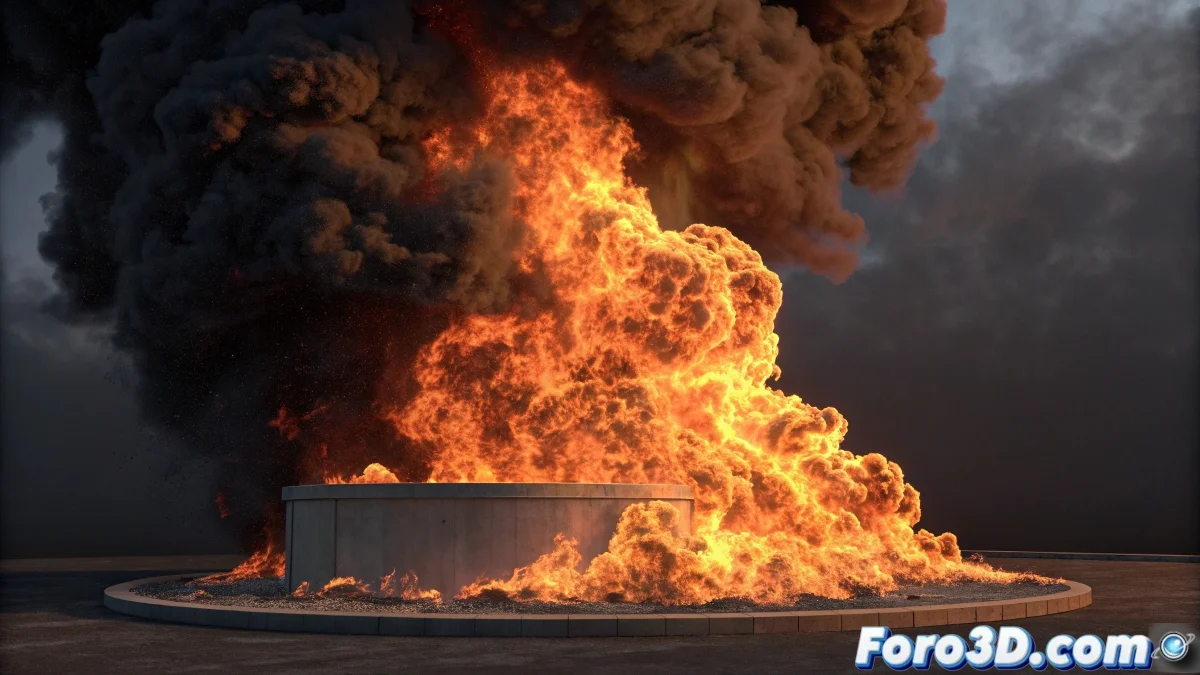
When Fire Decides to Dance Instead of Burn
The problem of wavy and non-uniform fire in FumeFX is one of those challenges that almost all artists face when starting with this powerful plugin. That excessive rippling you describe, where the flames look more like a flapping flag than real fire, is usually the result of an unbalanced combination of turbulence, scale, and velocity parameters. Without seeing your specific file, I can identify several common culprits based on your problem description.
The fact that you're experimenting without tutorials is admirable, but FumeFX has a particularly steep learning curve due to the number of interconnected parameters. You're not doing anything wrong per se, but you're probably exploring parameter combinations that produce these unwanted side effects.
Adjusting Turbulence and Scale Parameters
The main suspect for your excessive rippling problem is the Turbulence parameter in the Simulation panel. Default values are usually too high for basic simulations. Reduce Turbulence Noise Scale to values between 10-30 (instead of 50-100 which is usually the default) and decrease Turbulence Strength to 0.5-1.0 initially.
The simulation scale is also critical. If your FumeFX container is too small for the effect you're aiming for, the turbulence becomes disproportionately intense. Make sure the container size is appropriate for the fire scale you want - for 1-2 meter high flames, a container at least 3-4 meters tall works best.
- Turbulence Noise Scale: 10-30
- Turbulence Strength: 0.5-1.0
- Appropriate container size to scale
- Sufficient grid resolution for details
Perfect fire in FumeFX is like a good sauce: it needs the exact right amount of spices, not just more of everything
Fuel and Temperature Settings
The non-uniform behavior you mention is usually related to the Fuel and Temperature parameters. In the Fuel panel, check that Burn Rate is not extremely high (0.5-1.5 is a safe range to start) and that Oxidation is around 1.0. Very high values create overly violent and chaotic combustion.
For temperature, adjust Ignition Temperature to 150-200 and Max Temperature to 500-800. This creates a smoother temperature gradient that results in more stable and uniform flames. Buoyancy (buoyancy) also affects uniformity - values between 2-5 usually work better than extremes.
- Burn Rate: 0.5-1.5
- Oxidation: around 1.0
- Ignition Temperature: 150-200
- Buoyancy: 2-5 for natural buoyancy
Emitter and Source Optimization
The geometry of the emitter greatly influences the result. If you're using a complex object as an emitter, try a simple sphere or box first. Emitters with many protrusions or details create irregular turbulence patterns that lead to that weird appearance you describe.
In the emitter properties, adjust Velocity Scale to moderate values (0.5-2.0) instead of extreme ones. A very high Velocity Randomness also contributes to the lack of uniformity - keep it between 0.1-0.3 to start.
- Simple emitters for initial tests
- Velocity Scale: 0.5-2.0
- Velocity Randomness: 0.1-0.3
- Constant and moderate Fuel Amount
Render and Material Settings
The final appearance also depends on the render settings. In the FumeFX Rendering panel, check that Fire Opacity is not too high (0.3-0.7 is a good range) and that the fire color has a smooth transition from intense yellow to orange and dark red.
To better integrate the fire with your scene, add appropriate lighting that matches the intensity and color of the flames. A common mistake is rendering the fire with scene lighting that doesn't reflect the light that real fire should be emitting.
- Fire Opacity: 0.3-0.7
- Smooth color transition
- Lighting coherent with the fire
- Motion Blur to smooth transitions
With these adjustments, your fire should transform from a waving flag to realistic and controlled flames. The key is balance - FumeFX responds better to subtle adjustments than drastic changes. Because in the world of digital fire effects, sometimes less turbulence is more realism 😏