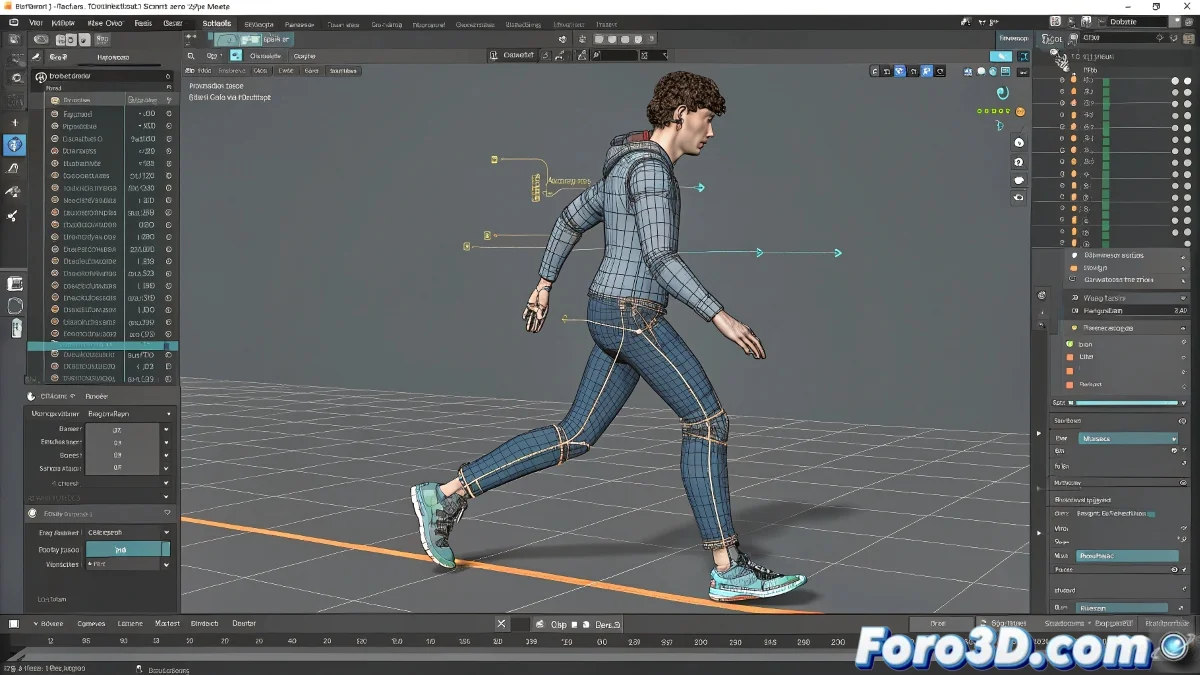
Guide to Animating a Human Character in Cinema 4D Without Losing Its Structure
Animating a human character in Cinema 4D can be an exciting task if done correctly. The most common mistake is converting the model into an editable object, which destroys its skeletal hierarchy. Don't disassemble your character like a puzzle! 🧩 Here's how to do it without losing the structure.
Maintain the Model's Integrity
The default character in Cinema 4D comes with a preconfigured rig system, ready to animate. Converting it to editable is like trying to drive a car without wheels. Maintain its original structure to take advantage of all available animation tools.
Use the Preconfigured Control System
Go to the main character object, usually called Character, and activate animation mode in the attribute manager. From there, you can manipulate the rig controllers, such as arms, legs, and spine, to create smooth movements.
Create Your Own Rig with Character Object
If you prefer to create a character from scratch, use the Character Object in the Character menu. Select a template like Biped and add components such as legs, arms, and tail. Cinema 4D will assemble the rig automatically, making animation easier.
- Character Object: The base for your character.
- Components: Add body parts as needed.
- Templates: Use predefined templates to save time.
Animate with Keyframes in the Timeline
To animate, move the controllers in the viewport and, with the object selected, press the Rec Keyframe button in the Timeline. Change frames and repeat the process to create a movement sequence. It's like bringing a rag doll to life! 🧵
Automate Movement with CMotion
Cinema 4D includes a tool called CMotion, which allows your character to walk automatically. Just assign it to the character and adjust parameters like pace, distance, and step amplitude. Your character will be walking in no time! 🚶
Animate the Tail for Greater Realism
If your character has a tail, make sure you've added it as a component to the rig. Then, animate the corresponding controllers or use an IK Spline for smoother movements. Nothing like a well-animated tail to give it personality! 🐾
Don't convert your character to editable, use the rig controllers, record keyframes, and try CMotion to automate movements. If at first your character seems to be dancing the Macarena, don't worry. The important thing is that it doesn't end up like a character from a low-budget horror movie. Have fun animating! 🎬