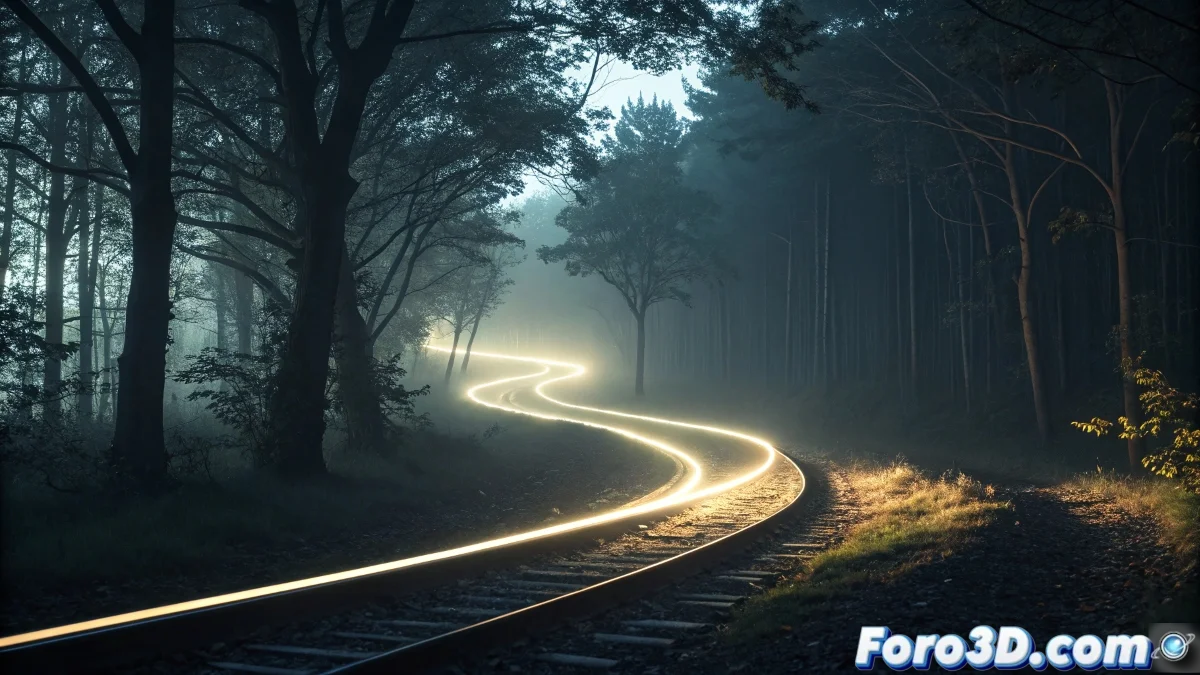
Creating Realistic Animated Light Trails with VRay
Want to transform a simple cylinder into a spectacular trail of luminous energy? 💫 With VRay, you can turn basic geometry into effects that look like they're straight out of a sci-fi movie. Here we reveal the professional secrets to achieve it.
Step 1: Base Setup with PathDeform
- Create your trajectory with splines
- Model a thin cylinder (20-50 sides for smoothness)
- Apply PathDeform (WSM) and link it to the spline
- Animate the % Along Path for movement
Step 2: Material That Actually Emits Light
Essential VRayLightMtl:
- Color: Choose vibrant tones (blue/cyan for energy)
- Intensity: 5-15 (depending on the scene)
- Activate Emit Light on Back Side
- Check Affect Alpha for compositing
Enhance with VRayLight:
- Duplicate the cylinder as a VRayLight (Mesh)
- Adjust Multiplier to 2-5
- Use Texmap for intensity variation
Step 3: Professional Volumetric Effects
VRayEnvironmentFog: 1. Density: 0.01-0.05 2. Fog color: Similar to the light material 3. Light multiplier: 2.0 4. Phase function: 0.8 (for directional scattering)Step 4: Render Elements for Post-Production
| Element | Use in Post-Production |
|---|---|
| VRayLighting | Adjust global intensity |
| VRayBloomGlare | Emphasize luminous halos |
| ZDepth | Depth for blur |
| VRayExtraTex | Color masks |
Pro Tip: For "light painting in the air" type effects, animate the material's opacity synchronized with the movement, creating a natural fade.
Errors That Ruin the Effect
- Excessive Density in Environment Fog (it will look like milk)
- Not using Affect Alpha (compositing problems)
- Forgetting high samples in VRay (noise in volumes)
Post-Production in After Effects
- Import the Render Elements
- Apply Saber (VideoCopilot) to intensify edges
- Combine with AE's native Glow
- Adjust levels with ZDepth for depth
With this technique, your trail will go from being a simple cylinder to an effect that seems to require specialized plugins. The trick lies in the intelligent combination of basic tools: sometimes less is more... but well-rendered. ✨