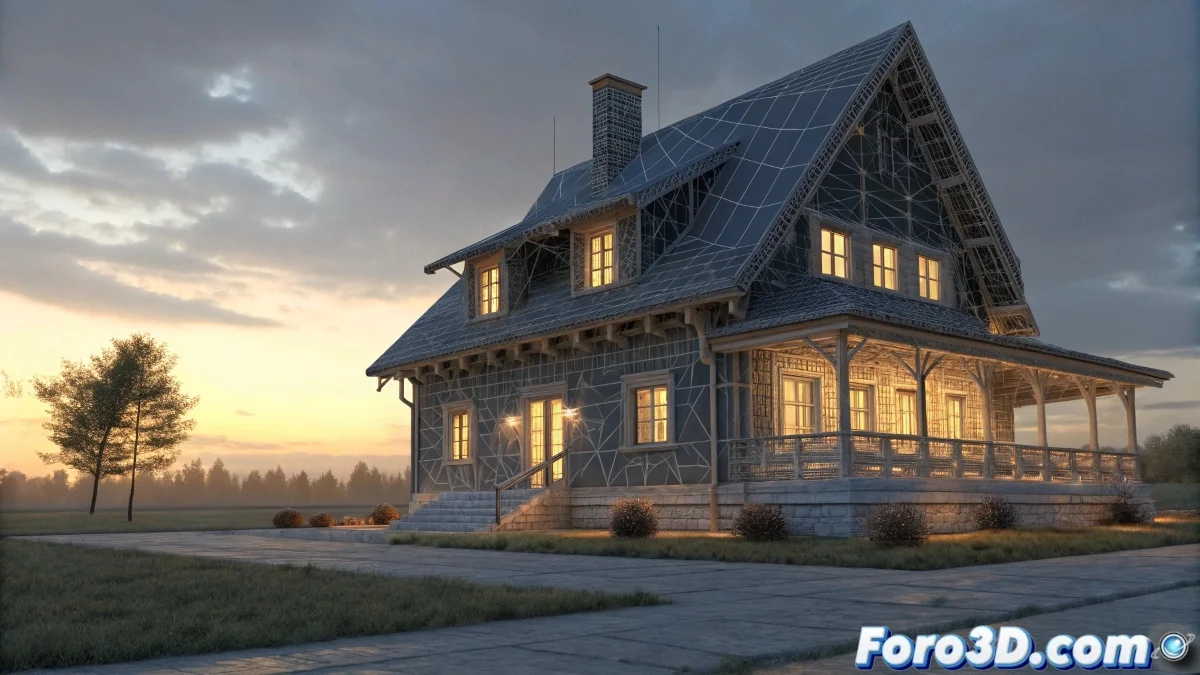
The Wireframe Style with Faceted Lighting
When you want to create a wireframe material with flat lighting for your demo reel in V-Ray, you are exploring one of the most effective non-photorealistic rendering techniques to showcase the quality of your modeling. The challenge you describe is very specific: you want to combine the wireframe visualization provided by VRayEdgesTex with that per-face lighting that characterizes standard 3ds Max materials when you activate the "Faceted" option. The problem is that V-Ray, by default, always applies smoothing between faces because it is designed for realistic renders, but to showcase your modeling work you need that technical look where each facet is clearly defined.
Understanding Lighting Behavior in V-Ray
V-Ray does not have a direct "Faceted" option like standard 3ds Max materials because its philosophy is based on real-world light physics. However, there are techniques to trick the engine and achieve that flat lighting effect you are looking for to highlight the structure of your models.
- V-Ray calculates smoothed normals by default
- Faceted lighting requires unsmoothed normals
- VRayEdgesTex shows the wire but does not control the lighting
- Normal smoothing is responsible for the unwanted effect
Solutions for Flat Lighting in V-Ray
To achieve the effect you are looking for, you need to combine several techniques and modifiers that override V-Ray's default behavior and force the display of flat faces.
A wireframe render with flat lighting is like a technical diagram in 3D: it shows the pure essence of your modeling without distractions
- Apply the Edit Poly modifier and select all faces
- Use the Clear All button in Smoothing Groups
- Configure a VRayMtl with VRayEdgesTex in the diffuse slot
- Force unsmoothed normals with the Normal modifier
Advanced Setup for Demo Reels
For professional presentations where you want to showcase your modeling work, we recommend a specific setup that maximizes the visual clarity of your models.
Mastering non-photorealistic rendering techniques in V-Ray is essential for creating impactful demo reels that showcase your technical skill as a 3D modeler 🎯. Every adjustment you perfect allows you to present your work in the clearest and most professional way possible, highlighting exactly what recruiters want to see in your portfolio.