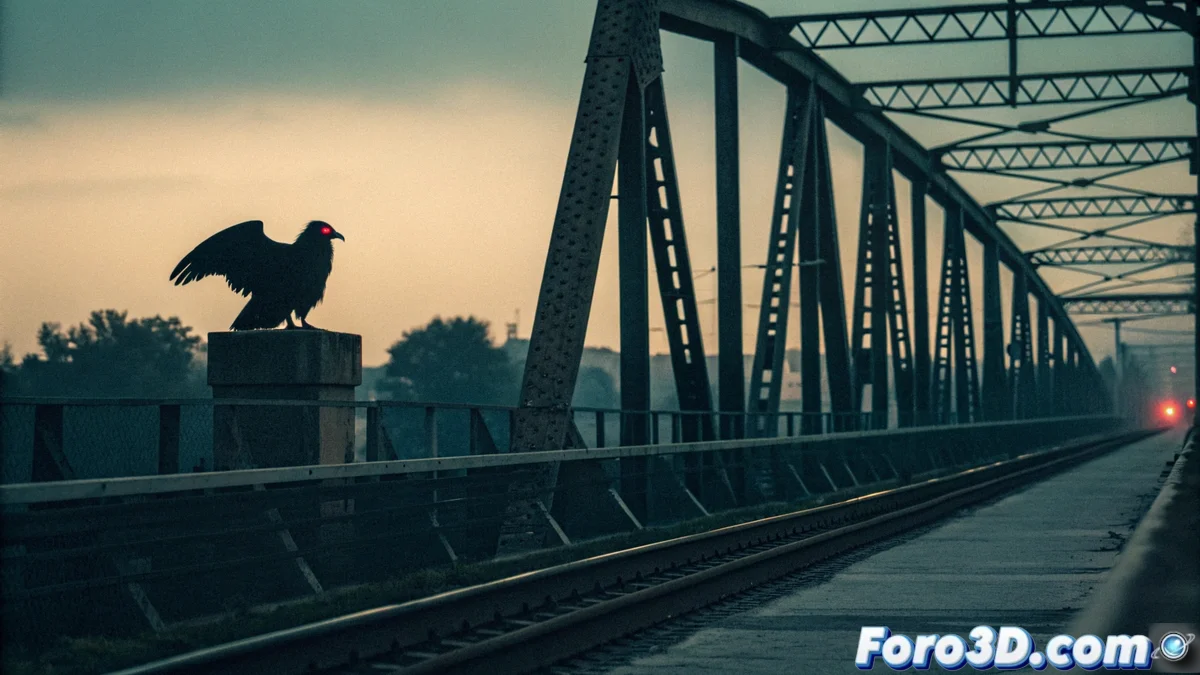
Creating the Mothman Legend with Blender and Pencil 2D
The mysterious figure of the Mothman originated in Point Pleasant in the 1960s. This tutorial explains how to produce an image that evokes the unsettling sightings reported, linking its silhouette to an atmosphere of impending catastrophe, such as the Silver Bridge collapse. 🦇
Prepare the Environment in Blender
Start a new scene in Blender and delete the default object. Add a plane, scale it to use as ground, and model or import a simple geometry that suggests a bridge structure. Position the camera with a low angle to emphasize scale and set up a dramatic shot.
Set up lighting and sky:- Use a node system or load an HDR texture to simulate a sunset sky with heavy clouds.
- Adjust the sun position and light intensity to achieve long shadows and an overall ominous tone.
- Define the camera frame so that the bridge beam occupies a central place in the composition.
The visual atmosphere is key to conveying the sense of foreboding associated with the Mothman.
Draw and Bring the Creature to Life
Activate the Pencil 2D add-on from Blender's preferences. Switch to Draw mode and select a solid black color brush. In the first keyframe, trace the creature's silhouette over the structure, highlighting its humanoid shape and large extended wings.
Animate the glowing eyes:- In a later frame, draw two small circles of intense red color in the head area.
- Apply tweening between frames where the eyes vary slightly in size or brightness.
- This subtle cycle creates the effect of a hypnotic blink or pulse, characteristic of the accounts.
Apply the Old Photo Style
Go to the compositing nodes editor. Here you will build a chain of effects to degrade the image and make it look like a 1960s photograph.
Nodes for the vintage look:- Add a Noise or Grain node to introduce texture and simulate high-sensitivity film.
- Incorporate a slight blur and a Chromatic Aberration node on the edges to mimic optical defects.
- Modify the color curve towards a sepia or cold bluish palette and reduce global contrast to fade the image.
The final goal is for the render not to look like a clean digital image, but a disturbing low-quality visual artifact, consistent with the supposed photographic evidence of paranormal phenomena from the era. If the result seems too "perfect," remember that imperfection adds authenticity to the legend. 👁️