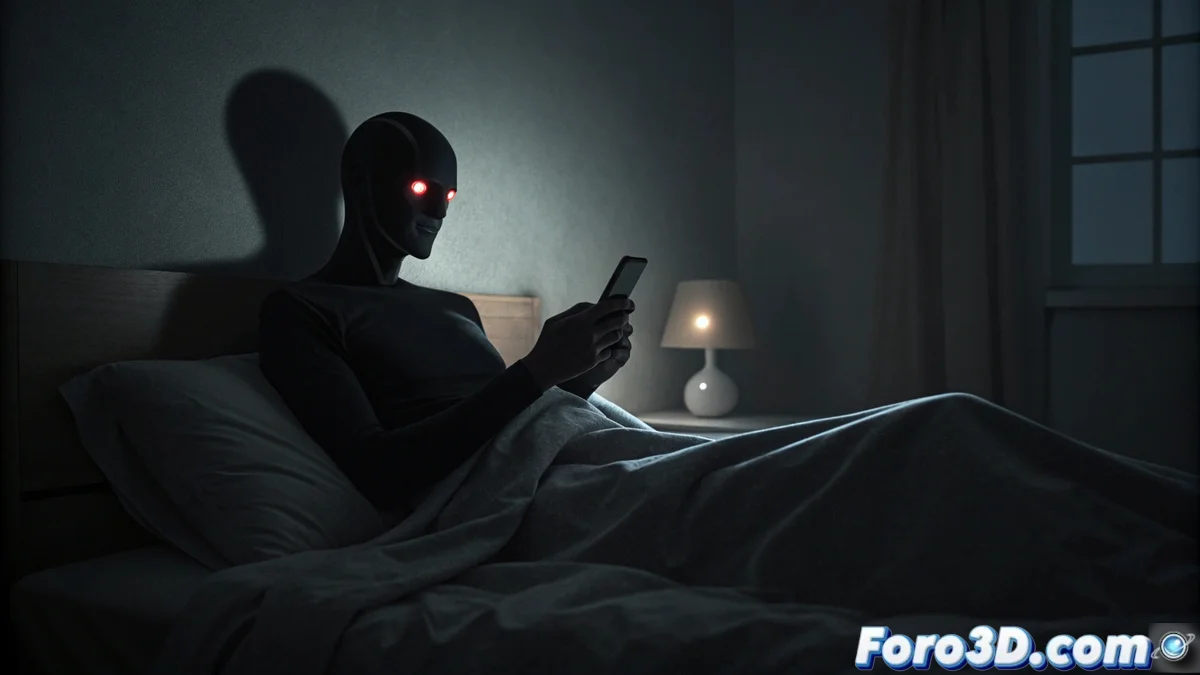
Creating a Shadow People Scene in Blender with Pencil Style
The Shadow People phenomenon describes visions of dark, humanoid figures, often perceived at the edges of the visual field. These entities, which some report with red eyes, fade away when looked at directly. This tutorial guides you to recreate that unsettling atmosphere using Blender, combining basic modeling with a stylized rendering that mimics pencil strokes. 👁️🗨️
Prepare the Base Scene and Composition
Start a new project in Blender and delete the default cube. Build or import a simple room that includes a bed. Add a plane to simulate a person lying down, possibly holding a mobile phone. Position a camera to frame this figure in the foreground, leaving a deliberately empty area in one corner of the background where the silhouette will appear. Set up dim lighting that emulates the light from an electronic device or night lamp, creating strong contrasts.
Key Scene Elements:- Environment: A simple room with a bed as the central element.
- Subject: A plane representing a person lying down, adding a phone as a light source.
- Composition: The camera focuses on the subject, reserving space in the background for the apparition.
- Light: Low and directional lighting to generate deep shadows and a dark atmosphere.
The real challenge is not modeling the shadow, but making the viewer feel the need to rub their eyes to confirm if it's there.
Apply Pencil-Style Rendering and Post-Process
Select the Eevee or Cycles render engine. Go to the render properties and activate the Freestyle tab. Within the Lines tab, adjust the thickness to be very thin, achieving the drawing look. For the Shadow People figure you place in the reserved corner, assign an absolute black material in the object properties.
Steps for Final Effects:- Freestyle: Activate it and set a very thin line thickness for the pencil-style outline.
- Shadow Material: Apply a completely black and matte shader to the humanoid silhouette.
- Compositor Nodes: In the node editor, add effects like film grain and subtle vignetting.
- Selective Blur: Use masks or nodes to apply motion blur only to the silhouette, giving it an ethereal fading effect.
Achieve the Final Visual Impact
The combination of rendering with thin lines and post-production effects is crucial. The grain and vignetting add an organic texture, while the targeted blur on the silhouette creates the sensation that the figure is not fully present, disturbing perception. The ultimate goal is to produce an image that not only shows a scene but evokes the same unease and doubt described in the original phenomenon. 🎭