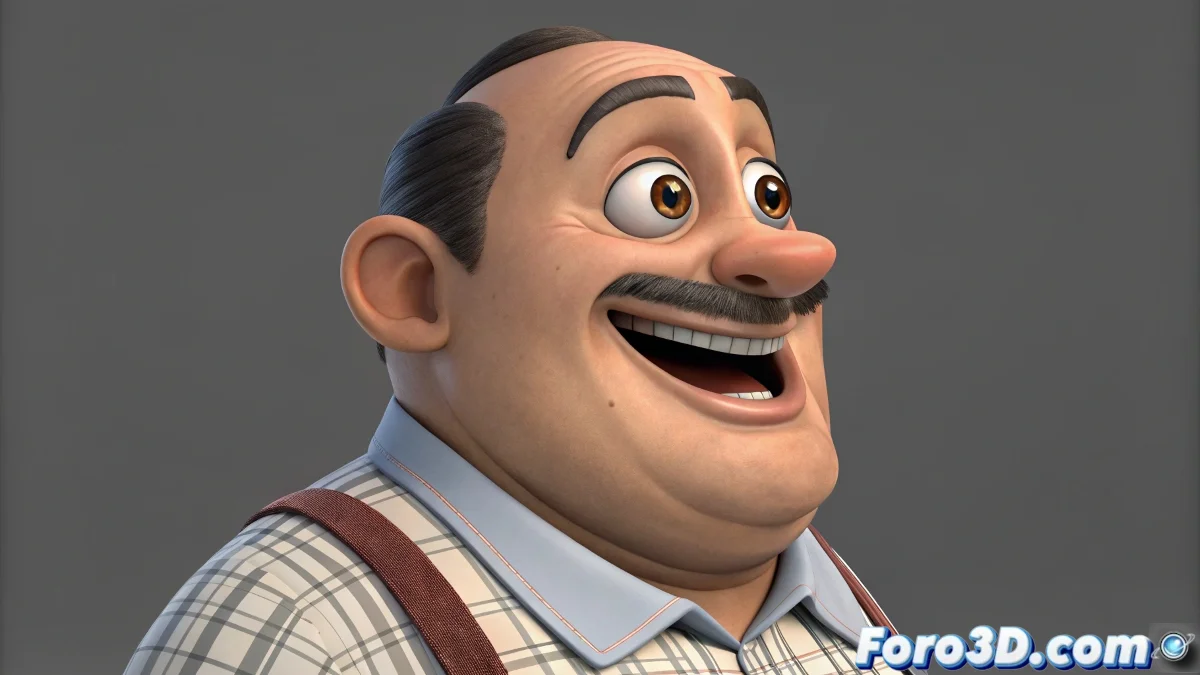
Setting Up a Cartoon Character's Mouth Without Affecting Eyes and Nose
Welcome to the dark side of advanced facial rigging in 3ds Max, where moving a mouth without affecting the eyes and nose can turn into a real battlefield of modifiers and controllers. From what you describe, your character has a very expressive and deformable design, typical of cartoon styles where exaggerations rule. The challenge here is to maintain that spherical volume of the face while moving the mouth to extreme positions without generating unwanted side effects.
How to Prevent the Nose and Eyes from Suffering in the Process
The first thing you must consider is that the main enemy in these cases is the lack of localized control. Since the entire face is on the same mesh, you cannot apply global deformers without affecting areas that should remain static. Therefore, the most recommended method is to divide your deformation system by zones using the Morpher modifier in combination with auxiliary controllers (helpers or bones) that act only on the mouth region.
You can create specific Morph Targets to move the mouth to one side, to the other, open, close, and also include variations for smiles or frowns. These morphs should not include vertices from the eyes or nose. This is easily controlled by selecting only the mouth vertices when creating each morph.
How to Move the Mouth Without Losing Facial Volume
A typical problem in spherical characters is that when moving the mouth, the surface of the face collapses or generates unnatural folds. To avoid this, you can use an FFD (Free Form Deformation) or even a controller system with Space Warps, if you want a more technical approach.
One strategy is to create a rig with a dummy or controller that, when moved, affects a group of vertices in the mouth area thanks to a Volume Select or a Soft Selection applied through a modifier. You can also use a morph system that performs progressive interpolation between extreme positions (for example, from center to left or from center to right).
The Combination of Morph Targets and Controllers is the Key
The workflow that usually works best for this type of character in 3ds Max 2025 would be the following:
- Create separate Morph Targets: For each expression and lateral displacement.
- Assign dummy controllers: To manage general mouth displacements.
- Use the FFD or Lattice modifier: Only on the mouth area to maintain volume.
Set up sliders or custom attributes to blend morphs and displacements in real time. Test extreme movements from the start to avoid mesh collapse surprises.
And if all else fails... well, you can always blame the software, which on foro3d is almost a national sport. But with patience and practice, you will achieve the expressiveness you desire for your cartoon character! 😊