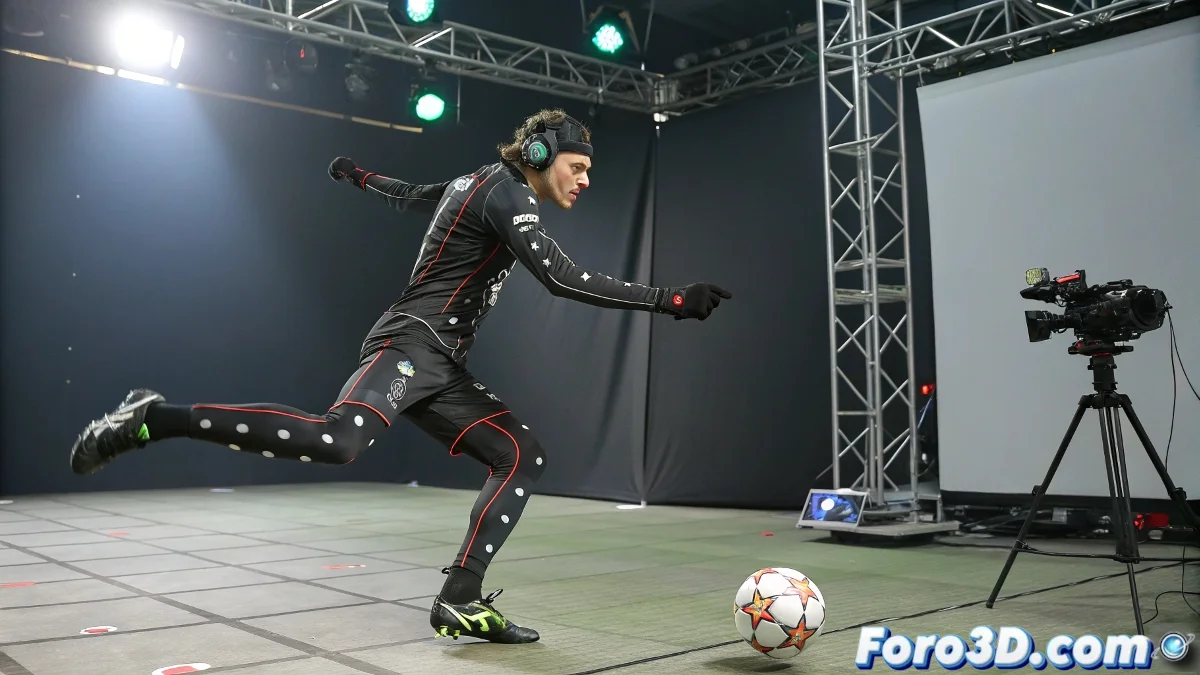
When the Ball Wants to Be the Star of the Mocap ⚽
Capturing an actor's motion is a piece of cake, but what happens when the protagonist is a ball? Mocap suits with markers won't work here (unless you want to see a ball with daddy issues). The key is to treat it like the diva it is: a prop with the right to its own tracking. 🎭
Method 1: The VIP (Very Important Prop) Ball
The most direct technique is to turn the ball into a rigid body with markers:
- Stick 3+ reflective markers on its surface (like a miniaturist satellite).
- Configure your system (OptiTrack/Vicon) to recognize it as an independent object.
- In MotionBuilder, link that data to your 3D ball model.
"If the ball spins faster than a roulette wheel, the tracking will say goodbye like a Messi shot." — Unwritten law of sports mocap.
Method 2: Plan B for Rebellious Balls 🤹
Can't put markers on it? Use these alternatives:
- Matchmoving: Track the ball in post-production with PFTrack/SynthEyes.
- Manual Animation: Based on video reference (for the brave with infinite patience).
- Hybrid: Capture only position and add rotation manually.
The Realistic Touch: Fake Physics
In MotionBuilder, apply these tricks so it doesn't look like a ghost ball:
- Use constraints to simulate contact with feet/hands.
- Add bounce keyframes at key moments.
- If the budget allows, export to Unreal/Unity for real physics.
Pro tip: Calibrate the cameras as if you were filming Ronaldo. A ball at 100 km/h puts any system to the test. 🚀
In the end, capturing a ball is like directing a temperamental actor: it requires patience, technology, and a creative shortcut or two. Of course, when it works, you can proudly say: "Yes, we recorded this pass in mocap... no, it's not hand-animated". 😎