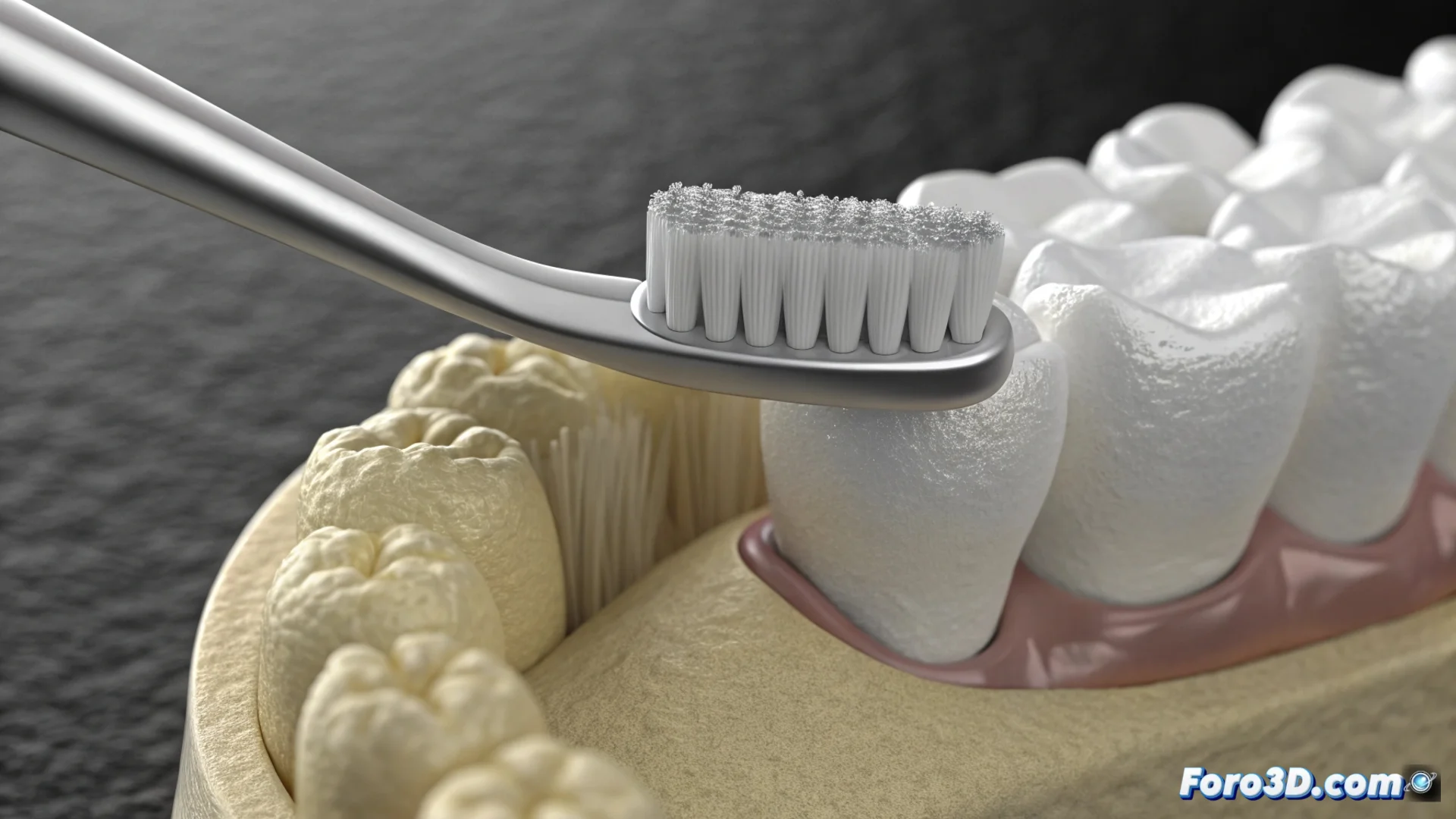
Simulate Brush Bristles Interacting with a Tooth in Blender
Achieving believable bending of brush bristles when brushing a surface is an interesting visual effect. In Blender, you can achieve this using the particle system along with physics simulations. This method allows you to generate many fibers and control how they react upon contact. 🦷
Set Up the Base Particle System
Start by modeling two simple objects: a tooth and the brush handle. On the part that will be the head, add a particle emitter. In its properties, set the type to Hair. From here, you can define how many filaments to generate, their length, and thickness to resemble authentic bristles. The next crucial step is to make them respond to physical forces.
Key Initial Steps:- Model the basic geometry of the tooth and brush handle.
- Add a particle emitter to the head and configure it as Hair type.
- Adjust the number, length, and diameter of the particles to mimic bristles.
Physics is what brings the simulation to life, making the bristles flex and not behave like rigid rods.
Implement and Adjust Physics Collisions
To prevent the bristles from penetrating the tooth, you must enable collisions. In the physics tab of the particles, enable this option and select the tooth object as the collider. This will make the particles stop and deform upon touching the surface. You can refine this behavior by modifying parameters like friction and damping, which control how much they slide and how they lose energy upon impact.
Options to Perfect the Interaction:- Enable collisions and assign the tooth as the collider object.
- Modify friction to control sliding over the surface.
- Adjust damping to define how the bristle movement slows down.
Refine the Appearance and Animation
To give the bristles more volume and not look like simple threads, apply a Children modifier. Assign a material with an appropriate color and some specular shine. Finally, animate the brush by moving it smoothly over the tooth. The key lies in testing and modifying the simulation values repeatedly until the movement feels natural and there is no geometry penetration. Patience is essential in this tweaking process. ✅