To accelerate 3D modeling, artists turn to 2D images that act as a skin over the model. These textures simulate indentations, reliefs, or holes without the need for extra geometry. A black-and-white image indicates depressions (dark areas) or protrusions (light areas). It is an effective method that saves hours of work.
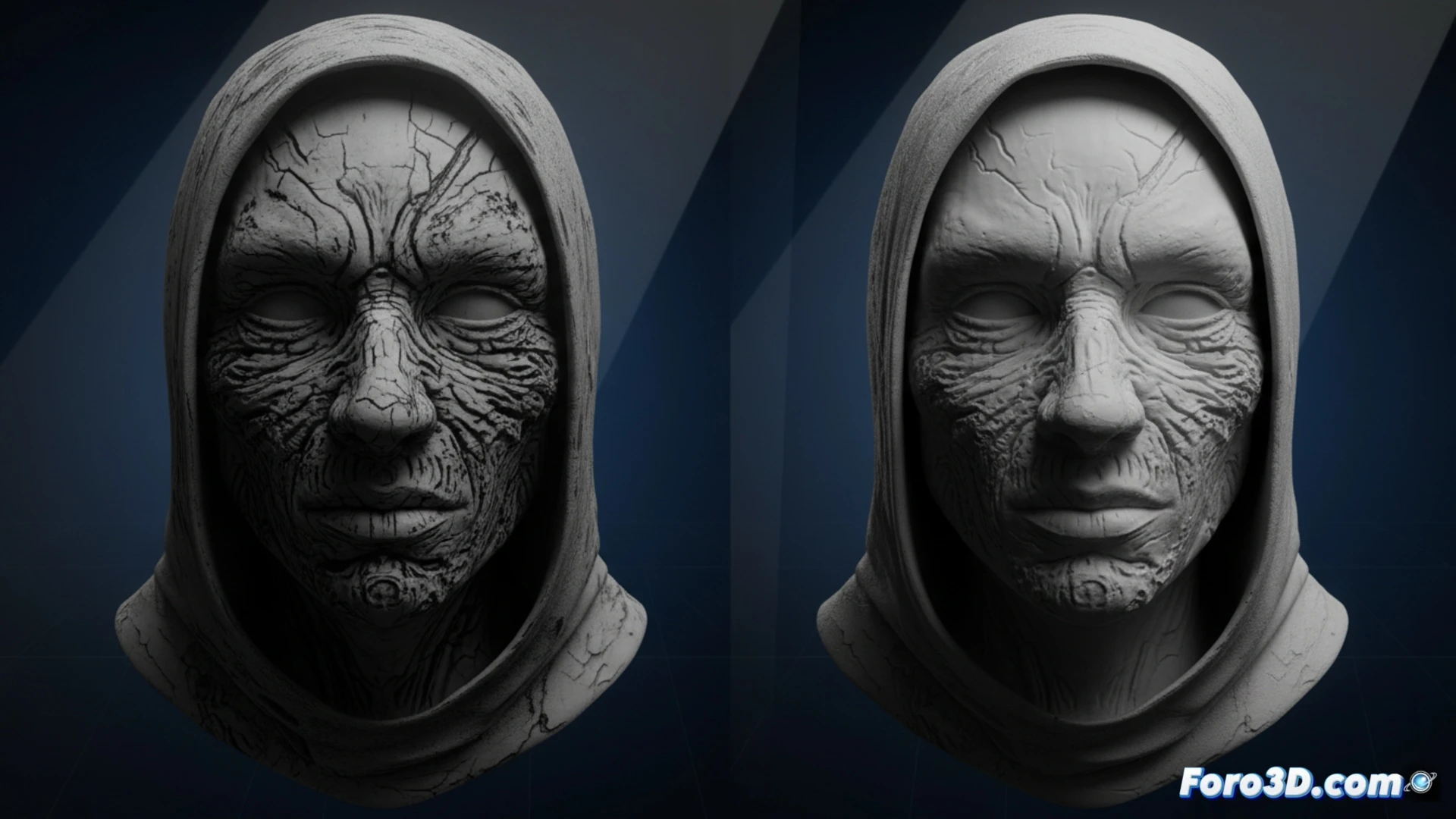
How displacement maps work in graphics engines 🎨
The trick lies in displacement maps or bump mapping. The software interprets the gray values of a 2D texture to alter the lighting of the 3D surface. Dark areas visually sink in, and light areas protrude. Tools like Adobe Substance Painter automate this process by generating maps from images. Although it does not modify the actual mesh, the visual result is convincing. For extreme close-ups, traditional modeling is still necessary, but for 90% of cases, this technique is sufficient and much faster.
The day a texture saved a modeler from madness ☕
Imagine having to model every pore of a stone or every rivet of an armor. With textures, just a photo of an old wall is enough. The modeler enjoys a coffee while the program does the dirty work. It's almost cheating, but no one complains when the deadline is tomorrow. In the end, the audience sees a detailed model, and the artist just smiles knowing that 80% of that realism is a simple black-and-white image. Of course, don't tell that to the purists of polygonal modeling.