Dome Keeper proves that pixel art is not incompatible with dynamic lighting. Its visual success lies in the clever use of custom shaders in Godot Engine and a color palette that transforms according to depth. This analysis breaks down the shading and particle techniques that create its immersive atmosphere, offering a roadmap for indie developers seeking similar effects without sacrificing performance.
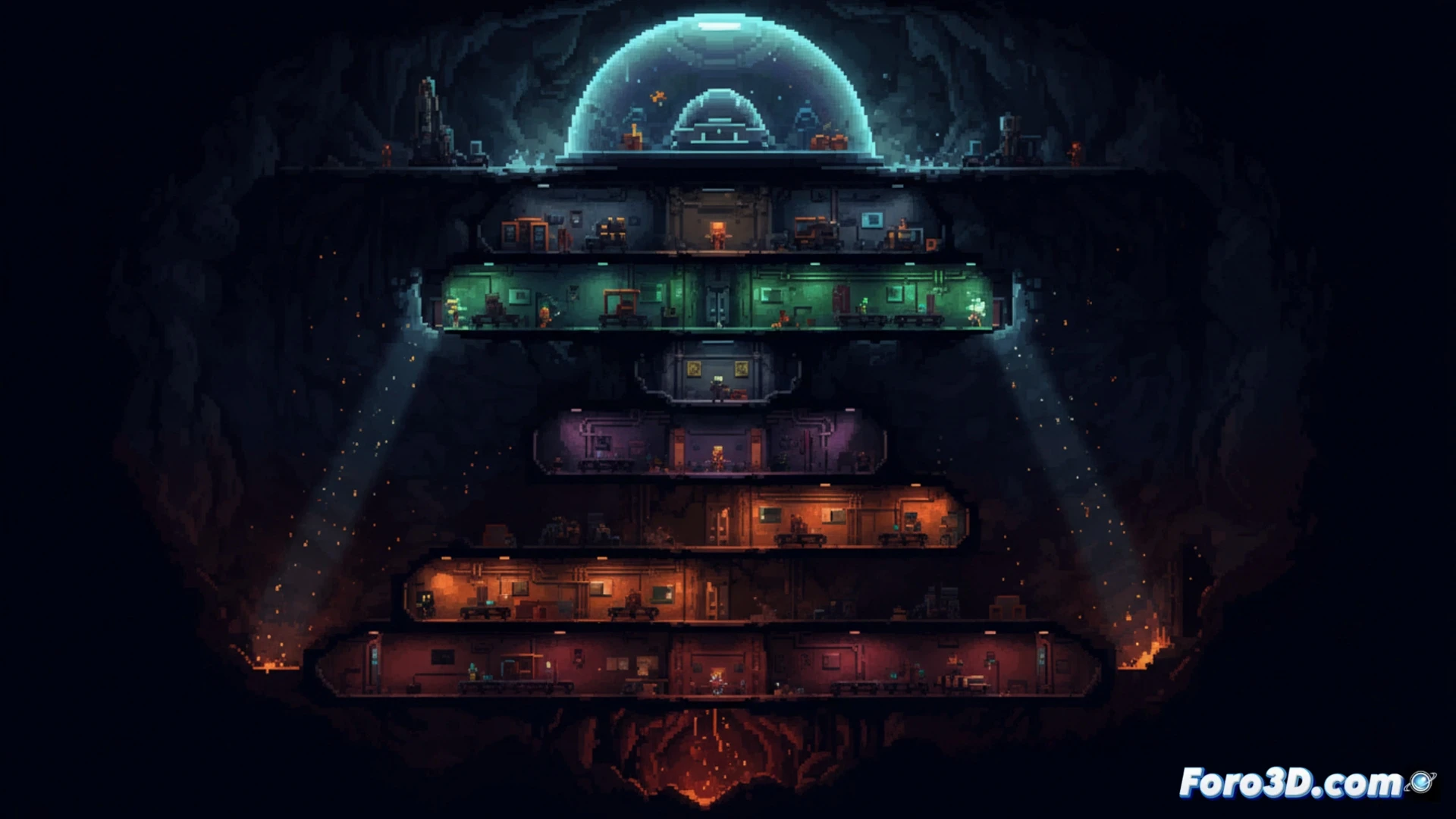
Shaders and color layers based on depth 🎨
The depth effect in Dome Keeper is achieved through a color grading system controlled by a fragment shader in Godot. As the player digs, a depth value is passed to the shader, which interpolates between a surface palette (warm and bright) and an underground one (cold and dark). Dynamic lighting, on the other hand, is implemented with soft shadow textures on sprites in CanvasItem mode. For optimization, it is recommended to use low-resolution lights and limit the number of active lights per frame. In Aseprite, sprites are prepared with separate lighting layers (base, shadow, highlight) to facilitate real-time blending from Godot.
Particles and real-time performance ⚡
The particle system in Dome Keeper is key to the atmosphere, but misuse can ruin performance. The solution is to use Godot's GPUParticles2D node, which processes particles on the graphics card. For effects like dust or sparks when digging, it is recommended to use small textures (16x16 pixels) and reduce particle lifetime to less than one second. Additionally, using emitters with a variable emission rate (burst) avoids performance spikes. Finally, the particle color palette should be synchronized with the depth layer using a color gradient in the particle system's material, replicating the environment's visual transition.
How can Godot implement Dome Keeper's dynamic lighting system without breaking the pixel art aesthetic and maintaining optimal real-time performance
(PS: game jams are like weddings: everyone is happy, no one sleeps, and you end up crying)