In a 3D workstation, storage speed is crucial. If you've noticed your system becoming unstable, files taking an eternity to open, or renders getting stuck, the culprit could be a nearly saturated SSD. Unlike a traditional hard drive, an SSD that exceeds 90% of its capacity suffers a disproportionate performance degradation. This phenomenon, beyond being a simple lack of space, directly attacks the fluidity of your work, slowing down every save, texture load, and simulation calculation.
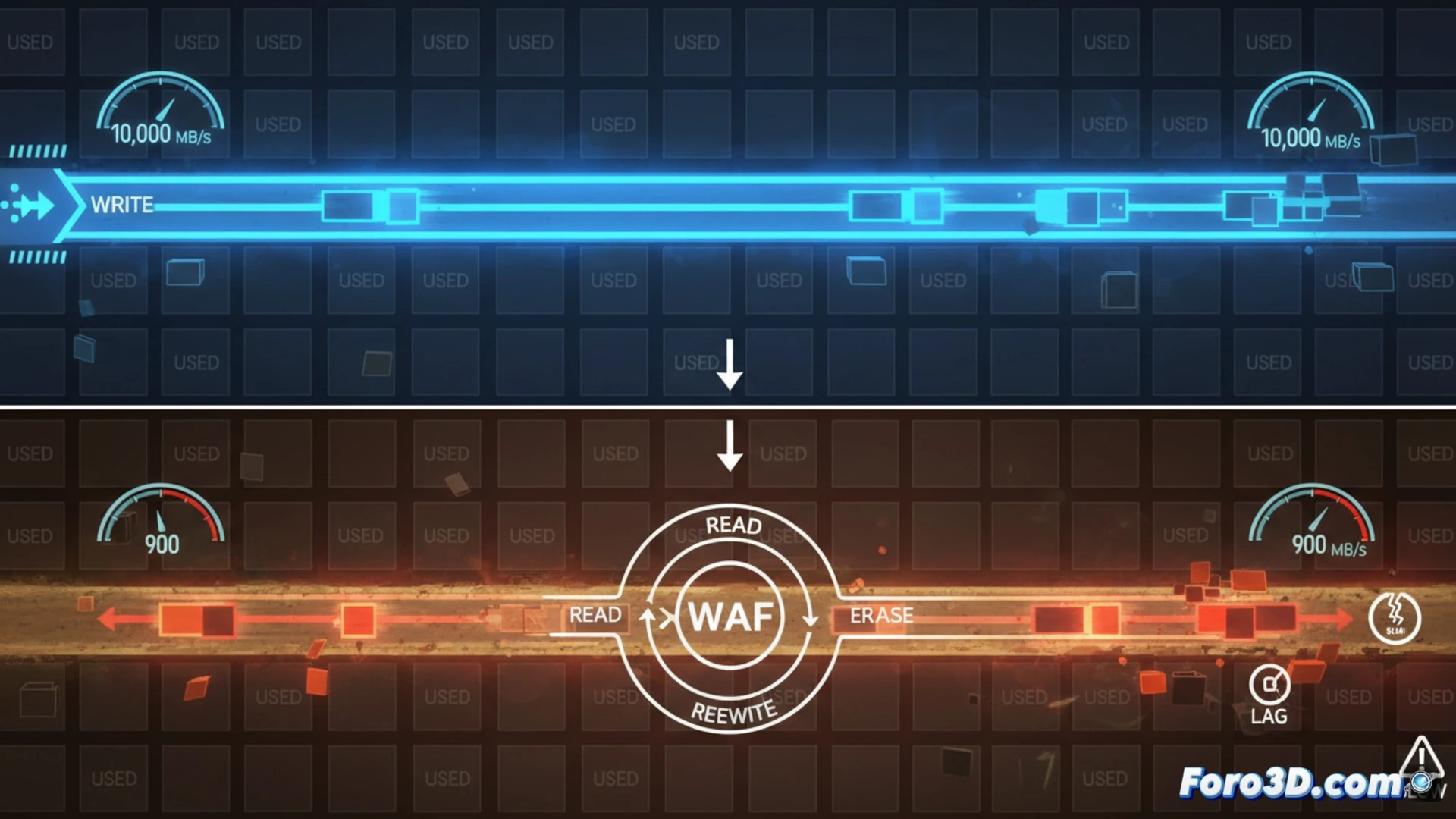
The technical cause: Write Amplification and cells without space 🔍
The problem lies in the NAND memory architecture. The SSD controller cannot overwrite data; it must erase entire blocks before writing new information. With minimal free space, the controller is forced to perform complex read, erase, and rewrite operations on partially filled blocks to free up pages. This process is called Write Amplification (WAF) and multiplies I/O operations. The result is a drastic drop in write speed, which can go from thousands of MB/s to just hundreds, along with high latency. This not only slows down the system but also accelerates the wear of the memory cells.
Practical recommendations to maintain performance 💡
To avoid this bottleneck, it is vital to proactively manage storage. It is recommended to always keep at least 15-20% of the SSD's capacity free. This provides the controller with the necessary room to maneuver to operate efficiently. In 3D workflows, prioritize installing the operating system, software, and active projects on the main SSD, and move old files, bulky caches, and libraries to a second disk, whether SSD or HDD. When buying an SSD, consider one with more capacity than strictly necessary; that extra space is not a luxury, it is a critical component for sustained performance.
Does your 3D workstation slow down mysteriously? Could a nearly full SSD be the hidden culprit strangling your workflow? 🚨
(P.S.: remember that a powerful GPU won't make you a better modeler, but at least you'll render your mistakes faster)