For the 3D professional, a silent PC is not a luxury, it is a work tool. Long modeling and rendering sessions demand concentration, and constant noise is a source of fatigue that reduces productivity. Although fans are the usual suspects, the origin of the problem is often more complex, involving mechanical vibrations, case resonances, and poor thermal management. Identifying and solving these noise sources is crucial to create an optimal work environment where acoustic performance goes hand in hand with thermal performance.
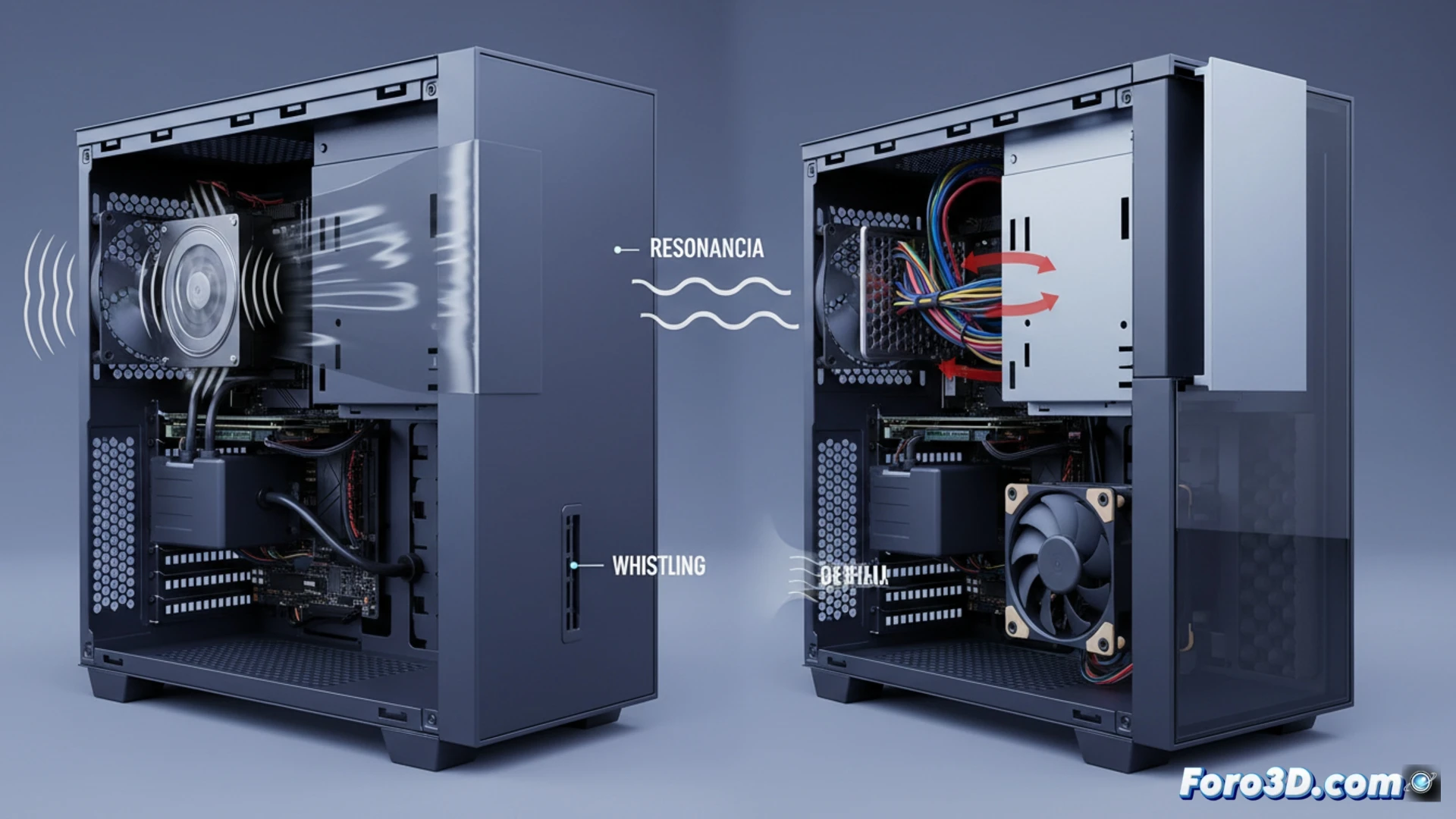
Technical analysis of noise and vibration sources 🔊
The main cause, after fans, are vibrations from components with moving parts. A mechanical hard drive or the pump of a liquid cooling system can transmit vibrations to the chassis if they are screwed directly, making the entire case act as a resonance box. This effect is amplified if the side panels, especially in budget cases, have loose fittings and resonate with those vibrations. The case material is key: steel and tempered glass isolate sound better than aluminum or thin plastic. Other factors are very small ventilation grilles, which generate a whistle by restricting flow, and poor cable management that obstructs air, forcing fans to spin faster and generate more noise to dissipate the heat from a CPU or GPU under rendering load.
Practical solutions for a silent 3D workflow 🛠️
The solution involves an integral approach. Prioritize a quality case, with robust panels and insulating materials, but that maintains an excellent airflow for high thermal consumption components. Use damping rubbers for fans and anti-vibration mounts for hard drives. Securely fasten all case panels. For liquid cooling, opt for quality pumps mounted with dampers. Finally, impeccable cable management ensures a laminar airflow, allowing fans to work at low RPMs. The result is a stable, cool, and silent system, ideal for endless hours of 3D creation.
Do you think this setup will handle complex scenes in real time or will it fall short?