Creating believable terrains is essential for video game environments. This tutorial explains a professional method in Blender to generate complex ground materials at no cost. You'll learn to combine free texture layers (rock, dirt, grass) using the shader node editor. The technique is based on blends controlled by masks, allowing you to selectively paint where each material appears. The result is a highly customizable asset ready to export to engines like Unity or Unreal Engine, optimizing your development workflow.
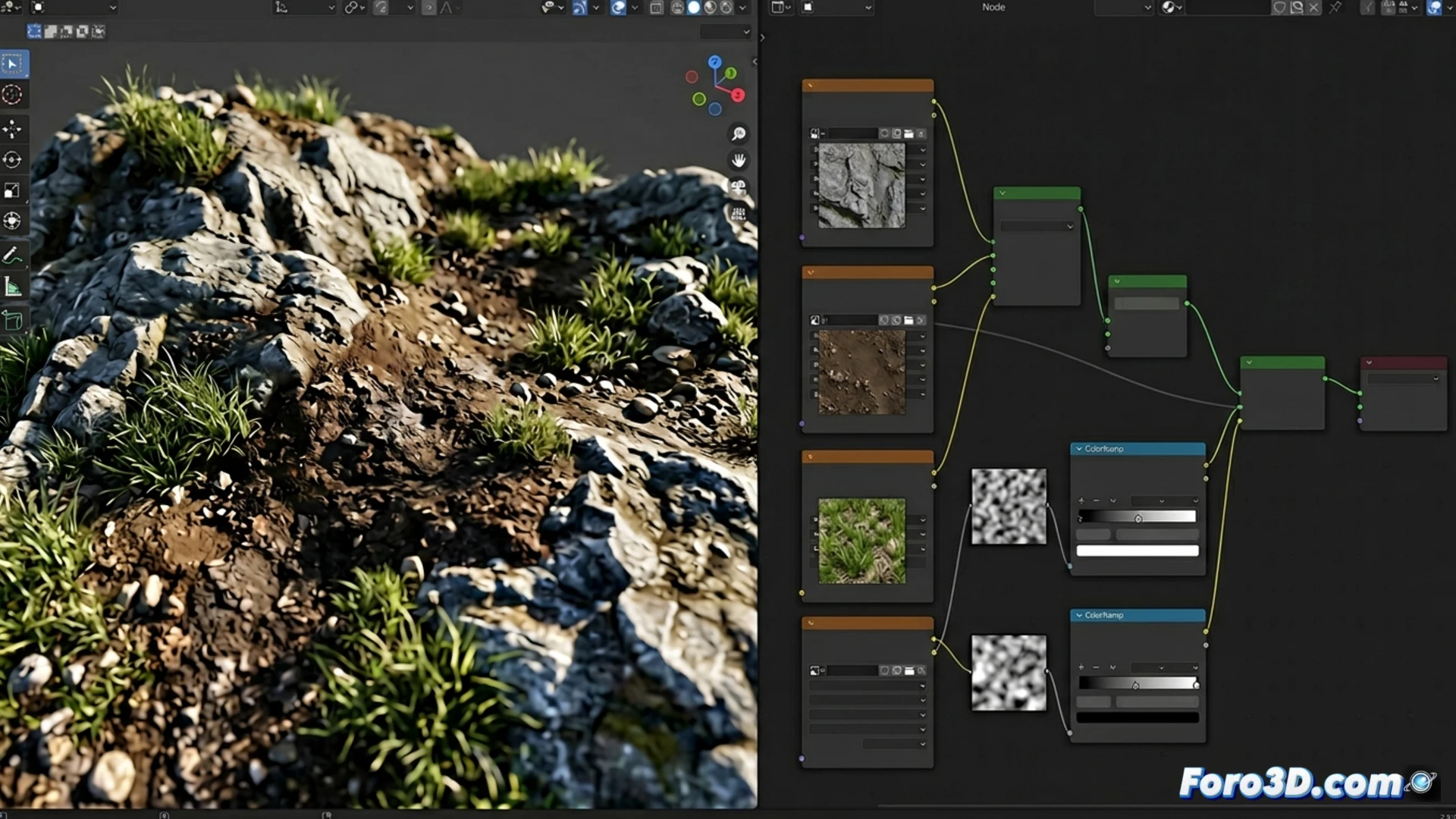
Shader Nodes Workflow: Layers, Blends, and Masks 🎨
The process begins by importing high-resolution free textures for rock, dry dirt, and grass. In Blender's shader node editor, connect these textures to Mix Shader or MixRGB nodes. The key is to use the roughness and color maps from the textures themselves to mask the blends. For example, the dark areas of a rock's roughness map can be used to blend dirt into the cracks. For vegetation, you can isolate the green tones from a texture and use them as a mask to blend grass. Add a displacement node connected to a height map to generate micro-relief and break flatness. This layered approach builds visual complexity in a non-destructive way.
From Blender to Engine: Efficient Resources for Games 🚀
This method demonstrates that quality doesn't depend on premium resources, but on a solid technique. By mastering the creation of masks from the texture maps themselves, you gain total artistic control and reduce dependence on external software. The final material, with its color, roughness, and displacement channels, exports easily to any game engine while maintaining its integrity. Implementing these textures in your scenes will add immediate depth and realism, a crucial advancement for any artist who wants to produce professional video game environments efficiently and accessibly.
How to create realistic terrain textures for video games using only nodes in Blender and free resources? 🗺️
(P.S.: 90% of development time is polishing, the other 90% is fixing bugs)