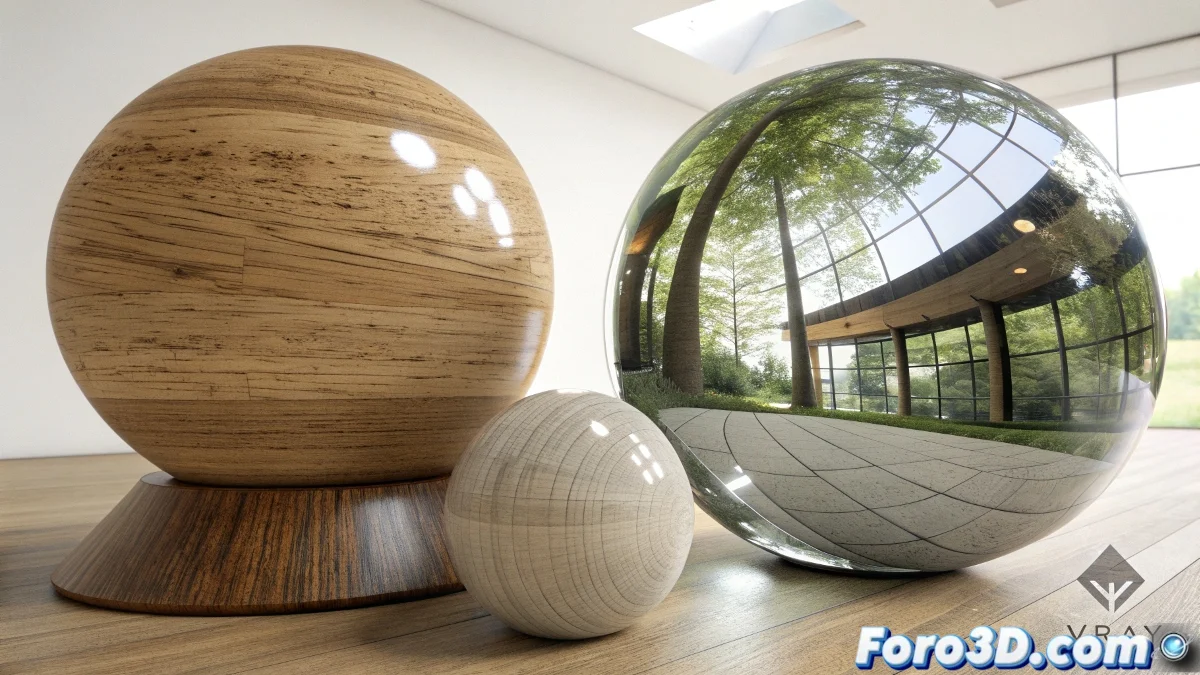
What is VRayMtl and What is it Used For
VRayMtl is the standard and most used material within the V-Ray rendering engine for 3ds Max. This advanced shader is specifically designed to create photorealistic materials with precise control over the physical properties of surfaces, being the fundamental basis for creating high-quality renders. 🌟
Definition and Main Features
VRayMtl is a physically based shader (PBR) that simulates the behavior of light on different types of surfaces through physically accurate calculation of reflection, refraction, and dispersion.
Fundamental Features:- Advanced BRDF model for realistic reflection behavior
- Full support for roughness and reflectivity maps
- Independent control of reflection and refraction
- Integrated SSS (Subsurface Scattering) dispersion system
VRayMtl is considered the heart of the V-Ray material system, providing the foundation upon which all complex materials are built
Basic Material Structure
The VRayMtl is organized into logical sections that control different aspects of surface behavior in response to lighting.
Main Material Sections:- Diffuse: Controls the base color and surface texture
- Reflection: Manages how the surface reflects the environment
- Refraction: Defines transparency and translucent material properties
- BRDF: Determines the bidirectional reflectivity model
Reflection and Reflectivity Parameters
The reflection section is one of the most important and used, allowing the creation of materials ranging from matte plastics to highly reflective metals.
Key Reflection Controls:- Reflection Color: Defines the color and intensity of the reflection
- Reflection Glossiness: Controls the sharpness or diffusion of reflections
- Fresnel IOR: Adjusts how reflection varies based on viewing angle
- Highlight Glossiness: Separates specular highlight control
Refraction and Transparency Properties
For translucent and transparent materials, the refraction section offers precise controls that simulate glass, water, transparent plastics, and gems.
Essential Refraction Parameters:- Refraction Color: Defines the color and density of the transparent material
- IOR (Index of Refraction): Controls how light bends when passing through
- Fog Color: Simulates how objects appear through thick volumes
- Dispersion: Enables color separation like in a real prism
BRDF System and Reflectivity Models
The BRDF model (Bidirectional Reflectance Distribution Function) determines how reflection is distributed on the surface based on the angle of light incidence.
Available BRDF Options:- Phong: Classic model suitable for hard surfaces
- Blinn: Improved Phong with more efficient calculations
- Ward: Simulates anisotropic materials like brushed metal
- Microfacet GTR/GGX: Modern model for realistic materials
Subsurface Scattering (SSS)
The integrated SSS allows simulating materials where light penetrates and scatters under the surface, such as skin, wax, marble, and organic materials.
SSS Controls:- SSS Color: Defines the color of internally scattered light
- Scatter Radius: Controls how deeply light penetrates
- SSS Mode: Simple or full mode depending on required precision
- Phase Function: Defines the direction of scattering
Specialized Maps and Textures
VRayMtl supports numerous specialized maps that allow detailed control of each material aspect through textures.
Important Maps:- Bump and Normal: Add geometric detail without increasing polygons
- Reflection Glossiness: Controls roughness through texture
- Anisotropy: Creates directional reflections like in brushed metals
- Opacity: For materials with partial transparency or cutouts
Optimization for Rendering
VRayMtl includes optimization features that help reduce render times while maintaining visual quality.
Optimization Options:- Cutoff: Limits reflection/refraction calculations in dark areas
- Use Light Cache for Glossy Rays: Speeds up renders with glossy materials
- Trace Reflections/Refractions: Allows disabling costly calculations
- Max Depth: Controls the number of calculated light bounces
Workflow and Best Practices
The effective use of VRayMtl follows an established workflow that ensures consistent and high-quality results.
Best Practices:- Start with physically accurate values for IOR and reflectivity
- Use the Fresnel system for realistic materials
- Apply glossiness through maps instead of uniform values
- Use V-Ray specific materials for special cases
Integration with the V-Ray Ecosystem
VRayMtl integrates perfectly with other tools in the V-Ray ecosystem, creating a cohesive and efficient workflow.
Connections with Other V-Ray Tools:- VRayLightMtl for emissive surfaces
- VRayBlendMtl for composite materials and layers
- VRayCarPaintMtl for specialized materials
- VRayHairMtl3 for realistic hair simulation
Comparison with Standard Materials
VRayMtl offers significant advantages over 3ds Max standard materials in terms of realism, control, and rendering efficiency.
Key Advantages:- Physically accurate global illumination calculations
- Better handling of complex reflections and refractions
- Native integration with the V-Ray lighting system
- Less noise and more optimized render times
Conclusion and Professional Mastery
Mastery of VRayMtl is essential for any 3D artist seeking to create professional photorealistic renders. Its combination of power, flexibility, and integration with the V-Ray engine makes it the preferred choice for architecture productions, product design, visual effects, and scientific visualization. Understanding and leveraging all its capabilities marks the difference between amateur renders and professional quality work. 💎