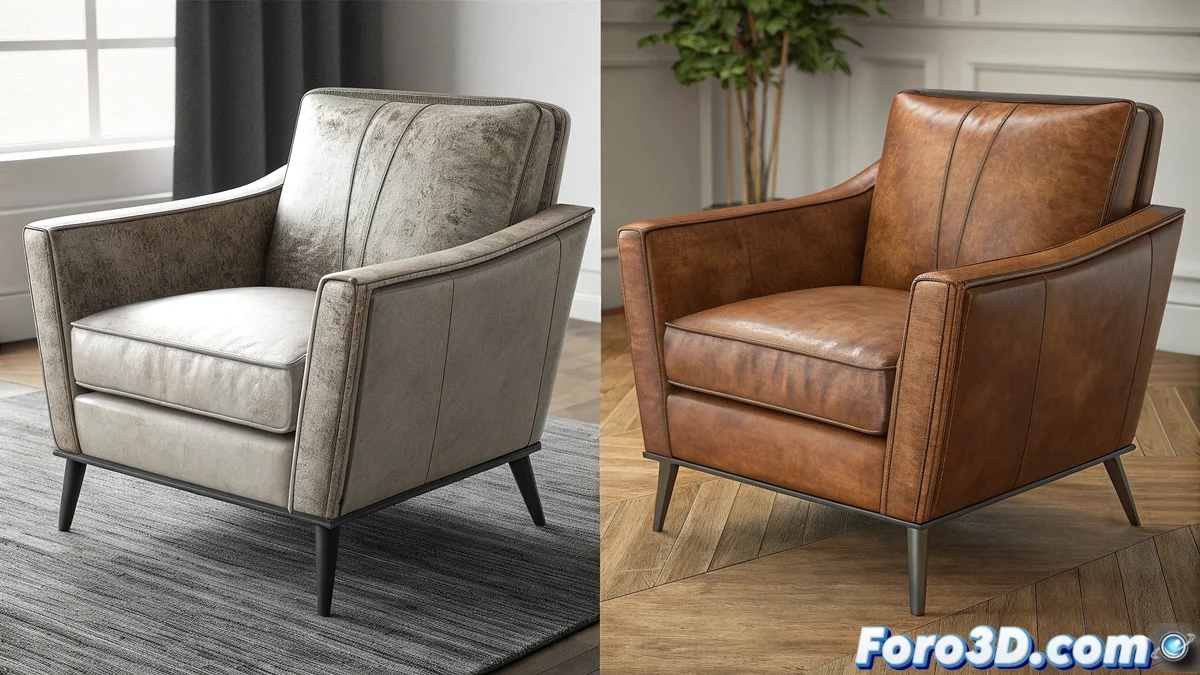
V-Ray 7.2: when AI becomes your rendering assistant
Chaos Group has just released V-Ray 7.2 with a feature that promises to change the way we approach final rendering: the AI Enhancer. This artificial intelligence system analyzes your renders during or after the process and automatically adds realistic details that would normally require hours of manual adjustments. From micro-textures in materials to refinements in global illumination, the AI booster works like a virtual assistant that understands what makes an image look real and applies those improvements intelligently. For architecture studios and visualization, this means being able to produce higher-quality renders in less time. 🚀
The magic behind the algorithm
What makes the AI Enhancer special is not just applying generic filters, but its ability to analyze the specific content of each render and determine what kind of improvements it needs. The system has been trained with thousands of professional renders and real photographs, learning patterns like how accumulated dirt should behave in corners, how light interacts with porous surfaces, or how to add subtle variation to repetitive materials. Unlike traditional post-production methods, the AI Enhancer maintains the physical coherence of the lighting while adding that something that separates a good render from an exceptional one.
Key features of the AI Enhancer
The AI booster is not a single tool, but a set of capabilities that integrate into different stages of the V-Ray workflow. From scene preparation to final rendering, each function is designed to solve specific problems faced by 3D artists.
Intelligent material enhancement
The system analyzes the materials in your scene and suggests or automatically applies improvements like micro-surface imperfections, color variation on homogeneous surfaces, and realistic wear on edges and corners. For architecture, this means being able to turn perfect materials into believable surfaces with just one option enabled. The intelligence understands specific contexts: it won't apply the same type of wear to a marble floor in a palace as to a concrete floor in an industrial warehouse.
Material improvements:- automatic surface imperfections
- non-repetitive color variation
- contextual wear on edges
- texture scale adaptation
Global illumination optimization
The AI Enhancer can detect areas where global illumination could be improved and applies intelligent refinements. This includes smoothing noise artifacts without losing definition, enhancing color bleeding where physically plausible, and adjusting ambient occlusion intensity based on the scene context. The results are particularly noticeable in renders with low sampling times, where the system can guess how the scene should look with more samples.
The AI Enhancer doesn't create details out of nothing, but reveals the hidden potential in your render.
Intelligent post-processing
Beyond 3D aspects, the system includes post-processing capabilities that go beyond traditional tools like Photoshop. It can analyze the full composition and apply selective adjustments: enhancing specific architectural details, adjusting depth of field based on natural focal points, or even suggesting camera adjustments to improve framing. All this while maintaining a non-destructive history that allows reverting specific changes.
Post-processing features:- content-based selective adjustments
- intelligent depth of field
- architectural detail enhancement
- composition suggestions
Integration into existing workflows
One of the virtues of the AI Enhancer is how it integrates into established pipelines without requiring radical changes. Artists can use the system in three ways: as an assistant during scene setup, as a processor during rendering, or as a post-production tool for finalized renders. Adjustments are saved as reusable presets, allowing the same style of improvements to be applied to multiple images in a project while maintaining visual coherence. 🎨
Usage modes:- assistant during scene setup
- processing during rendering
- post-production of final renders
- presets for coherence across projects
Practical considerations and limitations
Although the AI Enhancer is powerful, it's important to understand its limitations. It works best with renders that already have a solid foundation of lighting and materials. It can't fix a poorly configured scene, but it can elevate a competent render to professional level. Processing requires additional resources, so it's recommended to use it selectively in final stages rather than throughout the entire development process. For projects that require absolute control over every detail, the system offers manual adjustment modes where AI suggestions are just starting points.
Best practices:- use in final project stage
- start with conservative adjustments
- validate results on different devices
- combine with traditional techniques
In the end, V-Ray 7.2 doesn't just add another tool, but redefines the relationship between artist and software, though you'll probably find yourself explaining to your clients that no, you didn't spend three extra days retouching that perfect render. 💻