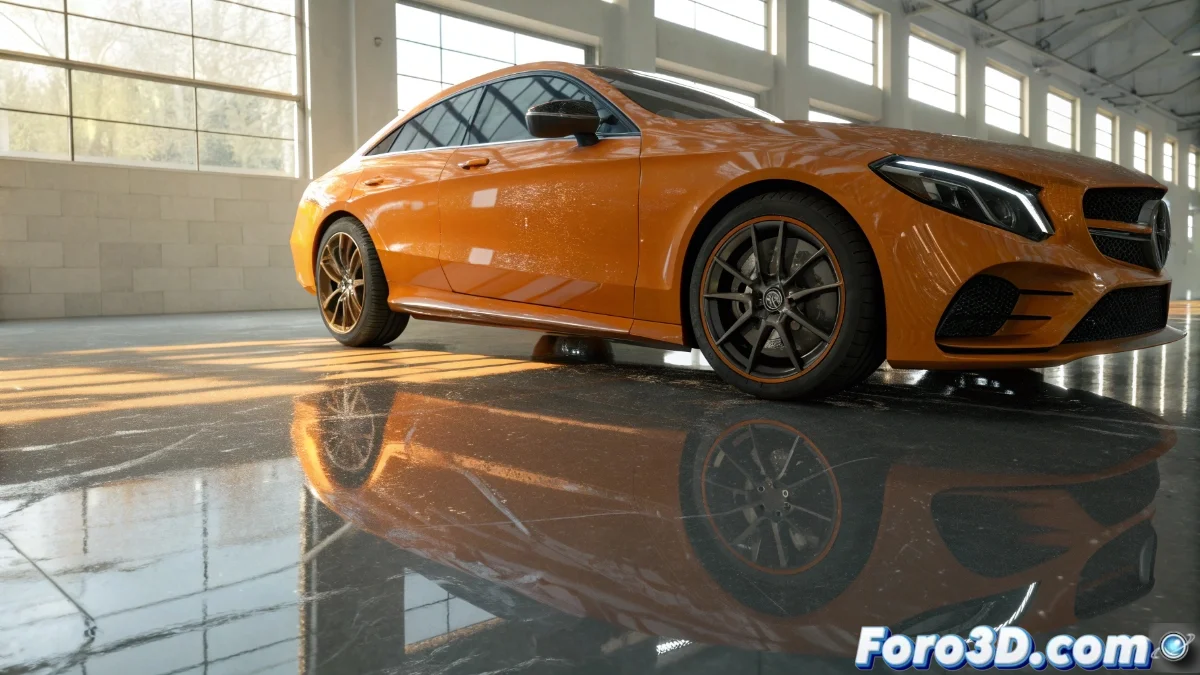
Unreal Engine and its Clear Coat System for Advanced Materials
The Unreal Engine graphics engine has integrated the Clear Coat system as an essential part of its material workflow, allowing the emulation of surfaces with overlaid transparent layers on an underlying base. This technique is crucial for faithfully reproducing materials like car paints, varnishes applied over wood, or lacquered finishes, where light interacts differently between the upper translucent layer and the base. The engine automatically handles the reflection and refraction calculations between both layers, achieving visually convincing results without the need for overly complex setups by the artist 🎨.
Essential Clear Coat Configuration
To enable Clear Coat in Unreal Engine, it is necessary to access the material and enable the corresponding property in the material options. Once activated, new specific parameters are deployed such as Clear Coat, which regulates the intensity of the transparent layer, and Clear Coat Roughness, which determines the roughness of this upper layer. It is fundamental to understand that these values operate independently of the material's base parameters, making it possible to have a rough metallic base under a smooth transparent layer, or vice versa, according to creative needs 🛠️.
Key Clear Coat Parameters:- Clear Coat: Controls the strength and visibility of the upper transparent layer
- Clear Coat Roughness: Defines the level of roughness or smoothness on the outer layer
- Independence from base parameters: Allows flexible combinations between base and transparent layer
The Clear Coat system automatically manages reflection and refraction calculations, simplifying the artist's work.
Practical Applications and Performance Optimization
Clear Coat finds its most evident application in vehicles, where it faithfully reproduces the effect of varnish over the base metallic paint. However, its utility extends to any material with similar characteristics, such as waxed floors, lacquered furniture, or even certain types of plastics with a shiny finish. From a performance perspective, the additional cost of Clear Coat is moderate on modern hardware, but it is advisable to use it selectively in scenes with many materials requiring this feature, balancing visual quality and efficiency ⚡.
Common Uses of Clear Coat:- Automotive paints: Transparent varnish over metallic or colored base
- Furniture finishes: Lacquers and varnishes on wood surfaces
- Floors and plastics: Shiny layer effects on various materials
Final Reflection on the System
It is interesting how we spend hours perfecting virtual transparent layers in Unreal Engine while in real life we often neglect the maintenance of similar surfaces. The Clear Coat system demonstrates how advances in 3D graphics allow for the precise recreation of complex optical phenomena, facilitating the creation of visually rich and believable materials in real-time 🌟.