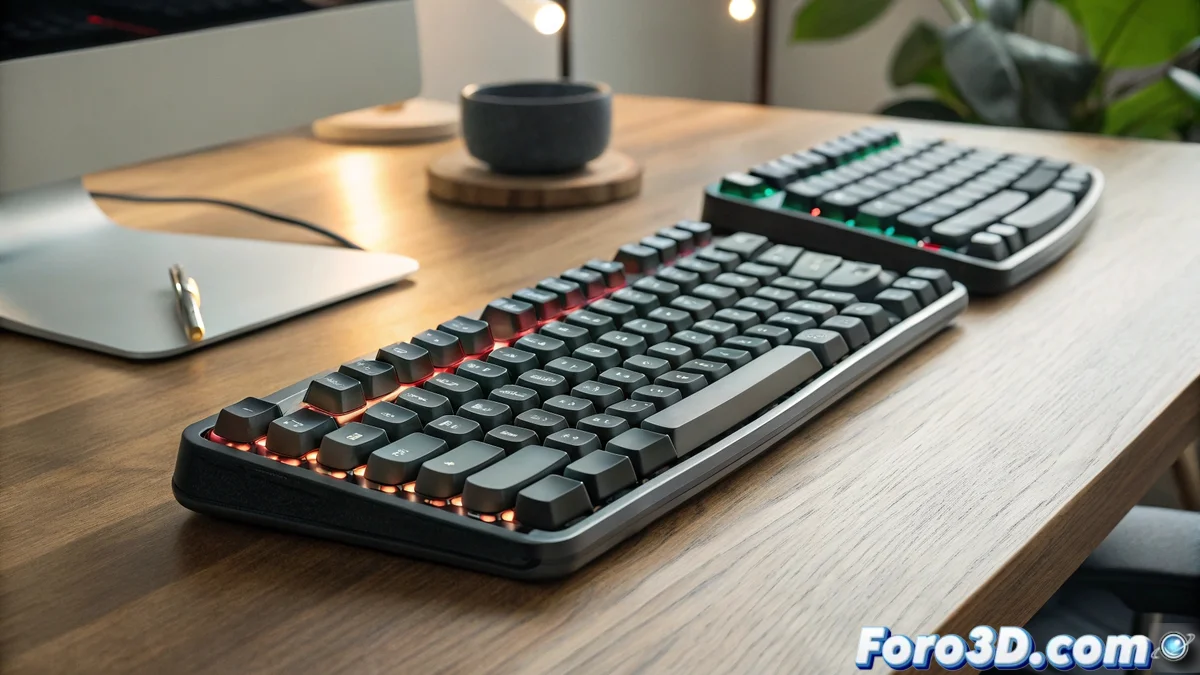
Toucan Ergonomic Mechanical Keyboards: The Key to Extended Workdays
Ergonomic mechanical keyboards like the Toucan model have become an ideal alternative for professionals who spend extensive hours in front of the screen. Their segmented architecture in two independent modules promotes more natural body postures, mitigating tension in wrists and arms during intensive writing or development tasks. 🖥️
Benefits of the Split Design
The physical separation between the two halves of the keyboard allows each hand to be positioned according to its innate anatomical alignment, eliminating the unnatural twisting imposed by traditional keyboards. This arrangement encourages shoulders and forearms to remain in a relaxed and parallel posture to the work surface, achieving a balanced distribution of muscular load. Users who employ the device during marathon workdays report a notable reduction in discomfort, especially in tasks that require constant data entry or frequent use of shortcuts. 💪
Key aspects of the ergonomic design:- Hand placement in a natural anatomical position, avoiding forced twists
- Promotion of shoulder relaxation and forearm alignment with the surface
- Significant reduction of discomfort after prolonged use in repetitive tasks
Ergonomics is not a luxury, but a necessity to preserve musculoskeletal health in digital work environments.
Customization and Adaptation to Specific Needs
These peripherals usually integrate advanced configuration software that enables key reassignment and the creation of custom macros, adapting to workflows in areas such as 3D design, programming, or video editing. The ability to reprogram functions on shortcut keys substantially increases productivity in specialized applications that routinely demand complex combinations. Additionally, many models incorporate options to adjust the tilt angle and separation between halves, finding the optimal configuration according to each user's individual morphology. 🛠️
Customization features:- Key reprogramming and development of macros adapted to specific workflows
- Optimization of efficiency through shortcut keys in specialized software
- Adjustment of tilt and distance between sections for personalized anatomical comfort
The Paradox of Ergonomic Use
It is ironic that, despite investing in a high-end ergonomic keyboard, the user's posture may remain poor if it ends up being used in inappropriate contexts, such as on the sofa with the laptop resting on the legs during entertainment sessions. This scenario underscores the importance of complementing ergonomic tools with conscious postural habits to fully reap their benefits. 🛋️