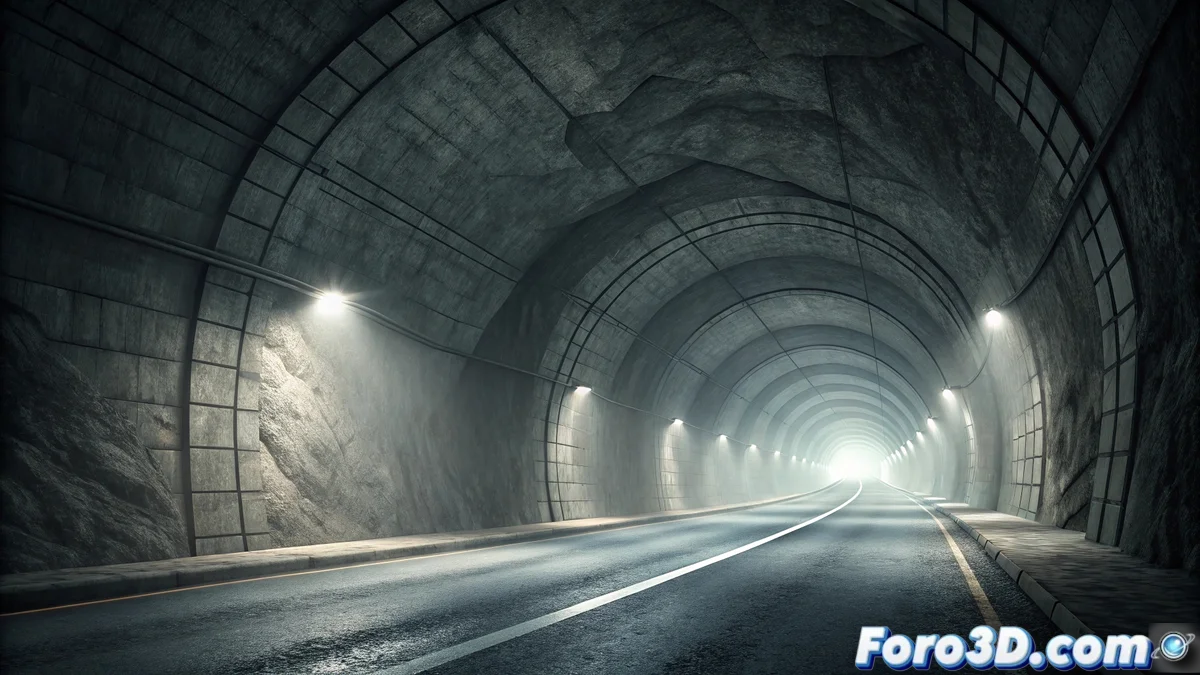
The Static Light Tunnel: Legend and Modeling in Wings 3D
The legend of the Static Light Tunnel originated in the mountainous regions of Eastern Europe during the 1970s, linked to Soviet-era infrastructure. Driver testimonies described a luminescent interruption at the midpoint of long tunnels, followed by an inexplicable white light. Although authorities attributed it to technical failures, the persistence of the accounts fueled the mystery. 👁️
Historical Evolution and Supernatural Elements
In the 1980s, the narrative incorporated a scrutinizing spirit that evaluated travelers during the brief moment of darkness. Those who claimed to be directly observed experienced progressively disturbing dreams. This oral tradition was passed among railway workers, who developed protective rituals such as honking horns or carrying amulets, reinforcing the esoteric nature of the phenomenon. 🌫️
Key Cultural Features:- Oral Transmission: Maintained by drivers and railway workers through stories and ritualistic practices.
- Supernatural Element: The invisible entity associated with disturbing dream evaluations.
- Contemporary Adaptation: Presence in literature, horror cinema, and paranormal forums.
The tunnel represents modern anxiety toward artificial spaces, fusing ancestral fear of darkness with terror of the unknown.
Cultural Impact and Legacy in Folklore
The tunnel has become an icon of contemporary folklore, symbolizing distrust toward technology and controlled environments. Paranormal researchers document cases of post-encounter nightmares, although science attributes them to collective suggestion and optical effects in long tunnels. Its influence endures in popular beliefs and artistic expressions. 🎭
Highlighted Aspects of the Legacy:- Technological Anxiety: Reflects fears toward artificial infrastructures and their reliability.
- Fusion of Fears: Combines ancestral dread of darkness with modern uncertainties.
- Scientific-Paranormal Debate: Contrasts rational explanations with subjective testimonies.
Project Preparation in Wings 3D
To recreate the tunnel, start Wings 3D and set units to meters, ensuring realistic proportions. Set a black graphic window background to emulate the tunnel atmosphere. Create organizational layers: tunnel_structure for the main modeling and lighting_elements for the lights. Enable grid snap for precision in designing the straight tunnel. ⚙️
Modeling and Main Structure
Use the extrusion tool on a 8-meter diameter circle to generate the tunnel tube, extending it 200 meters. Apply smooth subdivisions to avoid sharp edges and add realism with rails or road markings using rectangular extrusions. Incorporate vents and secondary structural components using simple booleans. 🛠️
Essential Modeling Steps:- Base Geometry: Circular extrusion maintained structurally along the tunnel.
- Realistic Details: Elements like rails and vents integrated with boolean operations.
- Optimization: Subdivisions to smooth surfaces and ensure visual fluidity.
Lighting and Materials
Assign reflective materials that simulate treated concrete on the walls. Place warm yellow point lights at regular intervals, with an intense white light programmed at the exact center of the tunnel. Use the material editor to create an animated flickering shader, alternating transparency and opacity to mimic the luminescent interruption effect. 💡
Lighting Configuration:- Ambient Lights: Point lights with radial attenuation and warm color to simulate artificial lighting.
- Central Effect: White light with maximum intensity parameters at the midpoint.
- Texture Animation: Shaders that replicate flickering through opacity keyframes.
Special Effects and Final Rendering
Implement a basic particle system to simulate suspended dust, highlighting the white light beam. Adjust the camera's depth of field to create a sense of an infinite tunnel. Configure the render with 8x anti-aliasing to smooth intense lights and export the animation using keyframes that capture the blackout and light appearance, with linear interpolation for abrupt transitions. 🎥
Post-Production Elements:- Atmospheric Particles: Visible dust that enhances light beams through emission systems.
- Cinematic Focus: Depth of field adjusted to amplify the tunnel perspective.
- High-Quality Render: Anti-aliasing sampling for sharp details in high-luminosity scenes.
Conclusion: Between Myth and Technique
This project demonstrates how 3D modeling can materialize urban legends, generating atmospheres as unsettling as the original narratives. The recreation in Wings 3D emphasizes the importance of lighting and special effects to evoke emotions, reminding us that sometimes software can be as unpredictable as the mystery itself—especially when it crashes after hours of work. 😅