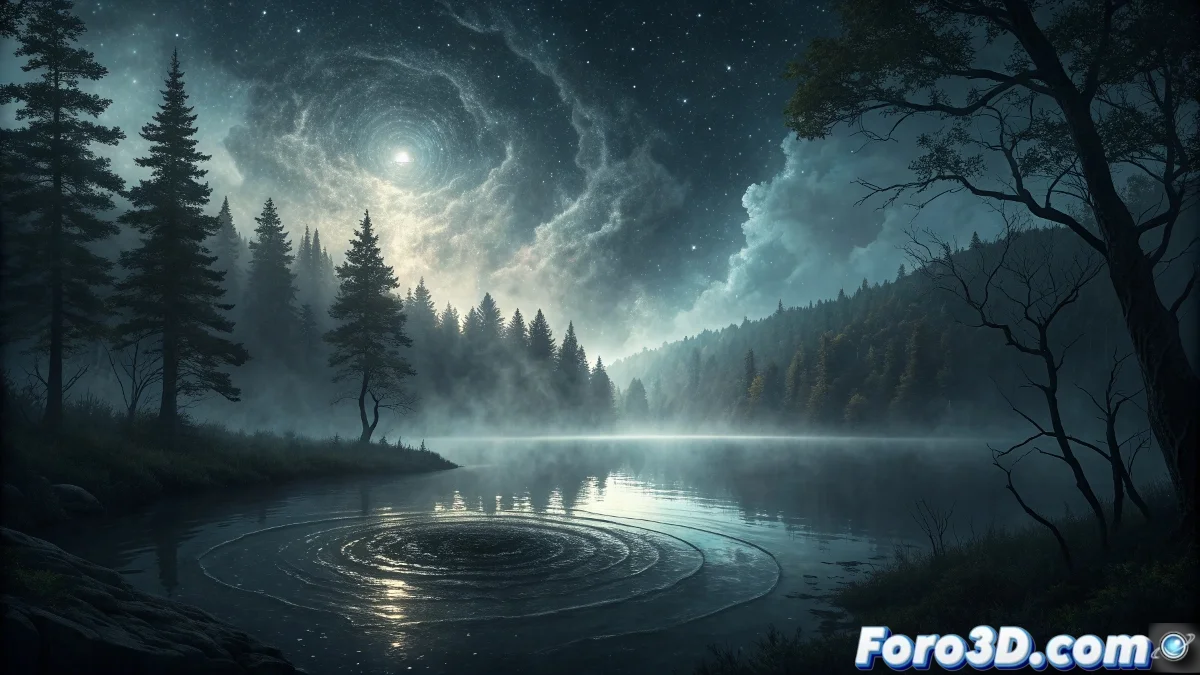
The Mystery of Black Lake: Between Legend and Digital Creation
In the depths of New York's northern forests hides a watery enigma that has captivated generations: Black Lake. Its waters possess an unsettlingly dark hue due to exceptional concentrations of tannins and decomposing organic compounds, creating a perfect scenario for supernatural tales and creative explorations 🕵️♂️.
Legendary Origins and Unique Characteristics
The original indigenous communities considered this body of water a spiritual portal, while European settlers incorporated narratives about inexplicable disappearances and anomalous magnetic phenomena. The lake's visual particularity makes it a fascinating challenge for digital artists seeking to capture its mysterious essence.
Distinctive environmental features:- Jet-black coloration resulting from unique biogeochemical processes
- Sound environment with deep echo and unidentified frequencies
- Circular current patterns suggesting underwater activity
The waters not only reflect light but seem to absorb it, creating the illusion of a liquid void that defies conventional physics laws.
Recreation in Blender: Initial Project Setup
To capture Black Lake's enigmatic atmosphere in Blender, start by establishing a solid foundation that allows for progressive complexity development. Meticulous setup from the beginning ensures coherent and optimized results.
3D Environment Preparation:- Create a new project with metric scale and realistic units
- Set color management to Filmic Log Encoding Base with Medium High contrast
- Set render resolution to 3840x2160 with 16:9 aspect ratio
Terrain and Water Body Modeling
The surrounding relief must convey the sensation of an ancient, unexplored forest, while the water surface requires a specialized approach to achieve that characteristic opacity that defines the legendary lake.
Detailed Step-by-Step Instructions:- Step 1: Generate a base plane with subdivision level 6 and apply the Displace modifier with Clouds texture type, strength 2.5
- Step 2: For the lake, create a circle with 64 vertices and extrude downward with depth -8m, apply bevel with segments 3 and width 0.8m
- Step 3: Add Subdivision Surface modifier level 2 to both terrain and water to smooth transitions
- Step 4: Use Sculpt Mode with Clay Strips brush to define the irregular shoreline, strength 0.4
- Step 5: Apply particle system for vegetation with density 5000, using native trees asset library
Materials and Shaders for Dark Water
The water's visual appearance is fundamental to conveying the mystery. We will develop a complex shader that simulates high light absorption and the unique optical properties of these tannin-laden waters.
Water Material Setup:- In Shader Editor, create a new material with roughness 0.15 and specular 1.0
- Connect a Volume Absorption node with color RGB 0.02, 0.05, 0.08 and density 3.2
- Add Noise Texture scale 25.0 connected to Bump node with strength 0.3 for micro-ripples
- Incorporate Glass BSDF with IOR 1.33 mixed with Glossy BSDF via Mix Shader factor 0.7
- For color variation, use ColorRamp with positions 0.3 (black) and 0.7 (very dark blue)
Lighting and Atmospheric Effects
The ambient lighting must suggest perpetual twilight, with dim light sources creating subtle contrasts and distorted reflections on the water surface, reinforcing the sense of mystery.
Step-by-Step Lighting Setup:- Step 1: Place a Sun light with strength 0.8, angle 1.5°, color temperature 4500K
- Step 2: Add Area light over the lake with size 15m, strength 10, very faint blue color RGB 0.1, 0.2, 0.4
- Step 3: Create Volumetric Scatter density 0.01 with anisotropy 0.3 for low fog
- Step 4: Set World background with Gradient Texture from dark blue to black
- Step 5: For special effects, add Emission shader strength 0.05 with animated Noise Texture
Final Rendering and Post-Production
The rendering process must maximize visual quality while maintaining reasonable computation times. The final composition integrates all elements to create a coherent and atmospheric image that captures Black Lake's essence.
Render and Compositing Settings:- Set Cycles as render engine with samples 512-1024 depending on complexity
- Enable Denoising using OpenImageDenoise with Accurate prefilter
- In Compositor, add Glare nodes type Fog Glow with size 8 and mix 0.3
- Apply Color Balance with lift 0.95, 1.0, 1.05 for dominant cool tones
- Use Lens Distortion with dispersion 0.01 for subtle chromatic aberration effect
Conclusion: Between Myth and Digital Creation
Black Lake represents the perfect intersection between regional folklore and digital artistic expression. Through advanced techniques in Blender, we can not only recreate its appearance but also convey the sense of mystery that has surrounded it for centuries, demonstrating how 3D technology can bring the most intriguing legends to life 🌌.