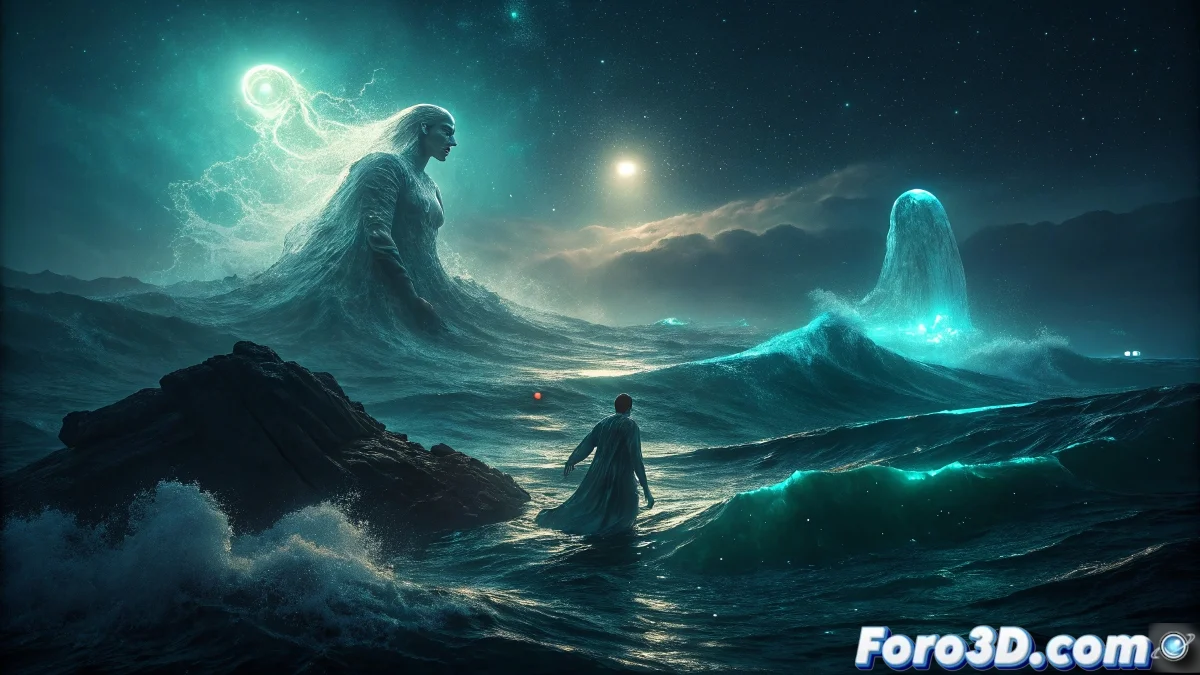
The Rumor of the Sea's Voice in the Southern Seas
The Sea Voice phenomenon represents one of the most disturbing acoustic mysteries of ocean navigation, where sailors in remote waters report hearing intelligible voices emerging directly from the depths. These voices, described as surprisingly clear and often with a familiar tone, can sing recognizable melodies, whisper warnings, or give contradictory instructions, creating a sensory paradox that defies all logical explanation in the silent vastness of the open sea. 🌊
Historical Context and Sailors' Accounts
Records of this auditory phenomenon span centuries across the most isolated navigation routes, particularly in the Southern Seas and the Indian Ocean. What distinguishes these experiences is the supernatural clarity of the voices in contrast to the ocean's ambient noise, and the fact that multiple crew members can hear the same message simultaneously. Theories range from scientific explanations (infrasound, natural acoustic phenomena) to legends about drowned souls attempting to lure ships to their fatal destiny.
Documented Characteristics of the Phenomenon:- Voices that seem to emerge directly from under the water's surface
- Exceptional auditory clarity despite distance and ambient noise
- Personalized content that frequently uses real crew members' names
- Variable duration from seconds to several continuous minutes
- Absence of visible source or clear direction of origin
- Underwater echo effect that blurs the exact location
Veteran sailors warn: when the sea speaks to you by name, do not respond. It is the song of those already lost, seeking company in the eternal depths.
Initial Project Setup in After Effects
To visualize this invisible auditory phenomenon, we will begin by setting up our composition in After Effects with special attention to the sound dimension. We will establish a cinematic workspace prepared for 2.5D effects and advanced integration of audio-visual elements. 🎬
After Effects Project Preparation:- Create new composition 1920x1080 at 24fps with 30-second duration
- Set up depth of field in camera options for subtle 3D effect
- Import assets: ocean footage, ambient sounds, foam elements
- Establish layer structure: Ocean_Base, Sky, Voice_Effects, Particles, Adjustments
- Create 3D camera with smooth movement for open-sea boat perspective
- Prepare null objects as master controls for global effects
Creation of the Base Oceanic Environment
The marine scenario must convey absolute isolation and mystery. We will develop a believable ocean using displacement mapping techniques and procedural animation to serve as a canvas for our supernatural effects.
Oceanic Environment Construction:- Apply CC Sphere effect or preformed 3D element as ocean base
- Use Wave World effect to generate organic wave movement
- Implement Turbulent Displace effect with animated evolution for dynamic surface
- Add adjustment layers with overlay mode for lunar reflections and highlights
- Create depth with fog layers using CC Vector Blur effect
- Animate directional light to simulate cloud movement over the moon
Visual Effects to Represent Submarine Voices
The visualization of underwater sound requires an abstract but recognizable approach. We will develop a particle and distortion system that reacts to audio cues, creating the illusion that the voices physically emerge from the water.
Vocal Representation System:- Create shape layers with Saber effect for bioluminescent vocal energy
- Use CC Particle World effect emitted from under the water surface
- Implement expression link to audio amplitude for automatic synchronization
- Apply Caustics effect for sound-reactive underwater light patterns
- Create animated organic shapes with Pen tools and RepeTile effect
- Use Echo effect with short delay for visual underwater reverberation
Advanced Audio-Reactive Integration
The perfect synchronization between audio and visual elements is crucial for the phenomenon's credibility. We will implement a system of expressions and effects that transforms audio characteristics into dynamic visual parameters.
Audio-Reactivity Techniques:- Convert audio layers into keyframes using Animation > Keyframe Assistant
- Use convertToBezierPoints() expression for organic movement control
- Implement Audio Spectrum effect for custom spectral visualization
- Create audio-controlled sliders for particle and light parameters
- Apply Audio Waveform effect with mapping to custom shape paths
- Use nested pre-compositions for cascading visual reverberation effects
Perceptual Distortion and Blur Effects
The sensory alteration effects help convey the unsettling nature of the phenomenon. We will work with subtle distortions and selective blur effects that play with the viewer's perception.
Advanced Perceptual Manipulation:- Apply CC Lens effect with audio-animated size for localized distortion
- Use Channel Blur effect with separate channels for subtle chromatic aberration
- Implement Displacement Map effect using audio as distortion source
- Create adjustment layers with Add mode for "hearing the light" effect
- Apply Radial Blur effect with center following emerging voice elements
- Use Transform effect with irregular time-remapping for déjà vu effect
Animation of Faces and Recognizable Shapes
The emergence of familiar shapes from the depths requires subtle morphing techniques and procedural animation. We will develop a system that suggests faces and figures without making them explicitly defined.
Creation of Recognizable Elements:- Use Liquify effect with animated brush size for progressive face formation
- Implement shape layers with Mesh Warp effect for organic transitions
- Create pre-compositions with CC Ball Action effect for facial particle formation
- Apply Find Edges effect with overlay mode for spectral shape definition
- Use CC Kaleida effect with radial symmetry for hypnotic vocal patterns
- Implement Glow effect with cold colors for ethereal underwater effect
Final Composition and Atmospheric Rendering
The finalization stage integrates all elements into a cohesive and immersive experience. We will adjust global parameters and prepare the render for different visualization platforms.
Final Composition Process:- Adjust global opacity of effects to maintain psychological subtlety
- Create final adjustment layer with Lumetri Color effect for atmospheric grading
- Implement Noise effect for cinematic grain that unifies elements
- Pre-compose main elements for render optimization
- Export with ProRes 4444 codec for maximum quality with alpha channel
- Generate versions with different audio mixes for emotional impact testing
Conclusion: Visualizing the Ineffable
The recreation of the Sea Voice in After Effects demonstrates the power of 2.5D animation to give visual form to abstract sensory experiences. This project exemplifies how motion graphics tools can transcend their conventional use to explore liminal phenomena between perception and reality. The next time you face a supernatural project, consider challenging the limits of the representable, using sound not as accompaniment but as the main visual engine that guides the creation of alternate realities and expanded sensory experiences. ✨