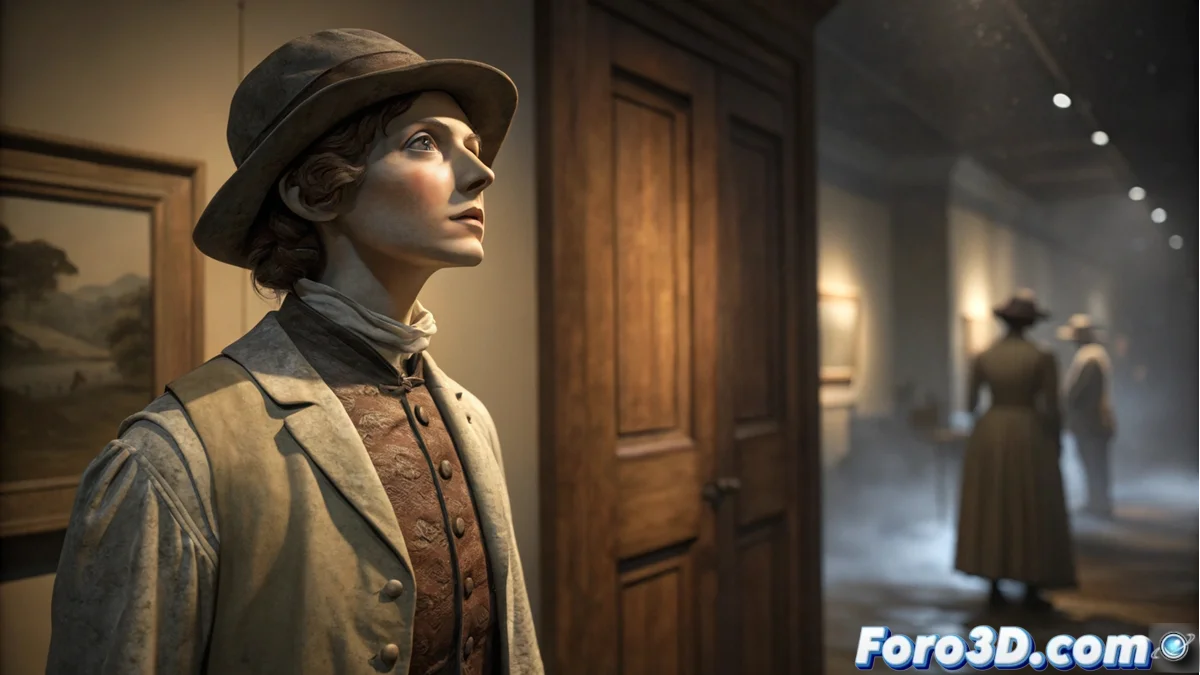
The Legend of the Wax Mannequin and Its Creation in MeshMixer
The fascinating legend of the wax mannequin originated in 19th-century European museums, especially in London and Paris. Unlike other horror stories, this tale is characterized by its non-threatening nature and its communicative purpose. The figure, dressed in clothing from two centuries ago, seems to move only when no one is watching, orienting itself toward a specific door. 🕯️
Origins and Evolution of the Myth
The first written records come from museum employees who noticed subtle changes in the mannequin's posture during their nighttime rounds. Over time, the story incorporated details from multiple witnesses, always emphasizing that the movement occurs in moments of distraction. The most accepted theory suggests that the figure is trying to warn about who will cross the door's threshold.
Main characteristics of the legend:- Discreet movement that is never witnessed directly
- Period clothing that places its origin in the Industrial Revolution
- Repetitive behavior of orienting toward a specific door
“The mannequin seems to have a residual consciousness, an echo of the past seeking to communicate with the present.” - Former museum curator
Project Preparation in MeshMixer
To recreate this legend in 3D, start Autodesk MeshMixer by setting the units to centimeters and establishing a reference plane as the floor. Adjust the ambient lighting to a dim tone that simulates the atmosphere of a nighttime museum. Import a basic cube and use it as the main block to sculpt the humanoid shape of the mannequin. 🌙
Essential initial setup:- Units in centimeters for realistic proportions
- Reference plane representing the museum floor
- Dim ambient lighting for nighttime atmosphere
Modeling and Structure of the Figure
Use digital sculpting tools to refine the basic shape, focusing on the slightly inclined posture toward the door. Use the smoothing brush to eliminate edges and create the characteristic wax texture. For the old clothing, apply the extrusion function over the base mesh, generating layers of fabric with folds and drapes that suggest frozen movement. 👗
Realistic Lighting and Materials
Set up three strategic light points: soft ambient light, main spotlight from above, and directional light for the outline. Adjust the main material to a semi-translucent finish that mimics aged wax, using the visual properties editor to achieve the characteristic yellowish tone. Add specular shine to simulate the reflection of wax under dim light. 💡
Key lighting elements:- Very soft ambient light for general atmosphere
- Main spotlight illuminating the mannequin from above
- Directional light marking the figure's outline
Special Effects and Final Render
To create the illusion of recent movement, use smooth deformation tools on the feet and base, generating the impression that the mannequin has just turned. Apply a selective blur filter to the background to direct attention toward the figure. Set up rendering with multiple sampling to eliminate digital noise and export in high-resolution PNG to preserve transparencies. 🎨
Cultural Impact and Legacy
This urban legend represents a sophisticated variant within the folklore of inanimate objects, standing out for its non-malevolent nature. It has permeated popular culture, appearing in literary works and programs about paranormal phenomena, reflecting humanity's fascination with objects that seem to retain consciousness. The mannequin, with its communicative purpose, remains one of the most persistent legends associated with European wax museums. 📚