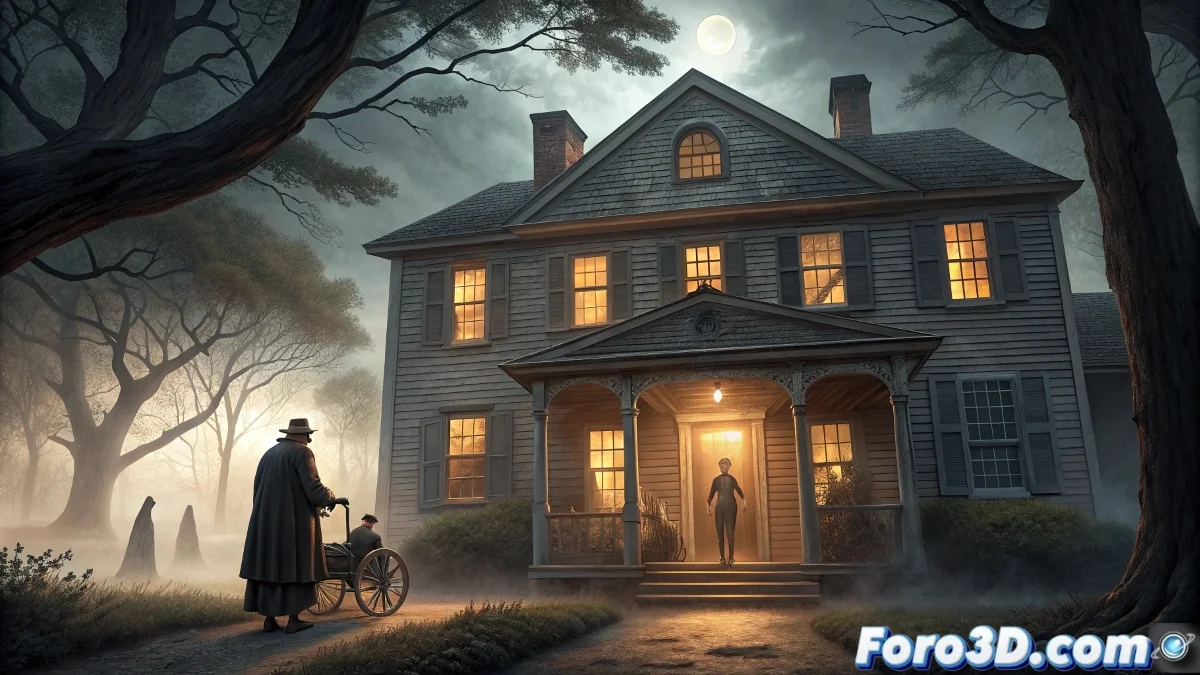
The Legend of the Stopped Time House: Recreation in Blender
The mysterious legend of the house where time stops has fascinated generations since the 19th century, especially in rural areas of Massachusetts where communities developed supernatural tales to explain inexplicable phenomena. This narrative represents a powerful metaphor about the limits of human curiosity and the fear of the unknown. 🏚️
Initial Project Setup in Blender
To recreate this legend in Blender, start by setting up a new scene with specific parameters that establish the foundation for architectural realism and temporal effects.
Step-by-step setup in Blender:- Open Blender and delete the default cube (X → Delete). Go to Properties → Scene and set Units Scale to 1.0 with Unit System in Metric
- Create a plane as base terrain (Shift + A → Mesh → Plane) and scale to 20m x 20m (S + 20). Apply scale (Ctrl + A → Scale)
- Set up HDRI lighting by going to Shader Editor → World. Add Environment Texture and load a twilight HDRI with Strength at 0.8
- Set render engine to Cycles, Device to GPU Compute and Color Management to Filmic with High Contrast Look
- Create three cameras (Shift + A → Camera) with angles at 25mm, 35mm and 50mm to cover different perspectives
Frozen time is not just a visual effect, but a metaphor for our own temporal limitations as digital artists working against deadlines.
Detailed Colonial Architectural Modeling
The New England colonial house requires meticulous attention to historical architectural details and time wear.
Specific modeling techniques:- Start with a base cube (2m x 3m x 2.5m) and extrude (E) the walls with 0.2m thickness. Apply Subdivision Surface modifier with levels 2 Viewport, 3 Render
- For sash windows: create loop cuts (Ctrl + R) every 0.3m, extrude inner faces with Depth 0.1m and apply glass material with IOR 1.45
- Model the front porch by extruding from the main facade with 1.5m depth. Add cylindrical columns (Diameter 0.15m, Height 2.2m)
- Use Sculpt Mode with Clay Strips brush (Strength 0.3, Radius 40px) to add imperfections in the wood and peeling paint
- Apply Bevel modifier to architectural edges with Width 0.02m and Segments 3 to smooth edges without losing definition
Dual Atmospheric Lighting System
The key to conveying the sensation of stopped time lies in carefully stratified lighting that differentiates temporal zones.
Blender lighting setup:- For normal time areas: add Area Light (2m x 1m) with Temperature 3500K, Power 30W and Size 2.0. Position it in main windows
- Frozen zones: use Point Lights with Temperature 6500K, Power 15W and Radius 0.5m. Enable Light Paths → Max Bounces to 12
- Create Volumetric Scatter for suspended dust effect: Shift + A → Volume → Principled Volume with Density 0.1, Anisotropy 0.8
- Set up Mist Pass in View Layer Properties with Start 5m, Depth 25m and Falloff 2.0 for atmospheric depth effects
- Add Sun Light with Angle 2.5° for general ambient lighting, Strength 3.0 and Temperature 4500K for realistic twilight light
Aged Materials and Temporal Effects
Materials must convey decades of abandonment while visual effects communicate the temporal paradox of the legend.
Material and effect development:- Aged wood: Principled BSDF with Base Color wood texture, Roughness 0.85, Normal Map strength 1.2 and Displacement with Height 0.05m
- Peeling paint: mix two Principled BSDF with Noise Texture (Scale 25.0) as factor to simulate worn areas
- Frozen time effect: in Compositor, add Filter → Glare with Fog Glare type, Size 8px and Mix 0.3. Combine with Color Balance adjusting Lift to blue
- Suspended particles: Particle System with Emission Number 5000, Lifetime 250 frames, Physics type None. Use Hair render with Thickness 0.002m
- Set Render Samples: 750 Viewport, 1500 Final with Denoiser OptiX and Light Paths → Max Bounces 12 Total, 4 Diffuse
Advanced Tips and Optimization
For artists looking to take this scene to the next level, there are specific techniques that improve both realism and workflow efficiency. 🎨
Advanced optimization techniques:- Use Adaptive Subdivision for complex surfaces: Threshold 0.01, Dicing Scale 1.0. Reduces memory usage by up to 40%
- Set up Viewport Denoising in Sampling tab with Start Sample 32 for fast preview without compromising final quality
- For character animations: apply NLA Editor for repetitive actions and use Action Constraints for cyclic movements
- Optimize complex materials with reusable Node Groups and Texture Atlases for multiple similar surfaces
- Render by layers: separate foreground, midground and background into different View Layers for individual effect control
Final Reflections on Time and Creation
This Blender recreation demonstrates how folkloric legends can inspire innovative visual techniques that challenge our perception of time and space. The creative process itself becomes a metaphor for the original legend, where every artist must find balance between technical perfection and deadlines. The stopped time house reminds us that, although time keeps advancing, well-told stories remain eternally relevant in our visual culture. ⏳