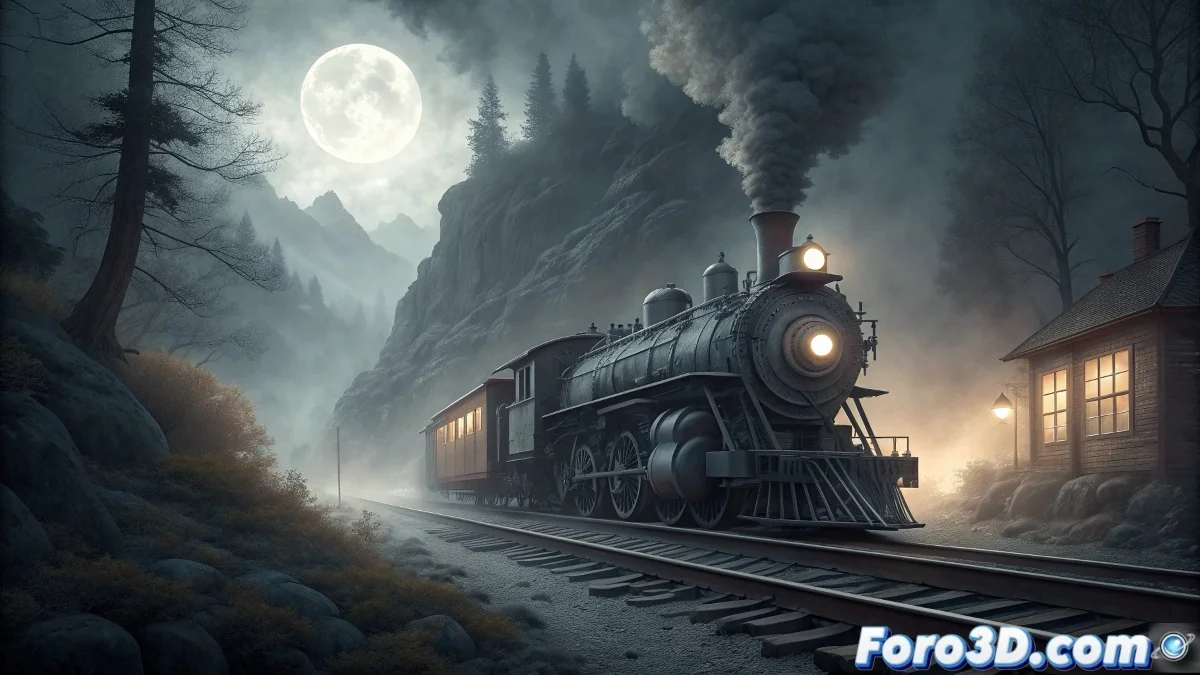
The Legend of the Sierra Nevada Ghost Train: Recreation in Animation Master
During the California Gold Rush, the remote mountains of Sierra Nevada hosted numerous mining settlements that depended on the railroad for their survival. The railway tragedy that gave rise to this legend has been passed down through generations, transforming into a supernatural tale that endures in the collective memory. 👻
Historical Origins and Evolution of the Myth
The narrative dates back to 1858, when a convoy loaded with miners and equipment mysteriously disappeared during a winter storm. Witnesses described metallic sounds and a distant whistle that still echoes in the deepest canyons. This legend serves as a cultural mechanism that preserves the history of mining communities and their sacrifices.
Key Elements of the Oral Tradition:- Auditory manifestations during full moon nights
- Spectral fog that suddenly appears on abandoned railway sections
- Translucent figures briefly visible through the cab windows
"The train carries no living passengers, only memories of those who never returned from the mines" - Former Sierra Nevada resident
Initial Setup in Animation Master
To recreate this legend, we begin by setting up a specific project in Animation Master that captures the supernatural essence of the tale. Meticulous preparation is crucial to achieve the mysterious atmosphere characteristic of this spectral apparition. 🚂
Step-by-Step Project Preparation:- Open Animation Master and select File > New Project
- In Project Settings, set Aspect Ratio: 16:9 Cinematic and Frame Rate: 24 fps
- Set the duration in Timeline Settings to 360 frames (exactly 15 seconds)
- Create 5 reference layers by importing historical images using Import > Reference Images
- Set Grid Spacing: 2.0 and enable Snap to Grid for precision
Advanced Spectral Modeling Techniques
Modeling the ghost locomotive requires a specialized approach that combines traditional geometry with transparency effects. In Animation Master, we will use specific tools to create the illusion of spectral materiality.
Detailed Modeling Process:- Select Spline Modeling from the main toolbar
- Create the base profile of the locomotive using 4-point splines with Tension: 0.7
- For the cogwheels, apply Lathe Tool with Segments: 24 and Axis: Y
- Set Patch Density: 85% for organic surfaces
- In the cab, apply Transparency Map with Opacity: 0.3-0.6 values
Atmospheric Lighting System
Lighting is fundamental to convey the ghostly nature of the scene. We will set up a three-layer lighting system that interacts with the semitransparent materials.
Specific Light Setup:- Main light: Directional Light with Color: RGB 180,200,255 and Intensity: 0.4
- Interior light: Point Light in the boiler with Color: RGB 255,180,100 and Intensity: 0.8
- Ambient light: Ambient Light with Color: RGB 100,120,180 and Intensity: 0.2
- Set Shadow Maps: 2048x2048 for soft shadows
Materials and Spectral Effects
Custom shaders are essential to achieve the ghostly appearance effect. We will combine transparency properties with controlled emission.
Advanced Material Parameters:- Select Material Editor and create new material "Ghost"
- Set Diffuse: 30%, Specular: 15%, Transparency: 65%
- Enable Self-Illumination with Strength: 0.4 and Color: RGB 200,220,255
- Apply Glow Effect with Radius: 2.5 and Intensity: 0.7
- Set Motion Blur: 8 samples in Render Settings
Particle System for Spectral Fog
Dynamic fog is crucial for the mysterious atmosphere. We will use Animation Master's built-in particle system with specific parameters.
Atmospheric Effects Setup:- Create new Particle System from the Effects tab
- Set Emission Rate: 250 particles/second
- Configure Particle Life: 8-12 seconds with random variation
- Apply Wind Force: 0.3 in X direction for natural movement
- Set Particle Size: 3.5-6.0 with progressive growth
Final Rendering and Compositing
The rendering process must preserve the spectral properties while maintaining visual coherence. We will use specific Animation Master techniques for the final output.
Advanced Render Settings:- In Render Settings, select Output Format: PNG Sequence
- Set Anti-aliasing: 8x Multi-sampling
- Enable Separate Passes for ghostly elements
- Configure Global Illumination: 2 bounces for realistic lighting
- Set Render Time: 45 minutes for optimal quality
Technical and Artistic Conclusion
The recreation of the Sierra Nevada ghost train in Animation Master demonstrates how technical tools can bring historical legends to life. This approach not only honors the oral tradition but also expands the narrative possibilities of spectral 3D. The combination of organic modeling, atmospheric lighting, and particle effects creates a visual experience that transcends the purely technical to achieve artistic expression. ✨