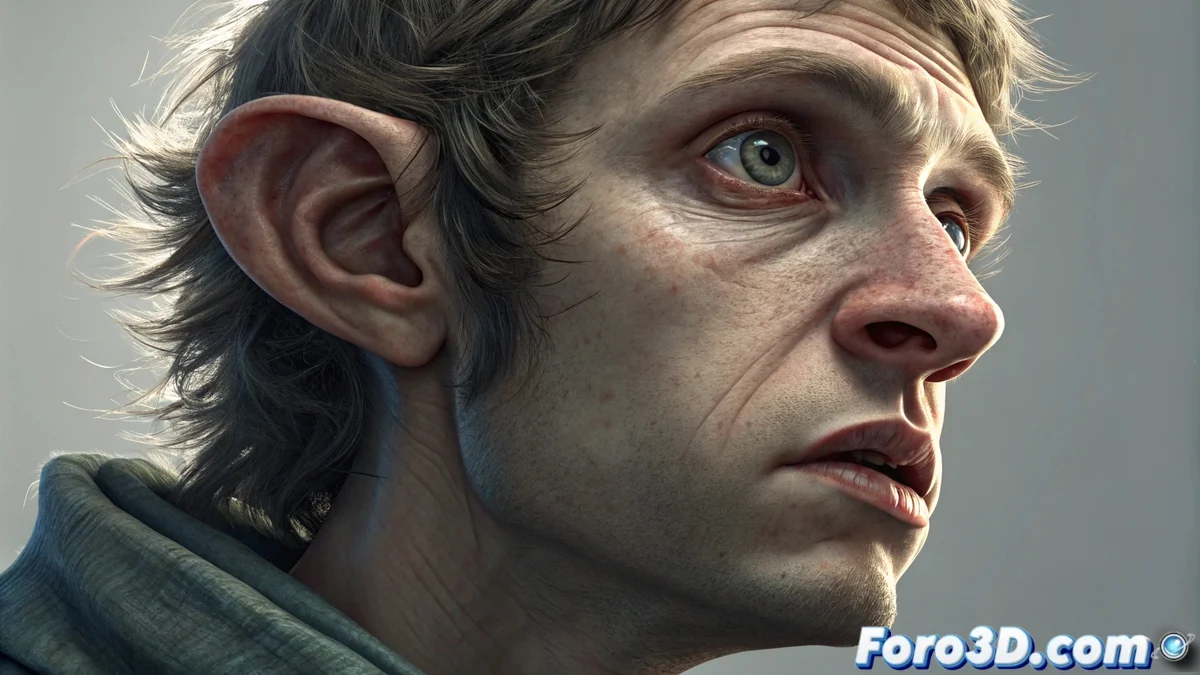
The Dragon Skin Effect in Portraits with Wide-Angle Lenses
When you take a very close portrait with a wide-angle lens, the optics alter the natural proportions of the face. This phenomenon, far from being a defect, is a physical property of short focal length lenses. Features closest to the sensor, like the nose, are enlarged, while the rest of the face may stretch, creating an appearance that blends realism with an almost caricaturesque quality. Photographers leverage this behavior to manipulate perception and produce images with strong visual character. 🐉
Understanding and Controlling Distortion
The key to this dragon skin effect lies in the physical proximity between the camera and the subject. It's not the lens itself, but the shooting distance that accentuates the deformation. Using a focal length below 35mm on full-frame makes it easy to get close enough. Many smartphones integrate ultra-wide-angle optics that allow experimenting with this immediately. For the deformation to affect the face uniformly, a medium aperture is recommended, which maintains adequate depth of field.
Steps to Achieve the Effect:- Use a lens with a short focal length, ideally under 24mm or the ultra-wide-angle on your phone.
- Get as close to the model as possible, almost selfie distance. The nose should almost touch the filter.
- Frame from a frontal or slightly low angle to exaggerate the chin and jawline.
- Set an aperture like f/5.6 or f/8 for sharpness across the distorted face.
A portrait like this guarantees the subject will never ask "Do I look fat in this photo?", because the answer will be obvious and geometrically complex.
Using the Technique with Purpose
This approach is a powerful tool for conceptual photography, experimental fashion, or injecting doses of humor into a session. However, it requires clear intent, as the result is rarely conventionally flattering. Total creative control involves knowing when to enhance the distortion and when to avoid it.
Practical Considerations and Correction:- For classic portraits and to avoid the effect, increase the distance to the subject and use a short telephoto (e.g., 85mm).
- If you captured the image and the distortion is unwanted, you can correct it in post-production with tools like the Lens Correction filter in Photoshop or equivalent modules in other software.
- Experiment in controlled sessions to understand how the optics transform different face types and angles.
Mastering Optics to Express Ideas
Understanding that perspective distortion is not an error, but a visual language, allows you to expand your creative resources. Whether seeking dramatic impact, visual satire, or simply understanding your gear's limits, mastering this effect gives you greater control over your image's final message. The next time you use a wide-angle, remember that you're not just expanding the field of view, but also altering the geometry of reality in front of you. 🔍