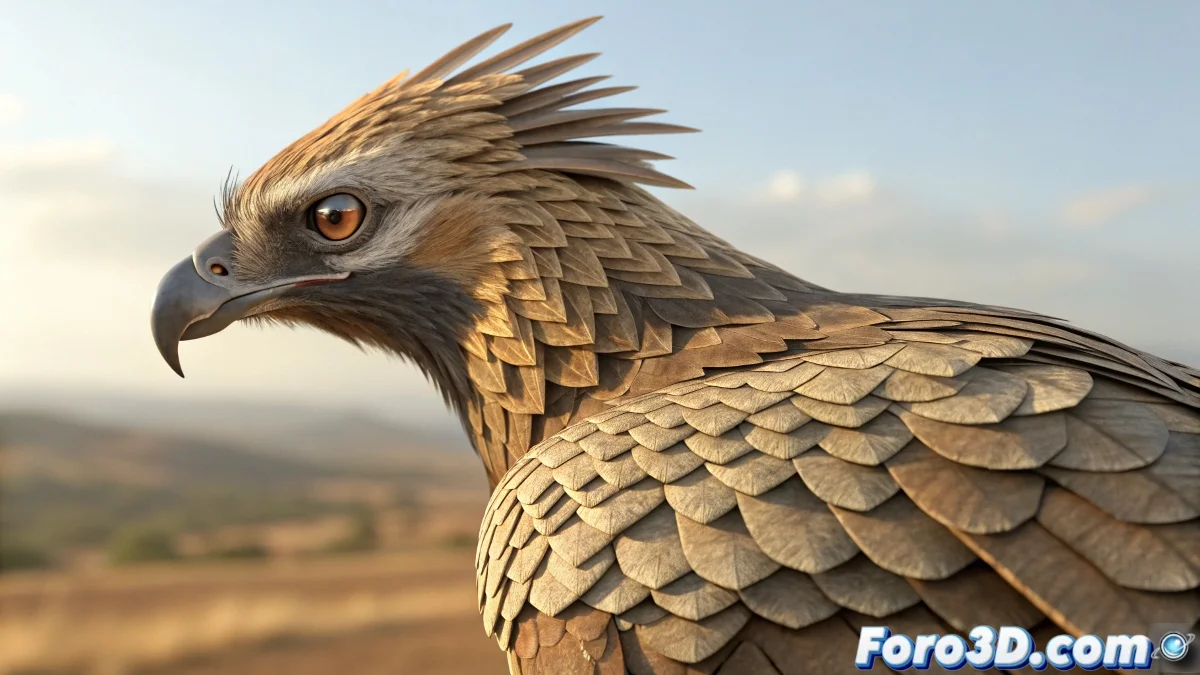
When Feathers Decide to Dance Their Own Dance
The challenge of creating realistic and controllable feathering in 3ds Max is one of those epic battles that separates casual artists from digital creature specialists. The frustration is understandable when you've tried Particle Flow, Hair and Fur, and Scatter, only to end up with feathers that rotate randomly or behave like rebellious hairs instead of structured feathers. The fundamental problem is that these systems were designed for other purposes and don't understand the directional and hierarchical nature of real feathering.
Your observation about the need for specific control for a hyperrealistic parrot is exactly right. Feathers are not hair - they have a completely different structure, direction, and physical behavior that requires specialized tools.
Solution with Enhanced Particle Flow
The rotation problem in Particle Flow has a solution using the Spin operator with Direction Matrix instead of random rotation. Create a Vector Controller that defines the base direction of the feathers and connect the Spin operator to this control. This allows all feathers to rotate consistently in the desired direction.
For "ruffled feathers" control, animate the Spin Rate parameter using a Float Controller with a smooth animation curve. This lets you progressively lift the feathers, simulating that fear reaction you describe, with total control over timing and intensity.
- Spin operator with Direction Matrix
- Vector Controller for consistent direction
- Animated Spin Rate for ruffled feathers
- Look At operator for surface alignment
Perfect feathering is like a well-trained army: every soldier knows its position and direction
Technique with Advanced Instancing
For controlled distribution, use Particle Flow with Shape Instance but with a layered approach. Create multiple particle systems - one for primary feathers, another for secondary, and another for coverts. Each system can have its own distribution and behavior, mimicking real bird anatomy.
The key is using Texture Maps for density control. Create specific weight maps for each feather type, using the Density by Map channel in the Position Object operator. This allows you to strategically place each feather type exactly where you need it.
- Multiple systems per feather type
- Texture Maps for density control
- Position Object with custom maps
- Scale by Map for size variation
Specialized Plugins for Feathering
For hyperrealistic projects, consider plugins like FeatherFarm or Ornatrix that are specifically designed for feathering. FeatherFarm offers advanced nodal control for feather placement and behavior, with grooming tools that understand avian anatomy.
Ornatrix, although primarily for hair, has advanced instancing modules that can be adapted for feathers. Its guides and surface distribution system offers the control you're looking for, allowing you to manually place key feathers and then automatically propagate the rest.
- FeatherFarm for specialized control
- Ornatrix with instancing module
- Control by guides and propagation
- Specific grooming tools
Hybrid Technique with Bones and Skin
For maximum control, consider a hybrid approach. Model and manually place the main feathers (primaries and secondaries) as traditional geometry, skinned to specific bones. Then use Particle Flow only for the smaller feathers (coverts and down).
This technique gives you absolute control over the most visible feathers while maintaining particle efficiency for high-density areas. Bones allow direct animation for specific effects like the feather ruffling you mention.
- Main feathers as skinned geometry
- Minor feathers with Particle Flow
- Specific bones for animation control
- Combination of techniques for best results
Optimization for Hyperrealistic Rendering
For the visual aspect, create multiple variations of each feather type with different degrees of wear, dirt, and barb orientation. Use the Shape Instance operator with multiple objects and enable Random Shape for automatic variation.
Materials are crucial for realism. Use detailed normal maps for feather barbs and materials with anisotropic highlights to simulate the characteristic reflectivity of feathers. Lighting should highlight the three-dimensional structure of each feather.
- Multiple variations of each feather
- Anisotropic materials for reflectivity
- Normal maps for barb detail
- Lighting that highlights 3D structure
Mastering these techniques will allow you to create digital birds that rival nature in realism and beauty. Because in the CGI world, even the most complex feathering can be tamed with the right tools and techniques 😏
Recommended Workflow
For a hyperrealistic parrot:
Primary feathers: Skinned geometry
Secondary feathers: Controlled Particle Flow
Coverts: Ornatrix or FeatherFarm
Animation control: Bones + expressions
Textures: Anisotropic maps + normals