Today I want to talk to you about a tool that many of us use for working with textures, effects, and 3D visualizations: Substance 3D Designer. Version 14.1 has just been released, and it brings some quite interesting new features to improve the workflow of designers and visual artists.
Improvements in Spline and Path Tools
One of the main improvements is the update to the tools that help us create and modify 2D shapes, called Spline and Path. These are fundamental elements when working with patterns, edges, and geometric shapes.
In this new version, they have included a node called Scatter Splines on Splines, which allows us to distribute shapes over other shapes, creating complex patterns much more easily, like those embroideries or snow designs we've seen in some demos.
Additionally, they have added a new feature that makes those patterns even more organic. Now we can randomize the placement of the generated shapes, so that instead of everything being aligned, the elements are distributed in a more varied way, which is ideal for creating textures or backgrounds that look more natural.
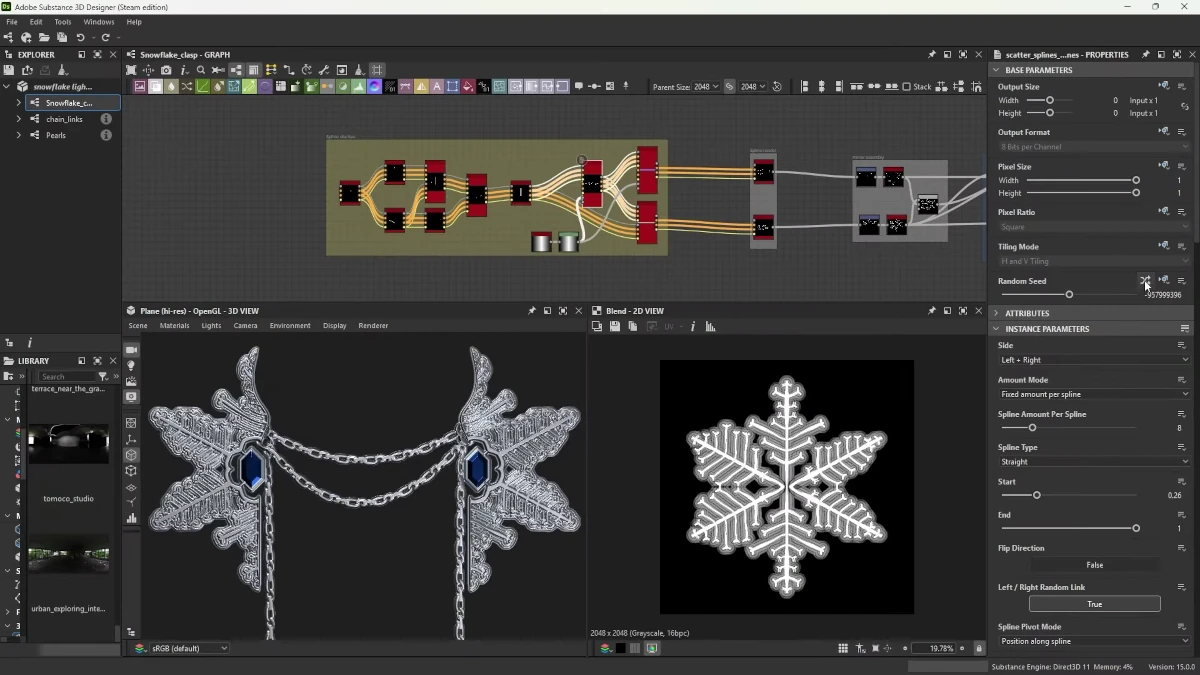
Additional Features in Spline and Path
- Randomization in Spline Bridge List: This improvement allows the splines generated by the Spline Bridge List node to be arranged randomly, providing greater creative freedom in design.
- Improved Control in Mask to Paths: The Mask to Paths node has been updated to offer greater control over the placement of the first vertex in the path.
The Color Sampler Tool
Another interesting update is the Color Sampler tool. Have you ever needed to know the exact value of a color in your work, but didn't want to interrupt the entire process? Well, this tool makes it much easier. It allows you to track the value of any selected pixel in your visualization and follow how that color changes as you work with other elements, all in real time. It's super useful for maintaining color consistency throughout the project.
Benefits of Color Sampler
- Real-time Tracking: Allows you to see how the values of selected pixels change as the node graph is updated.
- Color Consistency: Helps maintain consistent use of colors throughout the design process.
Improvements in the Node Graph Workflow
As for the workflow, important improvements have also been made. Now, for example, you can copy and paste values from one node to another, which saves us time when making quick adjustments or when we need to apply the same value in different parts of the graph.
The tools for organizing nodes within the graph have also been revamped, making the process of creating and connecting elements much cleaner and easier to follow. The option to space nodes evenly facilitates workflow visualization.
Improvements in Node Search
Finally, an improvement that many were waiting for: the Node Finder or node search. Now we can perform more precise searches within subgraphs. This helps us when we have large projects with many elements, because we find what we need more quickly, without wasting time searching through a sea of nodes.
"With these new features, Substance 3D Designer 14.1 offers a more efficient workflow, allowing us to focus on creativity without worrying about technical details."
These updates to Substance 3D Designer 14.1 are not just improvements in the interface or ease of use, but they truly optimize the workflow for all of us who are creating effects, materials, and high-quality textures for video games, cinema, and visualization projects.