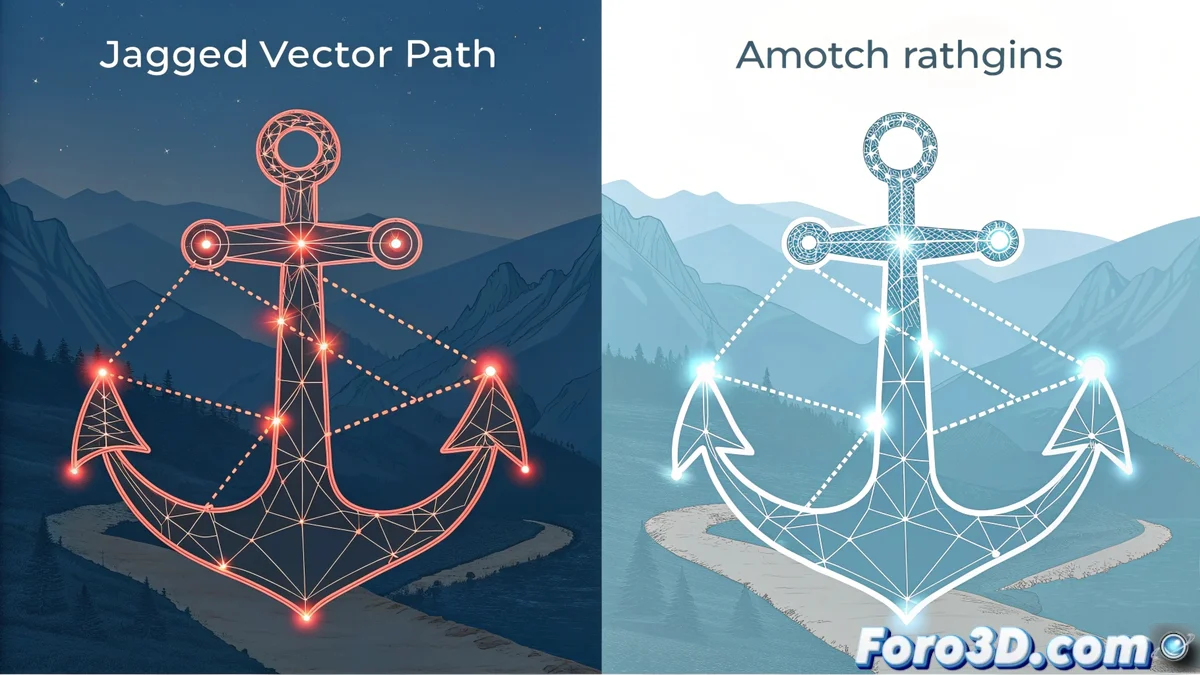
Simplify Strokes to Reduce Nodes in Vector Graphics
In vector design, simplifying strokes is a fundamental technique. It consists of reducing the number of anchor points in a path without perceptibly altering its visual shape. This procedure is vital for optimizing files, making them lighter and easier to manipulate. Most design and CAD software integrates specific tools to perform this task. 🛠️
The Mechanism Behind Simplification
The process is based on an algorithm that evaluates the curve. It analyzes the distance between each point on the line and the ideal straight line connecting its endpoints. Nodes that show minimal deviation from that line are considered superfluous and are eliminated. The user controls this level of detail through a tolerance parameter: a high value produces a more generic shape with fewer points, while a low value preserves fine details. It is especially useful for cleaning paths from scans or hand-drawn drawings, which often generate an excess of nodes. 🔍
Key Steps of the Algorithm:- Evaluate the curve: The distance of each intermediate point to the reference line is calculated.
- Compare with tolerance: Points whose distance is less than the established threshold are marked for removal.
- Reconstruct the stroke: A new vector path is generated only with the essential points that define the shape.
A stroke with too many nodes is like a map with signs every meter: it confuses more than it guides. Simplifying is creating a clear path.
Tangible Benefits and Common Uses
Reducing the number of anchor points brings immediate advantages. The resulting files are lighter, which speeds up opening, processing, and exporting them. This is crucial for complex projects or for publishing graphics on the web. Additionally, editing the stroke becomes easier, as there are fewer nodes to select and adjust manually.
Practical Applications:- Prepare logos: To ensure they print or display at any size without technical issues.
- Debug illustrations: Clean digital drawings or automatically vectorized ones.
- Optimize technical plans: Reduce the complexity of CAD files or diagrams to facilitate handling and collaboration.
Balance Between Shape and Efficiency
The ultimate goal is not to eliminate points blindly, but to find an optimal balance. The aim is to maintain the visual fidelity of the original shape while achieving an efficient and easy-to-edit file. Mastering this technique allows working with more professional and manageable vector graphics, avoiding the frustration of manipulating overly complicated strokes. A well-simplified stroke is the foundation of an agile workflow in any design project. ✅