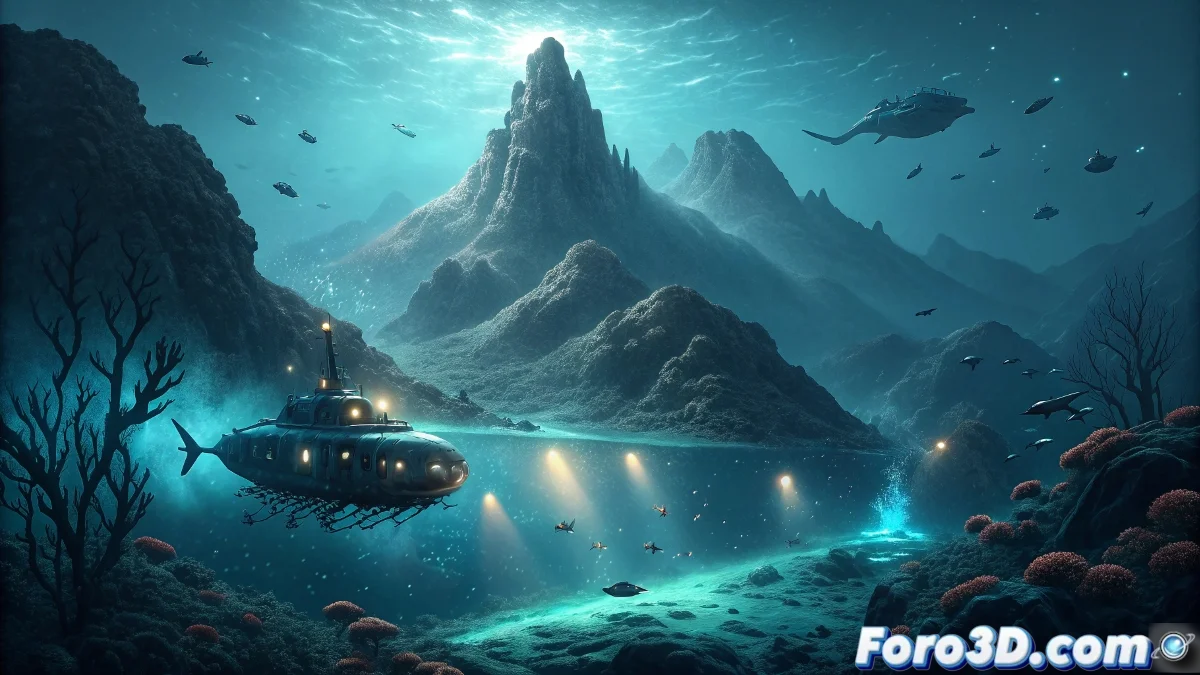
Representing the Submarine Discovery of the Nazca Ridge in Blender
The recent discovery of a submarine mount and 20 unknown species on the Nazca Ridge off the coast of Chile represents a fascinating opportunity to exercise our skills in Blender. Recreating this submarine scene will allow us to explore advanced techniques in geological modeling, marine ecosystem creation, and underwater atmosphere. This tutorial will guide the complete process, from reference research to the final render, capturing the excitement of scientific discovery through 3D digital art. Let's dive into the creation of this unknown underwater world. 🌊
Phase 1: Research and Visual Reference
Before opening Blender, it's crucial to understand what we're recreating. Research real submarine mounts and the unique geology of the Nazca Ridge. Look for images of deep-water species to inspire your unknown creatures. The Nazca Ridge is particularly interesting due to its volcanic activity and unique formations. Create a reference board with: submarine rock formations, deep-water corals, abyssal creatures, and light effects at different ocean depths. This research phase will ensure your scene is both scientifically credible and visually impactful.
Key elements to research:- Geometry of submarine mounts and volcanic formations
- Deep-water species for biological reference
- Light behavior at different depths
- Rock and marine sediment textures
- Deep-water vegetation and corals
- Submarine research equipment
Phase 2: Base Scene Setup
Start with a new scene in Blender and set the units to real-world scale. Set the color management to Filmic to better handle the high dynamic range of underwater lighting. Create a large base plane that will represent the ocean floor and add a camera with a wide lens (24-35mm) to capture the vastness of the environment. Set up the World Shader with a deep blue color as the base for ambient lighting. This initial setup is crucial for establishing the proper scale and atmosphere from the start.
Meticulous preparation in the early phases saves hours of later adjustments.
Phase 3: Submarine Mount Modeling
Use a subdivided plane and the Displace tool with a noise texture to create the base of the submarine mount. Adjust the displacement strength to create a credible mountainous shape. To add geological details, use the sculpt mode with brushes like Clay Strips and Crease to define ridges and valleys. Create multiple layers of geometry by stacking displaced mesh planes with different noise settings to simulate geological strata. Don't forget to model some distinctive rock formations around the main mount to add visual interest.
Phase 4: Texturing and Environment Materials
Create realistic materials for the different surfaces. For the submarine mount rocks, use a Principled BSDF combined with noise textures to simulate different types of volcanic rock. Add mosses and encrusting organisms using displacement textures and subtle emission to simulate bioluminescence. For the seabed, create a sandy material with micro-displacements and color variations. Use the Shader Editor to blend different materials based on face inclination, creating natural transitions between vertical and horizontal surfaces.
Key material setups:- Volcanic rock: Principled BSDF with high roughness and dark color
- Sediments: Diffuse BSDF with noise texture for variation
- Corals: Emissive materials for bioluminescence
- Water: Volume scatter with noise-controlled density
- Organisms: Translucency and subsurface scattering
Phase 5: Creating the Unknown Species
This is where your creativity can shine. Design 20 unique creatures inspired by real deep-sea animals but adding fantastic yet biologically plausible features. Start with basic shapes using simple primitives and then refine with subdivision surface and sculpting. For more organic creatures, use Blender's metaball system to create fluid and alien shapes. Add appendages, fins, and bioluminescent structures using simple extrusions and subdivision. Remember to vary sizes and behaviors to create a credible ecosystem.
Phase 6: Underwater Lighting and Atmospheric Effects
Lighting is crucial for the underwater atmosphere. Set up several area lights positioned strategically to simulate sunlight filtering from the surface. Use faint blue and green colors with low intensities. Add a volume scatter to the world to create the effect of suspended particles (marine snow). Adjust the density to be denser in the distance, creating atmospheric depth. For bioluminescent species, add point lights with emission in their materials, creating visual points of interest around the submarine mount.
Lighting setup:- Main light: Bluish area light from above (simulating surface)
- Fill lights: Dim lights from different angles
- Bioluminescence: Point lights with species-specific colors
- Volume: Principled Volume with density 0.1-0.3
- Caustics effects: Noise textures projected as light patches
Phase 7: Composition and Final Render
Organize your scene to tell a story. Position the camera to show the imposing scale of the submarine mount while highlighting some of the most interesting discoveries. Use composition rules like the rule of thirds to guide the viewer's eye. Set up the Cycles render for maximum quality, with adaptive sampling and denoiser enabled. In the Compositor, add color adjustments to enhance the underwater atmosphere, a slight vignette to focus attention, and perhaps a subtle chromatic aberration effect for cinematic realism.
Phase 8: Post-production and Presentation
Export the render in EXR format to preserve the full dynamic range. In your preferred post-production software, perform final color and contrast adjustments. Consider adding scientific research interface elements like species labels, measurement scales, or exploration route diagrams to contextualize the image as a scientific discovery. Create different versions: a wide ecosystem view and several close-ups of specific species to showcase the discovery's diversity.
By completing this project in Blender, you will not only have created an impressive visual piece, but you will have mastered techniques applicable to many other types of projects. The recreation of the Nazca Ridge discovery demonstrates how 3D art can serve as a powerful tool for visualizing and communicating scientific discoveries, making the mysteries of the ocean depths accessible to the general public that would otherwise remain invisible. Each render thus becomes a window to hidden worlds, combining scientific precision with artistic expression.