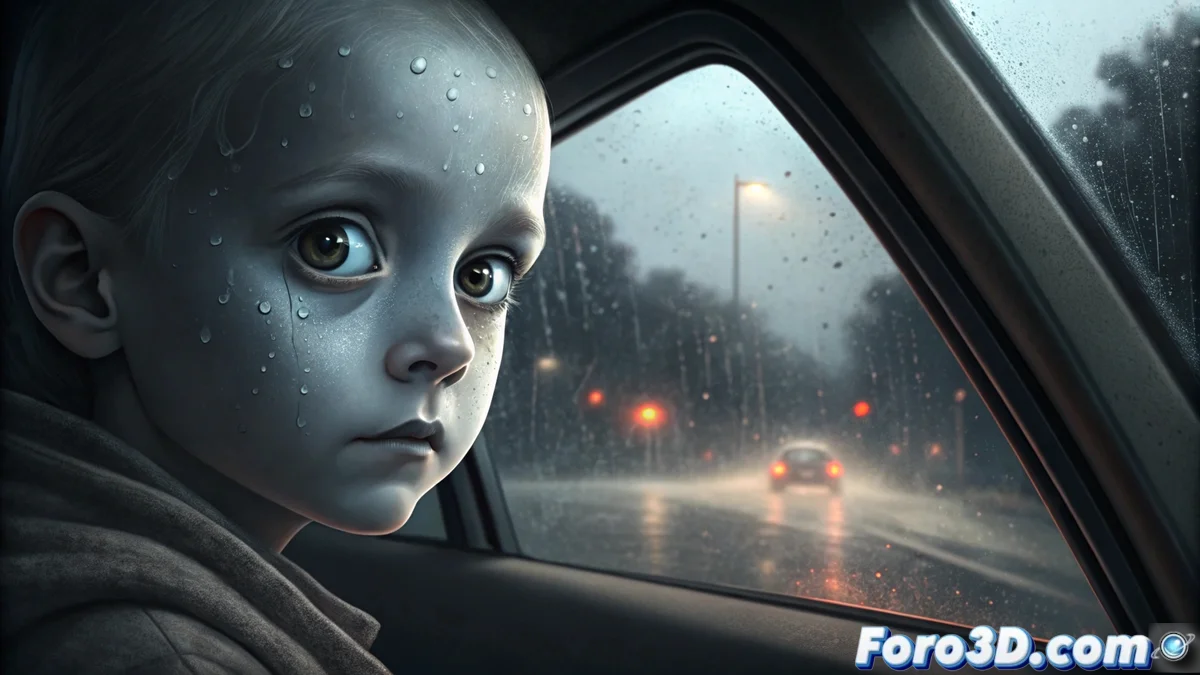
Rendering the Black-Eyed Children Legend in Blender
The unsettling urban legend speaks of encounters with minors whose eyes are completely black. This tutorial guides you through digitally recreating that moment of tension, using Blender to produce an image with a unique and disturbing visual style. 👁️🗨️
Prepare the Environment and Base Models
Start a new project in Blender and delete the default cube. Your first step is to build the main scene. Add a wide plane to serve as the vehicle interior and another inclined plane to simulate the windshield. For the key figure, you can model a basic child's face from scratch using spheres and subdivision modifiers, or import a pre-made model. Position the camera inside the car space, orienting it toward the window where the character will appear.
Setting up ambient lighting:- Use point or area lights with low intensity to mimic streetlights or moonlight entering from outside.
- Adjust the light color to cool tones, like blues or muted whites, to reinforce the night feeling.
- Experiment with light positions to create elongated and dramatic shadows inside.
According to the story, the gaze of these beings provokes a deep and instinctive terror. Your render must convey that emotion.
Apply the Graphic Style and Final Details
Go to the render properties and select the Cycles engine. To achieve the cartoon look, enable the Freestyle option in the Render Layers tab. Within its settings, modify the outline line thickness until you get a stroke that resembles an illustration. The most crucial element is the eyes: create two small spheres, place them in the model's eye sockets, and assign them an emission material with pure black color and high strength.
Adding realistic atmospheric effects:- To simulate rain, add a particle system on the glass surface. Configure the particles to be small spheres emitting from the windshield plane.
- Create fog on the glass using a material with a Texture Coordinate node and a Noise type texture. Mix this node with a Principled BSDF by adjusting roughness and transparency.
- Render the scene and review the final composition, ensuring the subjective point of view generates immersion.
Project Conclusion
By following these steps, you will have created a 3D representation of a modern legend. The combination of dim lighting, Freestyle line effects, and the sinister detail of the black emission eyes come together to evoke an atmosphere of suspense. Remember, the myth warns not to let them in... but in Blender, you can explore this mystery safely. 🚗💨