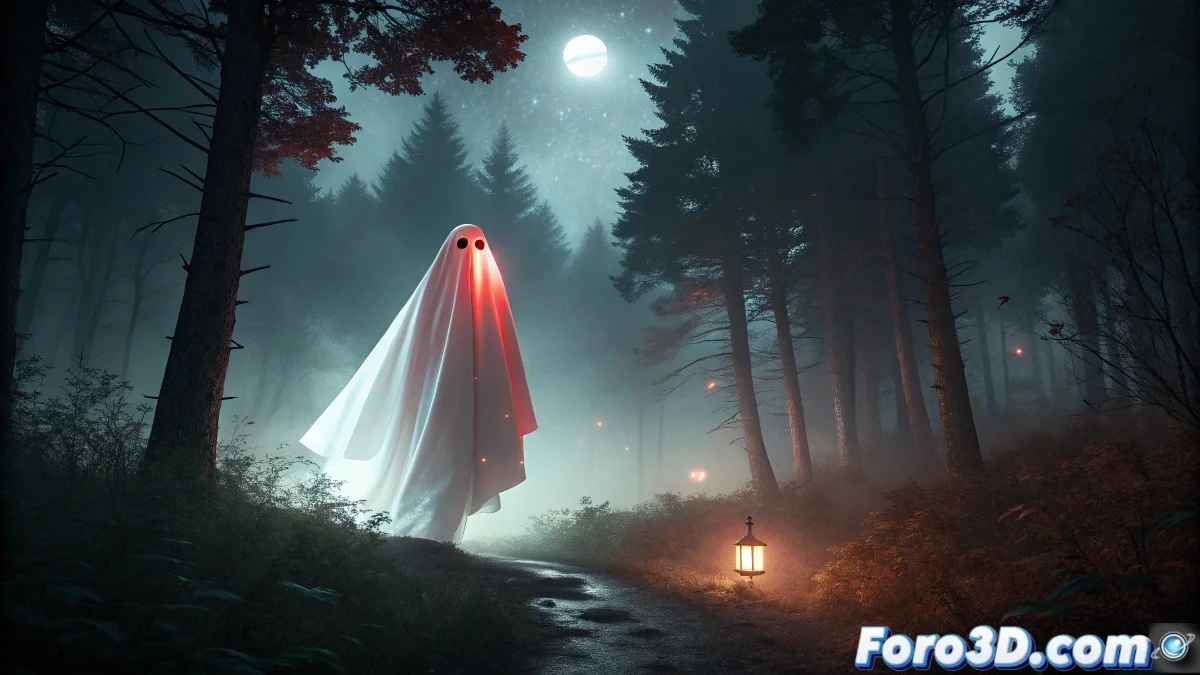
Recreating the Paulding Ghost Lights in Terragen for Supernatural Scenes
The Paulding Ghost Lights in Michigan represent one of North America's most intriguing luminous phenomena, where a solitary red or white light appears floating in a wooded valley, defying logical explanations and fueling the legend of the ghostly park ranger searching for his lost wife, creating the perfect scenario for atmospheric renders in Terragen. 💡
Context of the Phenomenon and Local Legend
This inexplicable luminous phenomenon occurs in a wooded area near Paulding, where for decades witnesses have reported a mysterious light that floats, moves intelligently, and suddenly disappears. Although explanations such as distant car headlights or swamp gas have been proposed, none fully explain its erratic behavior and the consistency of sightings.
Characteristics of the Phenomenon:- Solitary red or white light floating at low altitude
- Intelligent movements that seem to respond to observers
- Sudden disappearances and reappearances
- Concentration in a specific wooded valley
The lantern of a ghostly park ranger searching for his lost wife - Paulding local legend
Visual and Atmospheric Research
It is essential to study the topography of the Paulding valley, the atmospheric conditions that favor the phenomenon, and analyze photographs and videos of real sightings to capture the mysterious essence of the lights in the rendering.
Documentation Phases:- Analysis of topographic maps of the Paulding area
- Study of local weather and atmospheric conditions
- Collection of visual testimonies and detailed descriptions
- Research on the ghostly park ranger legend
Step by Step: Implementation in Terragen
1. Initial Project Setup
Open Terragen 4.6 and create a new project. Set the render size to 1920x1080 or larger for cinematic quality. Set the color space to sRGB and enable 32-bit floating point for greater dynamic range in night scenes.
2. Creation of Wooded Terrain
In the Terrain node, import or generate a mountainous terrain: - Use displacement shaders to create the characteristic valley - Apply procedural erosion for natural shapes - Set up texture layers for wooded soil and vegetation - Adjust altitude ranges for Michigan's specific topography
3. Atmospheric Vegetation Population
Use the Populate system to create the forest: - Select Michigan native tree species (pines, firs) - Set up density maps for denser areas and clearings - Adjust scale variation for naturalness - Use distribution shaders for organic groupings
4. Nighttime Lighting System
Set up the atmospheric lighting in Atmosphere: - Position the moon with phase around 30% for dim light - Adjust sun glow intensity to create a lunar halo - Set atmospheric model for humid conditions - Adjust haze and fog for atmospheric depth
5. Main Ghost Light Effects
Create a custom Light node for the ghost light: - Use point light with intensity between 500-800 lumens - Set color to soft red (RGB: 255, 80, 80) or warm white - Apply noise animation for organic movement - Use custom light decay for fades
6. Volumetric and Atmospheric Effects
Implement volumetric shaders for the light: - Create atmosphere volume for light scattering - Set density for low fog in the valley - Adjust scattering parameters for ghostly effect - Animate density variations for atmospheric movement
7. Particle System and Special Effects
Use the Particle System node for: - Dust particles and glowing specks around the main light - Spark and intermittent flash effects - Foliage system that reacts to the ghost light - Fog particles illuminated by the light
8. Supernatural Shaders and Materials
Develop custom shaders for: - Surfaces that emit faint glow in the dark - Vegetation materials with subsurface scattering - Pareidolia effects in rock formations - Stagnant water shaders with distorted reflections
9. Light Animation and Movement
Set up animation keyframes for: - Floating and erratic trajectory of the main light - Intensity and color variations - Interactions with the environment (over trees, near the ground) - Dramatic disappearances and reappearances
10. Rendering and Post-Processing
Optimize the final render with: - Ray depth settings for reflections and refractions - Denoiser to reduce noise in dark areas - Color grading adjustments for mysterious atmosphere - Subtle lens flare and chromatic aberration effects
Advanced Techniques for Supernatural Realism
To maximize visual impact, consider using multiple scattering in volumetric media, implementing physically-based rendering for materials, and creating weather variations that affect the visibility and behavior of the ghost light. 🌫️
Recommended Advanced Techniques:- Multiple scattering in volumetric clouds
- Procedural animation with expressions
- Atmosphere layers for variable weather conditions
- Custom AOVs for compositing control
Composition and Visual Narrative
Design the composition carefully to tell the story of the ghostly park ranger: - Use rule of thirds to position the mysterious light - Create leading lines with trees and terrain to guide the gaze - Adjust depth of field to focus on the phenomenon - Incorporate elements suggesting the search (abandoned cabin, trails)
The Mystery Made Landscape
Recreating the Paulding Ghost Lights in Terragen allows capturing the essence of the inexplicable, transforming a local legend into an immersive visual experience where the light is not just an effect, but a character with history and purpose in the nocturnal landscape. 👻