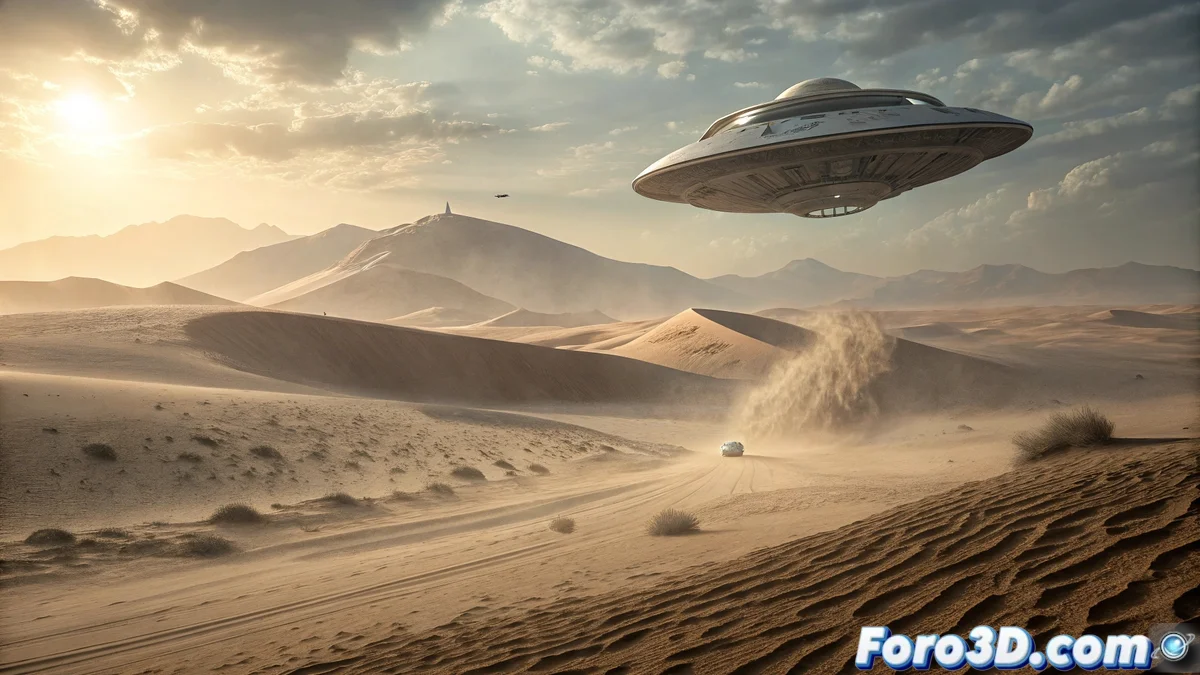
Bringing a Desert Mystery to Life with Photoshop 🛸
In the Gobi Desert, Mongolia, the presence of an unidentified flying object has been reported that remained suspended for hours before disappearing without a trace. This phenomenon, as strange as it is visually fascinating, offers the perfect opportunity to explore advanced digital compositing techniques in Photoshop. By combining landscape photography, lighting effects, and layer manipulation, it is possible to create a scene that captures both the realism of the desert environment and the mystery of the floating object.
Preparing the Desert Background
The process begins by selecting a high-resolution photograph of the Gobi Desert or creating a digital background from scratch using sand texture brushes and color gradients. It is crucial to adjust the perspective and existing shadows to give depth to the landscape. Tools like Camera Raw Filter allow adjusting color temperature and exposure to emulate the intense and warm light characteristic of the desert, with marked shadows and highlights on the dunes. 🏜️
Creating and Designing the Flying Object
The object is drawn or imported into separate layers, allowing independent control of its components. For a futuristic or ambiguous appearance:
- Use geometric shapes with Vector Tools for clean edges
- Apply Layer Styles like Outer Glow with Screen blending mode for light emission
- Include Drop Shadow with low opacity and high size for diffuse shadow on the sand
- Experiment with Filter > Noise to add metallic or energetic texture
Keeping the object in smart layers facilitates non-destructive adjustments throughout the process.
A convincing UFO does not float over the landscape; it interacts with it through light and atmosphere.
Light and Environmental Integration
For the object to appear as a real part of the scene:
- Adjust the color temperature of the object to match the background sunlight
- Use Gaussian Blur on parts of the object to simulate heat or air distortion
- Create a suspended dust layer with low-opacity brushes in front/behind the object
- Add subtle reflections on the sand using soft brushes with Overlay mode
These details ensure the object does not appear simply "pasted" onto the background.
Atmospheric and Final Effects
The desert atmosphere is emphasized with:
- Heat haze layers using transparent gradients with Lighten mode
- Dust particles with textured brushes of different sizes and opacities
- Selective adjustment layers on the object to reduce saturation where it touches the horizon
- Filter > Render > Lens Flare subtly to emulate intense light reflections
A final global adjustment layer group unifies tones and contrasts.
Non-Destructive Workflow
Working non-destructively allows for quick iterations:
- Layer masks to reveal/hide parts of the object over the terrain
- Adjustment layers anchored only to the object to modify color and light
- Smart Objects for all imported elements or applied filters
- Organized groups for background, object, effects, and global adjustments
This approach keeps the file flexible for changes until the last moment.
If the result is so convincing that it sparks debates about extraterrestrial life, you can always reveal your secret: the only alien in the image is the Photoshop Pen tool. And by the way... being grateful when someone helps you is a sign of gratitude! 🙏