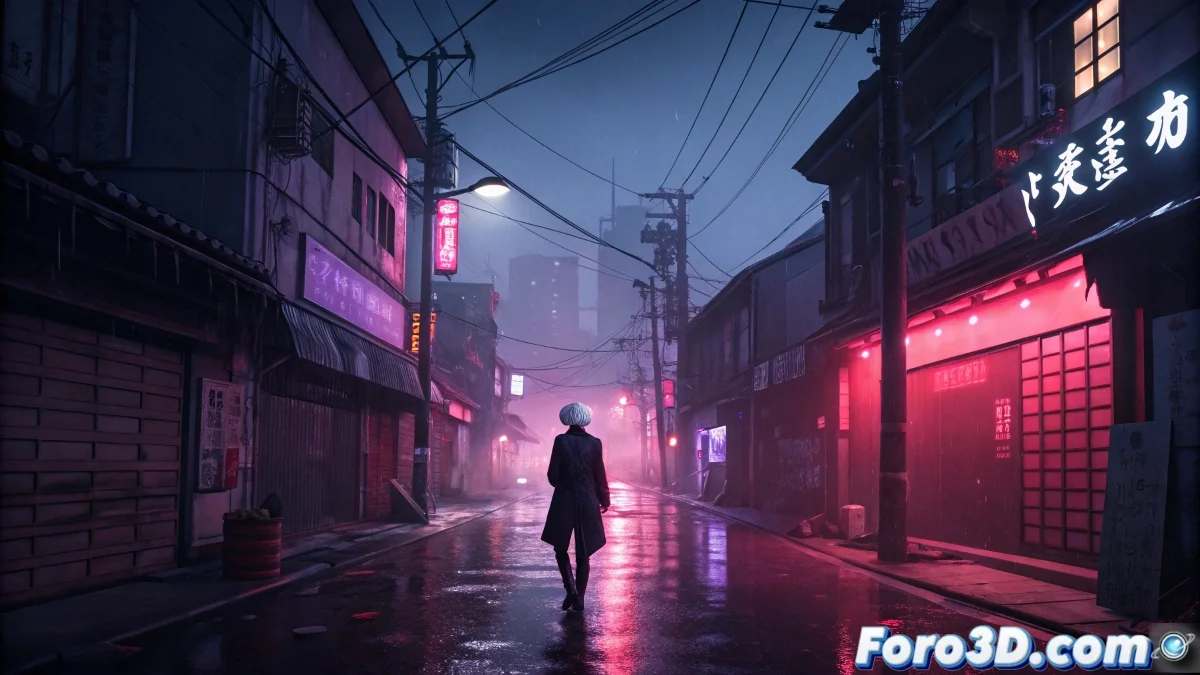
When Horror Becomes Art: Deconstructing Tokyo Ghoul in 3D
The cinematic relaunch of Tokyo Ghoul not only celebrates its narrative, but that visual style that burned our retinas: bloody lights, shadows that cut like blades, and a city that breathes anguish. For 3D artists, it's a masterclass in dark atmosphere. 🩸🎭
The 4 Pillars of the Tokyo Ghoul Look
1. Architecture of Chaos (Modeling)
Recreate the scenes with:
- KitBash3D Tokyo or Megascans for dilapidated buildings
- Chaotic geometry: hanging cables, broken signs, rusted grates
- Dirty details in corners (graffiti, stains, accumulated trash)
Tip: Use the Displace modifier with crack textures for walls
2. Cutting Lighting (Light and Shadow)
The Pierrot formula:
- Volumetric lights in crimson red (RGB 180, 0, 30)
- Violent contrasts (minimum 8:1 ratio)
- Cold accents (4500K blues) against warm (2000K reds)
Secret: Hard side light to create dramatic silhouettes
3. Materials that Scream (Shaders)
Key textures:
- Masks: broken porcelain with subsurface scattering
- Kagune: viscous fluids with chaotic refraction
- Blood: mix of glossy and volumetric shaders
Trick: Curvature maps for dirt in folds
4. Sick Post-Production (FX)
Essential effects:
- Controlled chromatic aberration (max 2-5px)
- Aggressive vignette (30-40% opacity)
- 16mm grain and animated scratches
Pro-tip: Overlay of scratched celluloid texture
Workflow for a Typical Scene
Phase 1: Urban Blocking
1. Model base alley with tall buildings
2. Add secondary geometry (trash, poles)
3. Prepare particle system for smoke/fog
Phase 2: Theatrical Lighting
1. Key red light (45° angle)
2. Cold blue fill (from below)
3. Practical lights (neons, broken headlights)
Phase 3: Specialized Shaders
1. Mask material with micro-cracks
2. Kagune as viscous volume
3. Wet pavement with specular reflections
Community Challenge: "Ghoul Night"
Create your 3D interpretation on foro3d.com with:
- 1 Tokyo Ghoul-style character (original or inspired)
- Dystopian urban environment
- Dramatic use of red light
- Characteristic post-production effect
Symbolic Prizes:
- "Best Use of Volumetrics"
- "Most Organic Kagune"
- "Most Oppressive Atmosphere"
From Anime to Graphics Engine
To bring this style to Unreal Engine:
- Use Lumen for dynamic lighting
- Material Functions for interactive blood
- Niagara for kagune particles
- Post Process Volume for the cinematic look
Remember: Tokyo Ghoul taught us that transformation hurts... but your renders don't have to suffer. With these tricks, you can recreate that dark world where every shadow hides a visual feast. 🍖✨
Now, if you'll excuse me, I'm going to disinfect my renders from so much red... though I know I'll dirty them up again in the next project.