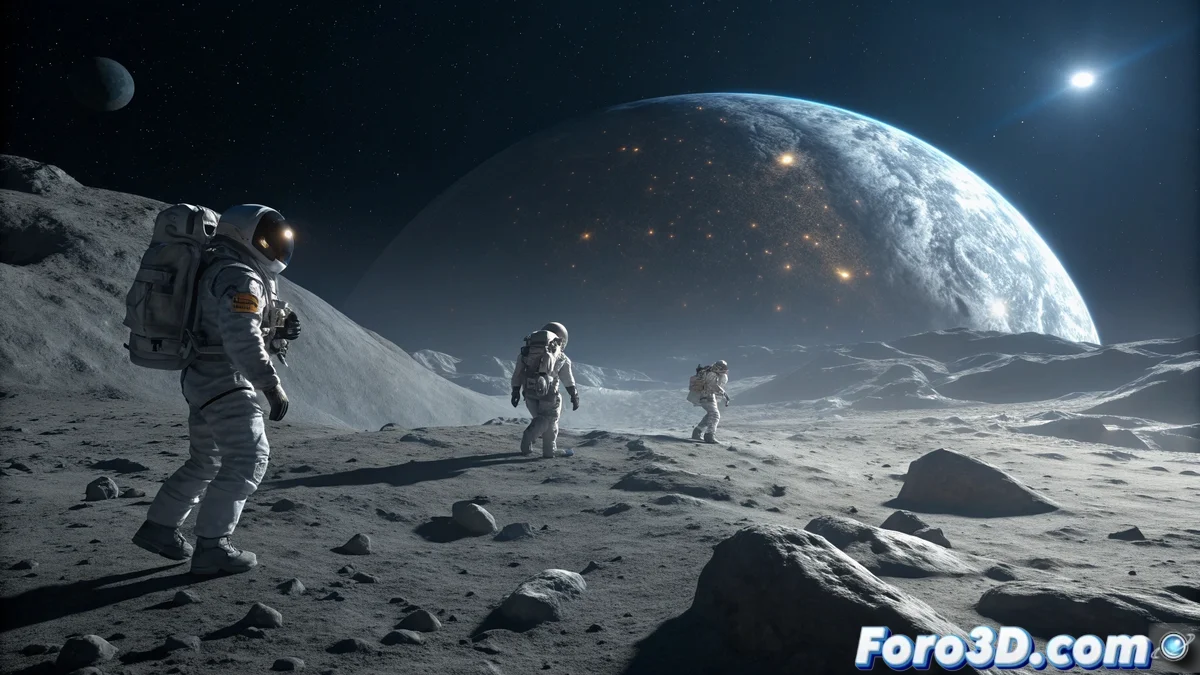
Creating Authentic Lunar Terrain
To recreate the far side of the Moon in LightWave 3D 🌙, start by generating detailed terrain with craters, scattered rocks, and lunar dust fields. You can use real NASA elevation maps or manually sculpt the surface in LightWave Modeler. It is crucial to correctly define the scale and separate the elements into differentiated layers: base ground, rocks of different sizes, and areas of deep shadow. This organization will facilitate the application of materials and subsequent lighting, essential for conveying the sense of isolation and mystery characteristic of the lunar far side.
Modeling and Placement of Astronauts
The four astronauts must integrate perfectly into the lunar environment:
- Rigged Models: Import astronauts with full rig or create static poses
- Precise Positioning: Ensure the feet make proper contact with the terrain
- Appropriate Scale: Maintain realistic proportions between astronauts and lunar elements
- Pose Variation: Different exploration and terrain examination postures
- Reflective Suits: Suitable materials for helmets and metallic surfaces
- Equipment: Add details like backpacks, tools, and communicators
Visual integration prevents them from appearing to float or out of scale 👨🚀.
Dramatic Lighting of the Dark Side
Lighting is the most critical element for realism:
- Dim Ambient Light: Simulate indirect space lighting
- Earth Reflections: Use HDRI with Earth as a soft light source
- Helmet Flashlights: Directional spotlights with adjusted intensity
- Suit Lights: Point lights for additional equipment illumination
- Soft Shadows: Adjust parameters to avoid excessive contrasts
- Light Color: Cool tones to simulate space environment
The balance between darkness and pools of artificial light creates the characteristic drama 💡.
Render and Final Details in LightWave
For the final render, carefully configure material and render properties:
- Ray Trace Shadows: Enabled for precise and realistic shadows
- Specular Highlights: Reflections on helmets and metallic surfaces
- PBR Materials: For spacesuits with different roughness levels
- Lunar Textures: Rough and dusty surfaces for the terrain
- Depth of Field: Selective focus on main elements
- Post-processing: Contrast and saturation adjustments for visual impact
Curious how you can meticulously illuminate the far side of the Moon without the virtual astronauts complaining about the cold
In the end, recreating the far side of the Moon in LightWave 3D is an exercise in balancing technical precision and visual storytelling. You achieve a scene that captures the mystery and solitude of deep space... even though your digital astronauts will never experience the extreme cold or miss terrestrial Internet connection 😅.