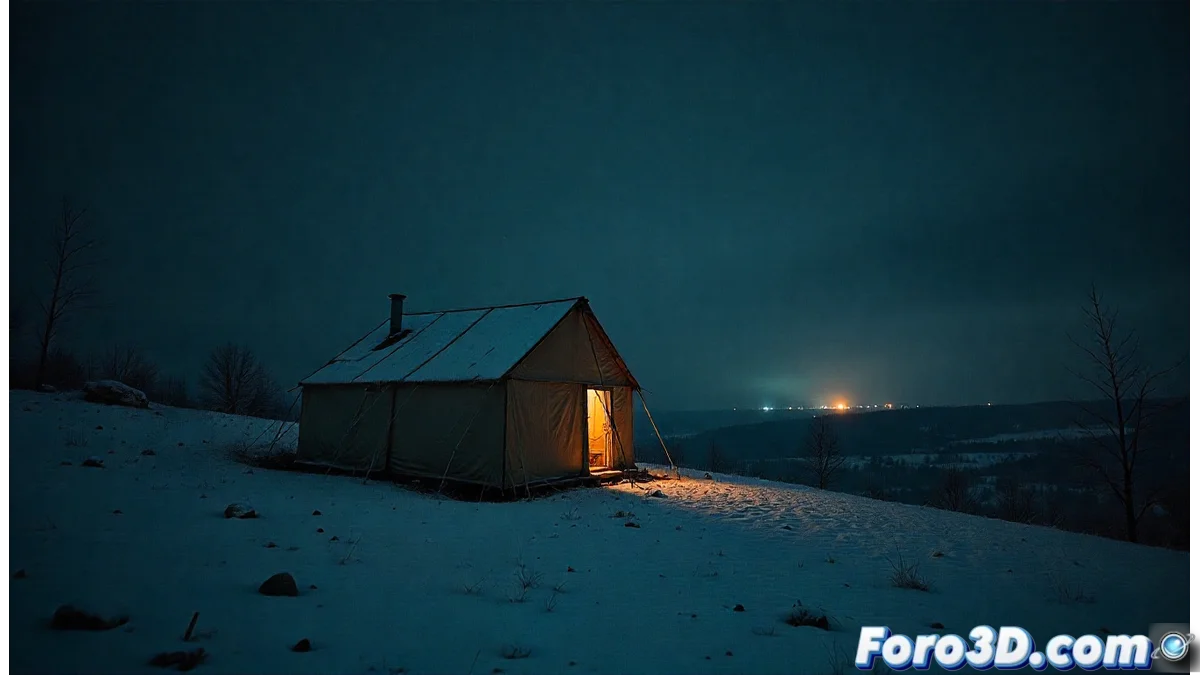
Recreate the Dyatlov Pass Mystery with Blender and Sketch Style
The Dyatlov Pass incident is a historical enigma that we can interpret visually with Blender. This guide explains how to build a 3D scene that suggests the key events, focusing on creating an atmosphere of mystery and desolation through modeling, simulation, and non-photorealistic rendering 🏔️.
Build the Environment and Key Elements
The first step is to create the terrain. You can sculpt a mountain or use a plane with a Displace modifier and a noise texture to generate the topography. Apply a white material to simulate snow. Place a basic tent model in the scene. To simulate the characteristic tear of the event, add a Cloth modifier to the fabric and animate a tear from the inside. Use a particles system to scatter snow over the terrain and accumulate it on the tent. Set up the lighting with a bluish, weak moonlight that casts long shadows, and add a warm, dim light point on the horizon to suggest a distant phenomenon.
Set up the simulation and environment:- Generate the terrain with Displace and a high-frequency noise texture.
- Apply the Cloth modifier to the tent mesh and pin vertices to tear.
- Use particles to cover all scene objects with snow.
- Place a directional light (sun) with cold blue color and low power for the moon.
The Cloth modifier not only simulates fabric, it also helps visualize why the evacuation was so abrupt.
Apply the Pencil Graphic Style and Post-Process
To achieve the pencil drawing look, activate Freestyle in the render properties. In the Freestyle lines panel, adjust the thickness and opacity to define the stroke. Shading is controlled in the Node Editor. Connect a Shader to RGB node to the output of your scene's material. Then, connect its output to a ColorRamp node set to grayscale. This converts all shadow and light information into tones of black, white, and gray, like a drawing.
Steps for rendering and post-production:- Activate the Freestyle engine in the render properties.
- Adjust line thickness and opacity in the Freestyle Line Style panel.
- In the material's node editor, use Shader to RGB + ColorRamp in grayscale.
- Add a Composite node at the end to adjust levels, reduce saturation, and cool the tones.
Refine the Atmosphere and Conclude
In the Composite node, adjust the color levels to reduce saturation, bringing the image toward a palette of blues, grays, and whites that convey extreme cold. Add a slight blur to the background to increase the sense of depth. For dynamism, you can include a secondary particle system that simulates snow blown by the wind. The final result will be a powerful image that, rather than showing facts, evokes the unanswered questions of the mystery, using Blender not only as a modeling tool, but as a medium for narrative expression 🎨.