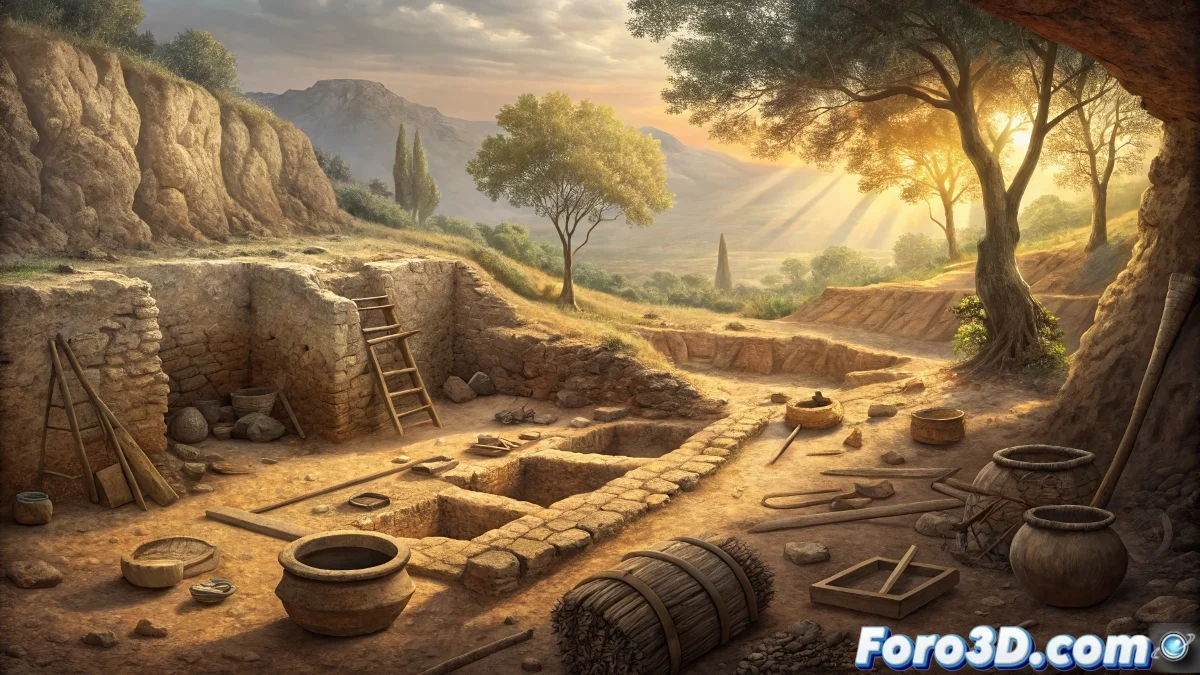
Painting the Archaeological Discovery: Recreation in Krita of 5,000-Year-Old Prehistoric Workshops
The recent archaeological discovery in Guadalajara of 5,000-year-old prehistoric workshops offers an exceptional opportunity to practice our digital illustration skills in Krita with a graphics tablet. Recreating this scene will allow us to combine historical research, digital painting techniques, and visual narrative to transport the viewer to the moment of discovery and to life in prehistory. This comprehensive guide will cover everything from historical preparation to the final texture details, creating an illustration that is both artistically impactful and historically informed. 🏺
Phase 1: Archaeological Research and Visual References
Before touching the tablet, take time to research the historical context of the discovery. Study the culture of the Iberian Peninsula inhabitants 5,000 years ago (Chalcolithic period). Look for references on: flint tools, prehistoric ceramics, housing structures, and knapping techniques. Consult archaeological publications on similar finds in the Spanish plateau. Create a reference board with: photographs of real excavations, recreations of prehistoric workshops, modern archaeological tools, and the characteristic landscape of Guadalajara. This solid foundation will ensure the historical authenticity of your illustration.
Key elements to research:- Chalcolithic flint tools and knapping techniques
- Prehistoric ceramics and decorative patterns
- Workshop structures and space organization
- Clothing and tools of modern archaeologists
- Geology and vegetation of the Guadalajara area
- Professional archaeological excavation techniques
Phase 2: Krita and Graphics Tablet Setup
Set up Krita to optimize the workflow with your graphics tablet (Wacom, Huion, XP-Pen, etc.). Establish custom shortcuts on the tablet buttons for frequent tools: brush (B), eraser (E), hand (H), and zoom (Ctrl + space). Create a 300 DPI document with generous dimensions (e.g., 4000x3000 pixels) to allow for fine details. Set up an earthy color palette appropriate for the archaeological scene: ochres, siennas, earth tones, and stony grays. Organize the layers from the start with a logical structure.
A well-configured tablet is the natural extension of the digital illustrator's hand.
Phase 3: Compositional Sketch and Visual Narrative
Start with a low-opacity layer and a soft sketch brush (like "b) Basic-5 Size" or "c) Dry Bristles"). Define the overall composition using the rule of thirds. Your scene should include: archaeologists working on the excavation, the newly discovered prehistoric workshops, and the landscape context. Consider showing a moment of discovery - perhaps an archaeologist pointing to a particularly significant find. Create guide lines that direct the viewer's gaze from the modern archaeologists toward the ancient artifacts, visually connecting the present with the past.
Phase 4: Line Art Definition with Tablet
Create a new layer over the sketch and begin the final line art. Use a digital ink brush with opacity pressure enabled (like "Ink-1 Gpen" or "b) Ink-2 Fineliner"). The tablet will allow you to create variable and expressive lines - use firm strokes for main outlines and subtler lines for internal details. Pay special attention to the archaeological details: flint flakes, ceramic fragments, bones, and excavation tools. Keep the line art on a separate layer to facilitate later adjustments.
Recommended Brush Settings:- Line art: Ink-1 Gpen with pressure opacity
- Textures: Dry Bristles for earthy effects
- Shadows: Soft airbrush for gradients
- Details: Small brush with stabilization
- Effects: Texture brushes for surfaces
Phase 5: Base Color Application
Create a layer below the line art for the base colors. Use selections with the magic wand tool for large areas, then fill with the fill tool. Establish a historically coherent palette: earth tones for the ground, stony grays for flint tools, natural colors for vegetation. For the archaeologists, use modern but discreet colors (beiges, dark blues, olive greens) that don't compete with the historical elements. Work with separate layers for each element: ground, artifacts, characters, background.
Phase 6: Archaeological Lighting and Shading
Define the light direction (probably mid-morning sunlight). Create shading layers in "Multiply" mode for shadows and layers in "Screen" or "Overlay" mode for highlights. Use a low-opacity airbrush to create smooth transitions. Pay special attention to how light interacts with different materials: the subtle sheen of freshly knapped flint, the porous texture of ancient ceramics, and the metallic surfaces of modern tools. The lighting should highlight the important finds and create depth in the excavation.
Phase 7: Texturing and Historically Accurate Details
This is the phase where the tablet shines. Use textured brushes to add realism to each surface. For the excavation soil, use brushes with granular patterns. For flint tools, create the characteristic texture of knapped stone with "cracked" or "rock" brushes. Add dirt and wear layers in "Overlay" mode to the prehistoric artifacts, showing their age. For modern elements, add details like measurement tags, excavation grids, and specialized tools.
Archaeological details to include:- Flint flakes with sharp edges and striking platforms
- Ceramic fragments with incised or impressed decorations
- Bones with cut marks and intentional fractures
- Combustion structures and delimited work areas
- Modern tools: trowels, brushes, sieves
- Documentation equipment: cameras, total stations
Phase 8: Landscape and Environment Integration
Paint the background with the characteristic Guadalajara landscape: gentle hills, Mediterranean vegetation, and possibly remnants of modern structures in the distance. Use atmospheric perspective - less saturated colors and lower contrast in the distance - to create depth. Consider adding elements that contextualize the excavation: a field tent, off-road vehicles, or the nearby village. These elements help tell the complete story of the archaeological discovery in its modern context.
Phase 9: Final Adjustments and Presentation
Review the complete illustration and make color and contrast adjustments on adjustment layers. Add a subtle noise filter to unify all elements. Create an annotated version with labels identifying the important finds: "Flint Workshop", "Ceramics Area", "Hearth", etc. Export in high resolution for printing or presentations, and consider creating cropped versions that show specific details of the most interesting finds.
By completing this illustration in Krita, you will have created not only a work of art, but a powerful archaeological communication tool. Your digital painting will serve to make a complex scientific discovery accessible to the general public, showing how the seemingly insignificant fragments excavated by archaeologists can reveal fascinating stories about our ancestral societies. Every brushstroke applied with your graphics tablet contributes to visually reconstructing a lost chapter of human history, demonstrating how digital art and archaeology can collaborate to educate and inspire.