If you've ever wondered what it would be like to paint on 3D objects with the same ease as we do in Photoshop, now it's possible! Tawan Sunflower, a well-known 3D artist and tutorial creator, has just released an amazing gift for the community: a free add-on for Blender called Paint System.
What is Paint System?
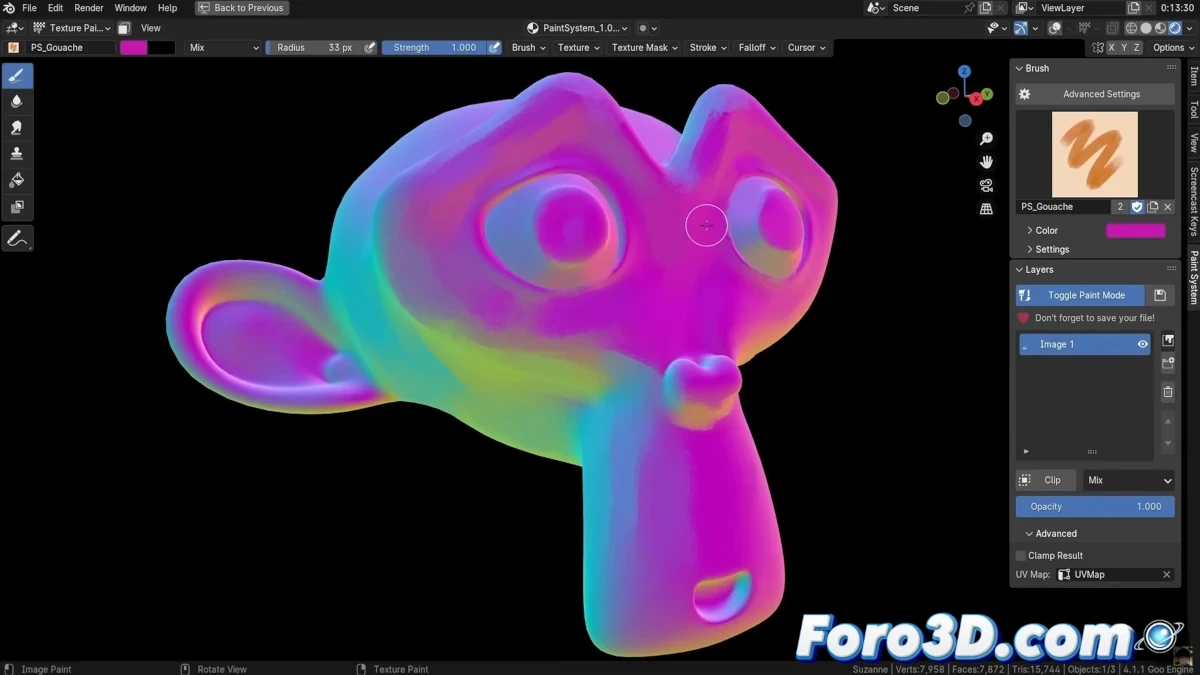
Paint System turns Blender into an incredibly powerful tool for 3D painting, as if you were working with layers, custom brushes, and blend modes in the style of Photoshop. This add-on makes everything much simpler and more intuitive, leveraging Blender's node system so you can focus on what really matters: your creativity.
Main Features of Paint System
- Simplified 3D Painting: Uses layers, custom brushes, and blend modes, making Photoshop-style work easier.
- Painting on Normals: Opens new artistic possibilities by allowing you to paint on object normals.
- Fluid and Free Interface: Allows quick switching between custom brushes, providing a smoother painting experience.
The best part is that you can not only paint on the objects but also on their normals, opening a range of artistic possibilities. And if you're a fan of custom brushes, this add-on lets you add and switch between them easily, giving a feeling of fluidity and freedom while painting.
Inspiration and Purpose
Tawan, inspired by the visual style of the Arcane series, designed this add-on with the intention of making 3D art creation more accessible and natural, similar to what we already know from other software like Photoshop.
"My goal is to make 3D art creation more accessible and allow artists to explore new ways of expressing themselves without technical complications."
How to Get Paint System?
If you are a Blender 4.1 user, you can download Paint System for free from Gumroad. Furthermore, Tawan has prepared a video tutorial to guide you through the installation and usage process, providing all the necessary tools to start creating immediately.
Don't miss the opportunity to revolutionize your way of painting in 3D and start experimenting with the incredible features of this add-on!