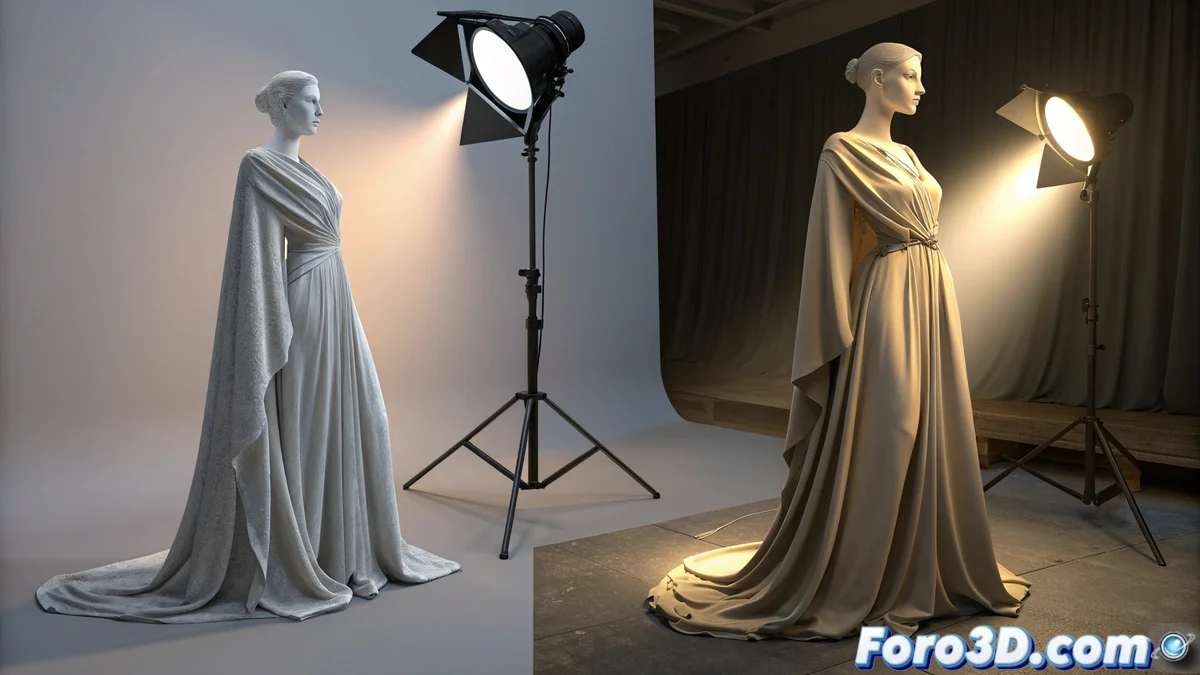
Marvelous Designer vs Clothy3D: how they illuminate the fabric
When creating digital clothing, the way light interacts with the fabric is crucial. Two key tools, Marvelous Designer and Clothy3D, approach this aspect from opposite angles, directly impacting the artist's workflow. One prioritizes agility in designing, the other seeks physical realism. 🔦
The purpose of lighting in Marvelous Designer
In Marvelous Designer, the lighting system has a functional and direct objective. Its main task is to help the designer perceive the volume, wrinkles, and fall of the fabric while working on 2D patterns and 3D simulation. It is not designed to produce a polished final image.
Characteristics of its approach:- Uses simple directional lights that the user adjusts to eliminate overly flat shadows.
- The calculation is fast, allowing agile iteration over the garment design.
- Displays basic colors and shadows without complex nuances like reflections or sub-surface scattering.
The priority in Marvelous Designer is to create patterns, not to present a final render.
The integrated render engine in Clothy3D
Clothy3D operates differently, as it incorporates a render engine specialized in fabrics. Here, light is calculated to simulate physical interactions with the assigned material properties, such as silk, gauze, or wool. This completely transforms the visualization during simulation.
Advantages of its advanced system:- Allows defining light types, intensity, color, and how it bounces off the fabric surface.
- Generates realistic effects in real time: detailed shadows, shines on glossy materials, and transparency in lightweight fabrics.
- What appears as a flat color in Marvelous Designer shows the subtlety of light passing through a veil in Clothy3D.
Workflow and visual result
This fundamental difference creates two clear stages. An artist can perfect the draping and fit of a garment in Marvelous Designer under basic but effective lighting. Upon importing that model into Clothy3D and applying a scene with, for example, sunset lighting, the garment takes on a new dimension. Every fold, every thread, casts its shadow and responds to the light with a realism that anticipates the final result, something the basic preview cannot offer. 🎭