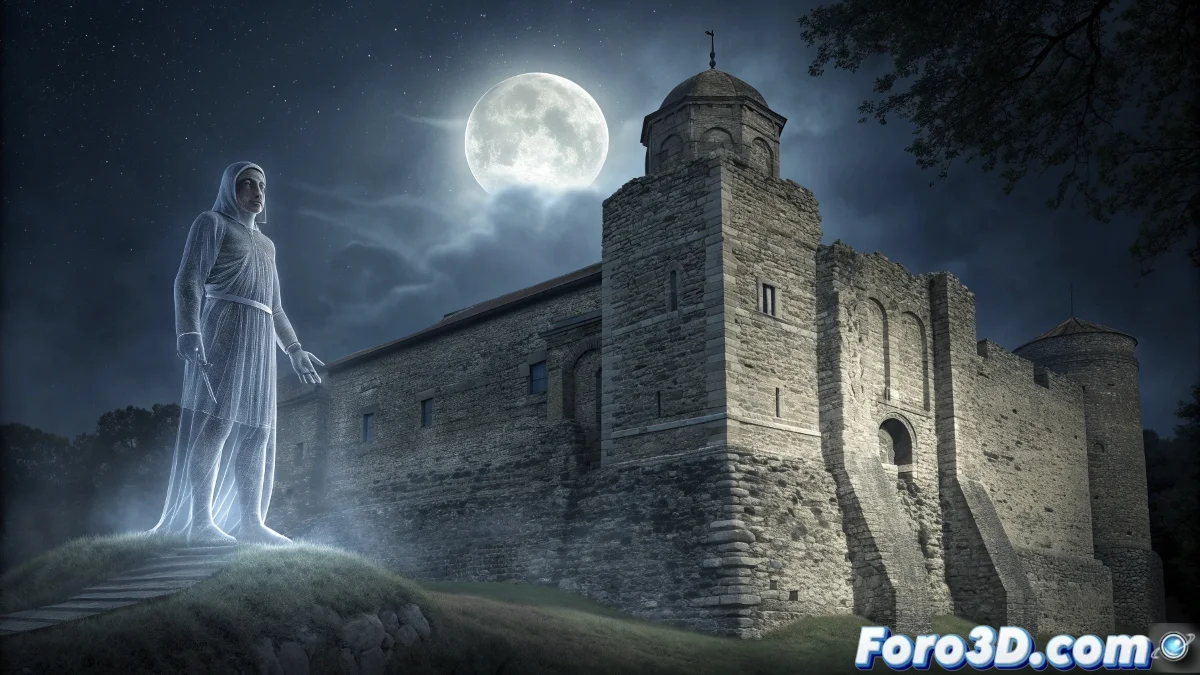
Modeling the Colchester Castle Ghost in Silo for Paranormal Scenes
The Prince of Wales Tower at Colchester Castle represents the oldest Norman structure in Britain and one of the most haunted places in England, famous for the specter of a jailer or guard executed for treason who appears as a tall figure with piercing dark eyes, eternally watching over the medieval tower's battlements. 🏰
Historical Context and Paranormal Legend
This 11th-century Norman tower built on Roman foundations has been the scene of centuries of turbulent history, serving as a fortress, prison, and place of executions. The ghost legend dates back to the medieval era, where a tall jailer or guard was executed for treason, and now his spirit remains bound to the place, appearing as a shadowy figure with notably dark eyes and a gaze that pierces those who dare to look at it.
Key Elements of the Phenomenon:- Tall and spectral figure of an adult man
- Exceptionally dark and piercing eyes
- Appearance of a medieval guard or jailer
- Vigilance behavior on the battlements
- Reports of feeling watched
A spirit that eternally watches the battlements - Description of the Colchester ghost
Architectural and Historical Research
It is essential to document the specific Norman architecture of the Colchester Tower, study detailed descriptions of the ghost through historical testimonies, and analyze the medieval attire of jailers and guards for an authentic recreation.
Essential Reference Sources:- Architectural plans of the Colchester Tower
- Detailed photographs of the interior and exterior
- Historical descriptions of Norman guard uniforms
- Ghost sighting testimonies
- Documentation on medieval execution methods
Step by Step: Modeling in Silo
1. Initial Project Setup
Open Silo 2.5 and set units to centimeters for architectural precision. Set the grid to 50cm to match medieval measurements. Create separate layers for: tower_structure, interior, ghost, and medieval_props.
2. Modeling the Norman Structure
Build the base geometry of the tower: - Use the cube primitive and subdivide for the square base - Extrude upwards for the 4 levels of the tower - Model the characteristic 4-meter thick walls - Create narrow arrow-slit windows
3. Norman Architectural Details
Add characteristic elements: - Model the upper battlements with merlons - Create the spiral staircase in a corner - Add barrel vaults in the interior - Include original chimneys and vents
4. Base of the Ghost Model
Start with the jailer specter: - Use a subdivided sphere for the base skull - Extrude and scale for the tall, thin figure - Model the upright vigilance posture - Create exaggerated height proportions
5. Spectral Facial Features
Develop the terrifying face: - Model deep and exaggerated eye sockets - Create a slightly open mouth in a mute expression - Add prominent cheekbones and angular facial structure - Develop a strong nose and furrowed brow
6. Ghostly Medieval Attire
Dress the specter historically: - Model the long jailer tunic with folds - Create the belt with empty sword sheath - Add the ethereally floating cloak - Include worn medieval boots
7. Spectral Transparency Effects
Prepare the geometry for effects: - Create overlapping geometry layers for vapor effect - Model floating particles around the figure - Develop air distortion with displacement - Add elements suggesting dematerialization
8. Characteristic Poses and Expressions
Animate the ghost's attitude: - Create vigilance pose from the battlements - Model piercing gaze expression - Develop silent walking posture - Include pointing or warning gesture
9. Integration into the Environment
Position the ghost in the tower: - Place in the main hall where it is most reported - Create composition with dim lighting from windows - Develop interaction with architectural elements - Add reflections on stone surfaces
10. Optimization for Rendering
Prepare for efficient export: - Reduce polygons in non-visible areas - Create LODs for different camera distances - Separate elements for different render passes - Apply consistent names to groups and components
Advanced Organic Modeling Techniques
For professional results, master the use of basic sculpting tools in Silo, use strategic edge loops for natural deformations, and develop retopology techniques to optimize complex meshes without losing detail. 👻
Recommended Advanced Techniques:- Edge flow control for facial deformations
- Strategic edge loops for spectral animation
- Retopology for mesh optimization
- Normal map baking for fine details
Integration with VFX Pipelines
When exporting to engines like Unreal or Unity, configure materials for spectral transparency effects, prepare skeletons for ghostly animation, and use particle systems for dematerialization and supernatural aura effects.
Reviving the Legend Through 3D Modeling
Modeling the Colchester Castle Ghost in Silo allows materializing the immaterial, transforming centuries of oral testimonies and legends into a tangible visual representation that captures both the historical essence of the character and the supernatural mystery surrounding it. 🕯️